revision: 1
FlexxPump 125 B
User Manual
29
EN-
SCHMIERSYSTEME
DIRECT LUBRICATION SYSTEMS
D L S
6.3.3 Switching on and off
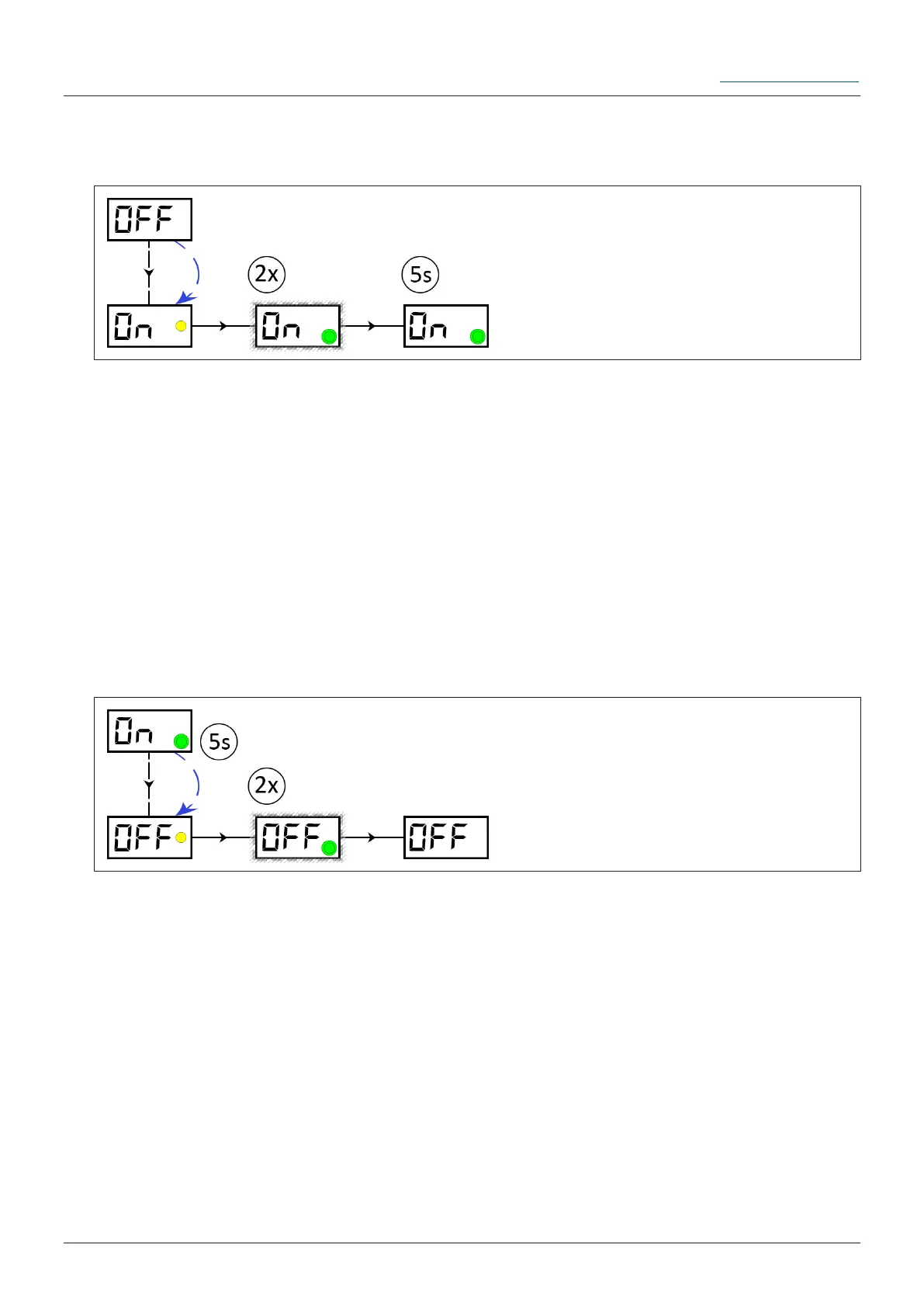
FlexxPump 125 B is switched off (OFF).
Hold the activation and programming key on the action surface. The yellow LED lights
up. Leave the activation and programming key on the action area until ON is displayed
in the LCD. Remove the activation and programming key from the action area as long
as ON is displayed in the LCD. The yellow LED disappears; the LCD ashes together
with the green LED twice.
Ü If no error is detected during the FlexxPump 125 B self-check, ON is displayed in the
LCD. The green LED lights up once every 30 seconds, FlexxPump 125 B is ready for
operation and will dispense lubricant according to the set values.
Insert the activation and programming key into the hole provided on the underside of
the FlexxPump 125 B.
FlexxPump 125 B is ON, the green LED flashes every 30 seconds.
Hold the activation and programming key on the action surface. The yellow LED lights
up. Leave the activation and programming key on the action area until OFF is displayed
in the LCD. Remove the activation and programming key from the action area as long
as OFF is displayed in the LCD. The yellow LED disappears; the LCD ashes together
with the green LED twice.
Ü FlexxPump 125 B is OFF; OFF appears in the LCD. FlexxPump 125 B stops
dispensing lubricant.
Insert the activation and programming key into the hole provided on the underside of
the FlexxPump 125 B.
FlexxPump 125 B can be switched off in any state (normal operating state or error) in
the manner described here.
Switch the FlexxPump 125 B on:
Switch the FlexxPump 125 B off:


 To Next Page