revision: 1
FlexxPump 125 B
User Manual
37
EN-
SCHMIERSYSTEME
DIRECT LUBRICATION SYSTEMS
D L S
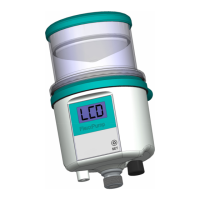
Ü The LCD as well as the green LED ashes twice and the number of cycles c is
displayed in the LCD.
Insert the activation and programming key into the hole provided on the underside of
the FlexxPump 125 B.
The PRO-Menu can only be reached from the ON mode
(FlexxPump 125 B switched on).
When you enter the PRO-Menu, you will return to the ON mode.
If you have made changes to the values of the dispensing time h or the values of the
number of cycles c in the PRO-Menu and the FlexxPump 125 B is otherwise ready for
operation (battery full and inserted as well as a cartridge fitted), the FlexxPump 125 B
will immediately start with the calculated waiting time until the next dispensing.
Observe the back pressure values displayed on the LCD if they are of interest to
you.
During the dispensing process, the green LED lights up; in addition, the
counterpressure for the stroke is displayed in the LCD.
The parameters that can be set for the dispensing time h and the number of cycles c
and their respective permissible values are specied as follows:
h := Dispensing time in hours (h).
The dispensing time can be set between 1 | 2 | 3 | ... | 99 hours.
The time counter integrated in the microelectronics of the FlexxPump 125 B
starts counting the dispensing time h at the end of a successful and fully
completed dispensing cycle.
c := Number of cycles within a dispensing cycle (c).
The number of cycles c can be set between 1 | 2 | 3 | ... | 10 strokes.


 To Next Page