DOD Technologies, INC • 675 Industrial Dr. Bldg. A • Cary, IL 60013 • Phone (815) 788-5200 • Fax (815) 788-5300
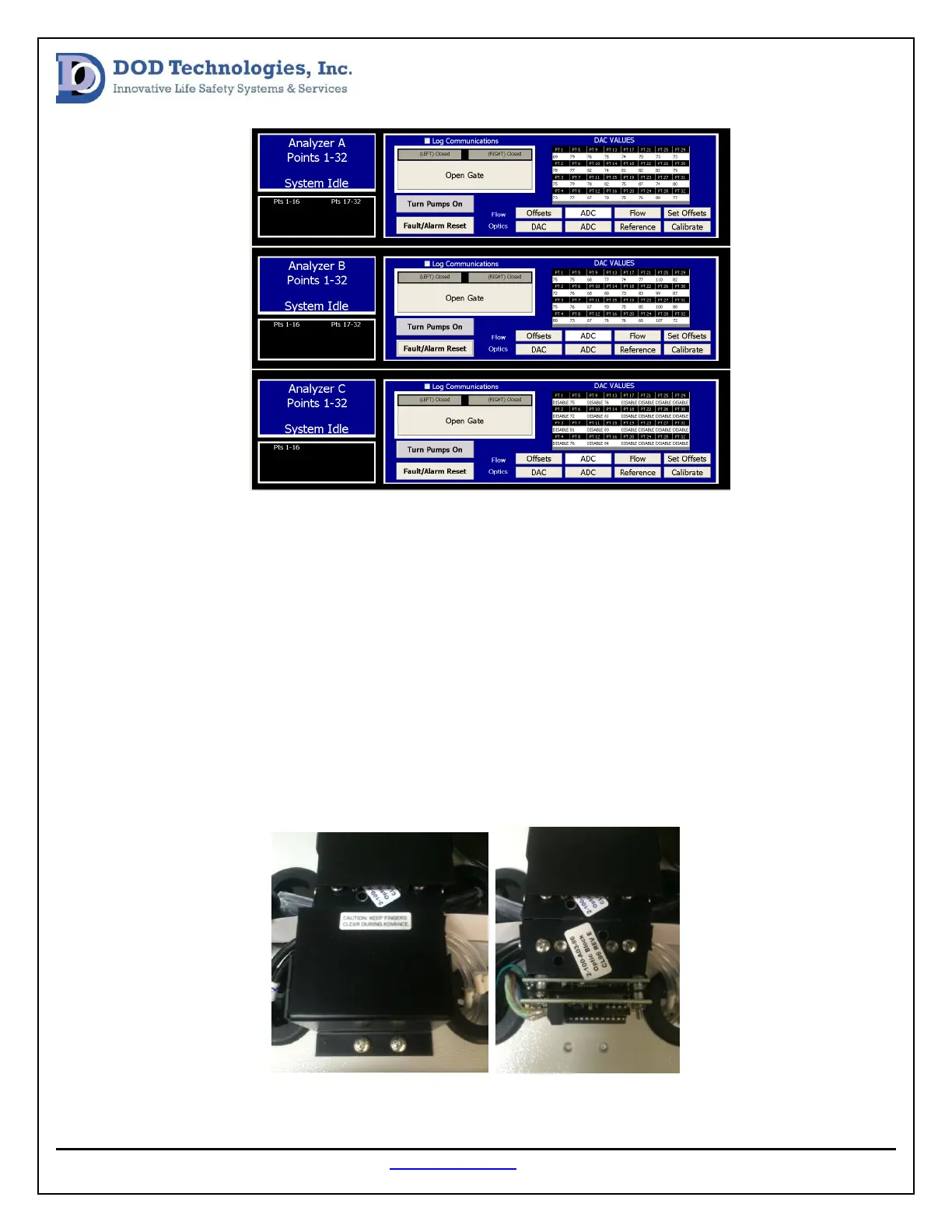
The screen above should be used to locate the point(s) that need to be cleaned. Press the Calibrate
button to allow the optics to adjust. Locate any point that has a DAC value above 140. Once the points
that need to be cleaned are located gather the following tools:
1. # 2 Phillips screw driver.
2. Cotton swabs
3. A form of Alcohol (methanol, ethanol)
The top of each analyzer will have a point map; use this map to locate the optic block that needs to be
removed. Once the block is located open the related gate by pressing the open gate button and remove
the ChemLogic cassette out of the way. Next, remove the optic block cover by unscrewing out the two
phillips screws (see image below).


 To Next Page