4302-067-G-2-21
36
1 2 3 4 5 6 7 8 9 1011121314151617181920
ON
OFF
PUSH TO OPERATE
technician use only
Solar NEG
Solar POS
24 V POS
24 V NEG
Relay COM
Relay N.O.
Full Open
Not Used
Not Used
B
FULL
OPEN
OB
CB
Close
Beam
Open
Beam
GND
GND
SW1
1
ON
2
1476-010
PU
te
IMPORTANT INFORMATION FOR OWNER
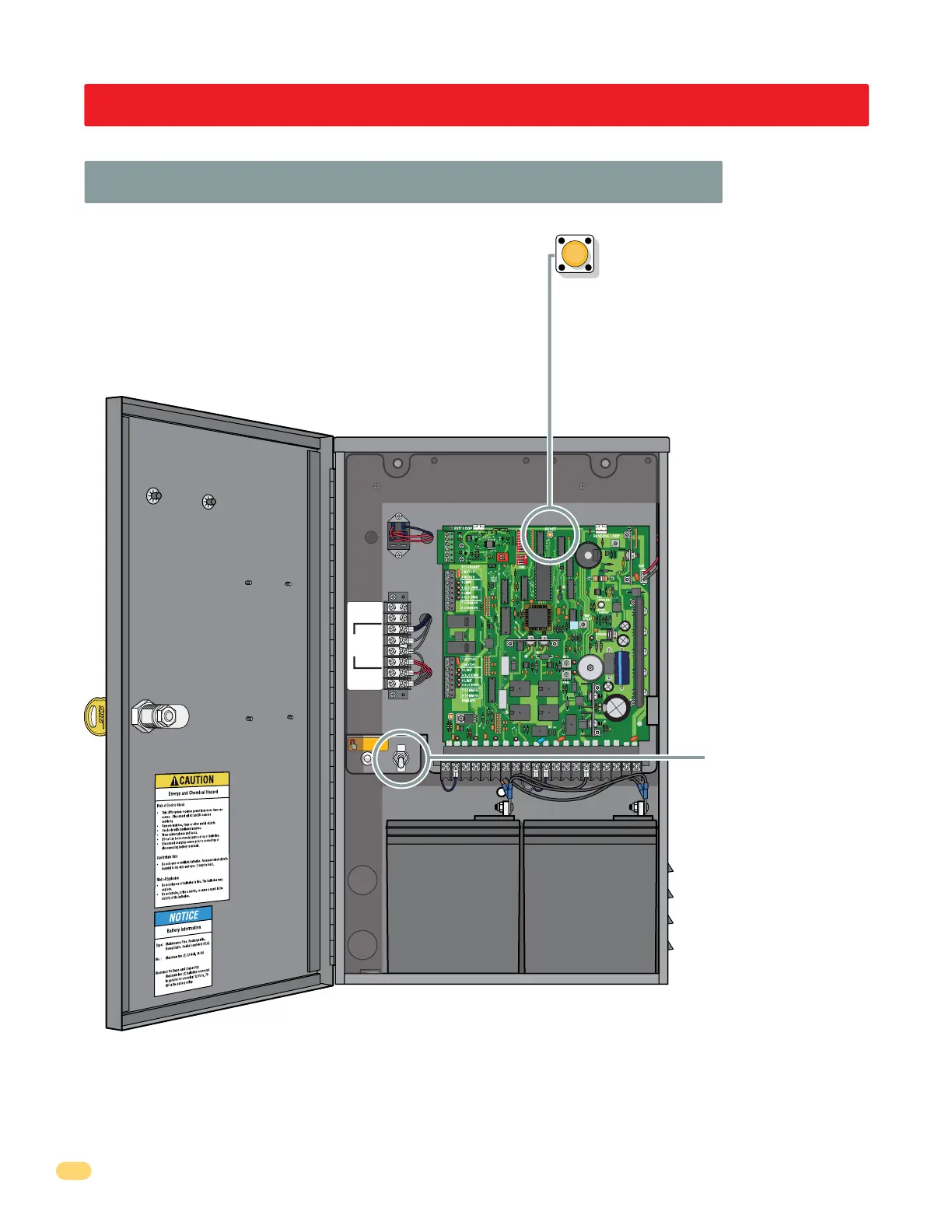
Shut-Off Power to Operator OR Shut-Off Alarm
Push reset button to SHUT-OFF alarm.
Turn OFF power
switch to shut-off
power to operator.
Note: Turning OFF
power will also
shut-off alarm and
reset it when
alarm has been
activated.
ALWAYS inspect the gate, gate hardware
and any obstructions along the gate’s
path that could have activated the alarm
BEFORE pressing the reset button and
putting the gate back into service. If the
gate is malfunctioning, DO NOT put it
back into service until the problem can
be corrected.
4302-018



 To Next Page