4302-067-G-2-21
21
3.2 DIP-Switches
Switch Function Setting Description
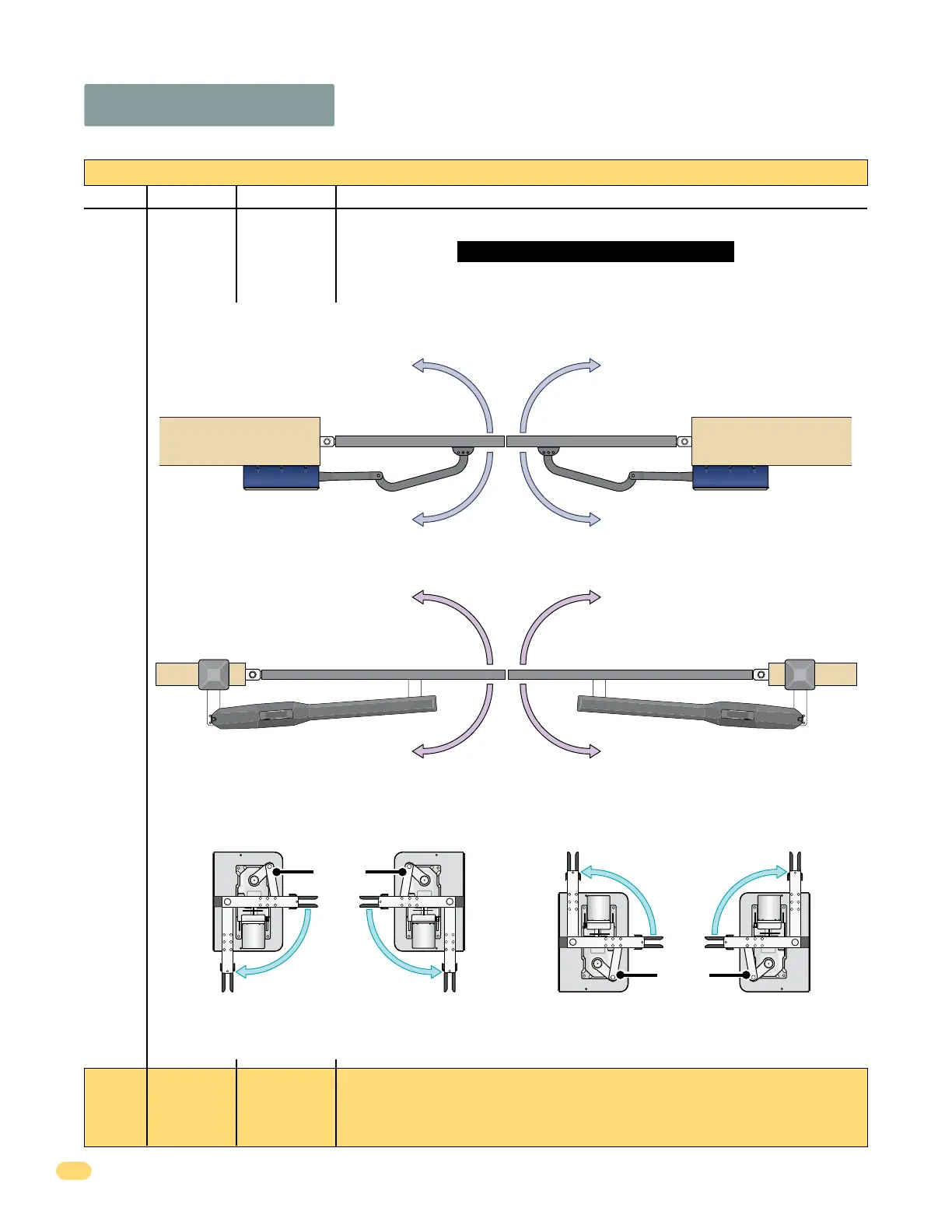
Opening
Direction of
SECONDARY
Operator
2
SW 1 - Top 8 Switches
Whenever any programming or switch setting on the control board is changed, press the reset button for new settings to take effect.
Same opening directions as illustrated above for the primary operator type.
• Switch 2 will be the SAME setting as switch 1 for the 6006.
• Switch 2 will be the OPPOSITE setting as switch 1 for the 6004 and 6400.
Note: SW 1, switch 7 MUST also be ON when using a secondary operator.
SW 1 Switches continued on next page
1
Opening Direction of PRIMARY Operator
The operator MUST OPEN GATE upon initial power up and OPEN command.
If the operator closes gate after giving open command, shut off power and
reverse this switch setting otherwise operator will NOT function correctly.
6400 ONLY
Same Drive Motor
Orientation
Open
Open Open
Open
Closed
Closed
Same Drive Motor
Orientation
Opens as Shown
Opens as Shown
ON setting
Opens
counter-
clockwise
ON setting
Opens
counter-
clockwise
OFF setting
Opens
clockwise
OFF setting
Opens
clockwise
Left-Side Right-Side
6004 ONLY
Opens Inside
Opens Outside
OFF setting.
Opens clockwise.
ON setting.
Opens counter-clockwise.
ON setting.
Opens counter-clockwise.
OFF setting.
Opens clockwise.
6006 ONLY
Pull to Open
Push to Open
ON setting.
Opens clockwise.
ON setting.
Opens counter-clockwise.
OFF setting.
Opens counter-clockwise.
OFF setting.
Opens clockwise.



 To Next Page