Section 6. Parameter Setup
The 4200 has a powerful software "User Setup Menu" that allows you to program up to 25
scale parameters such as update rate, weight display units, scale capacity and resolution,
and much more. This allows you to customize the 4200 to your exact needs - and it is
easy!
It is a good idea to familiarize yourself with the "User Setup Menu" at first so you can
maximize the value of this state-of-the-art scale. Step through the various scale
parameters and options as described below. Try different settings to get a feel for their
operation. You'll see how easy it is to change the options.
The 4200 is set at the factory to the most commonly used options. These settings are
shown in bold type in the following list of parameters and options.
See Section 11 to reset all parameter settings to the factory presets.
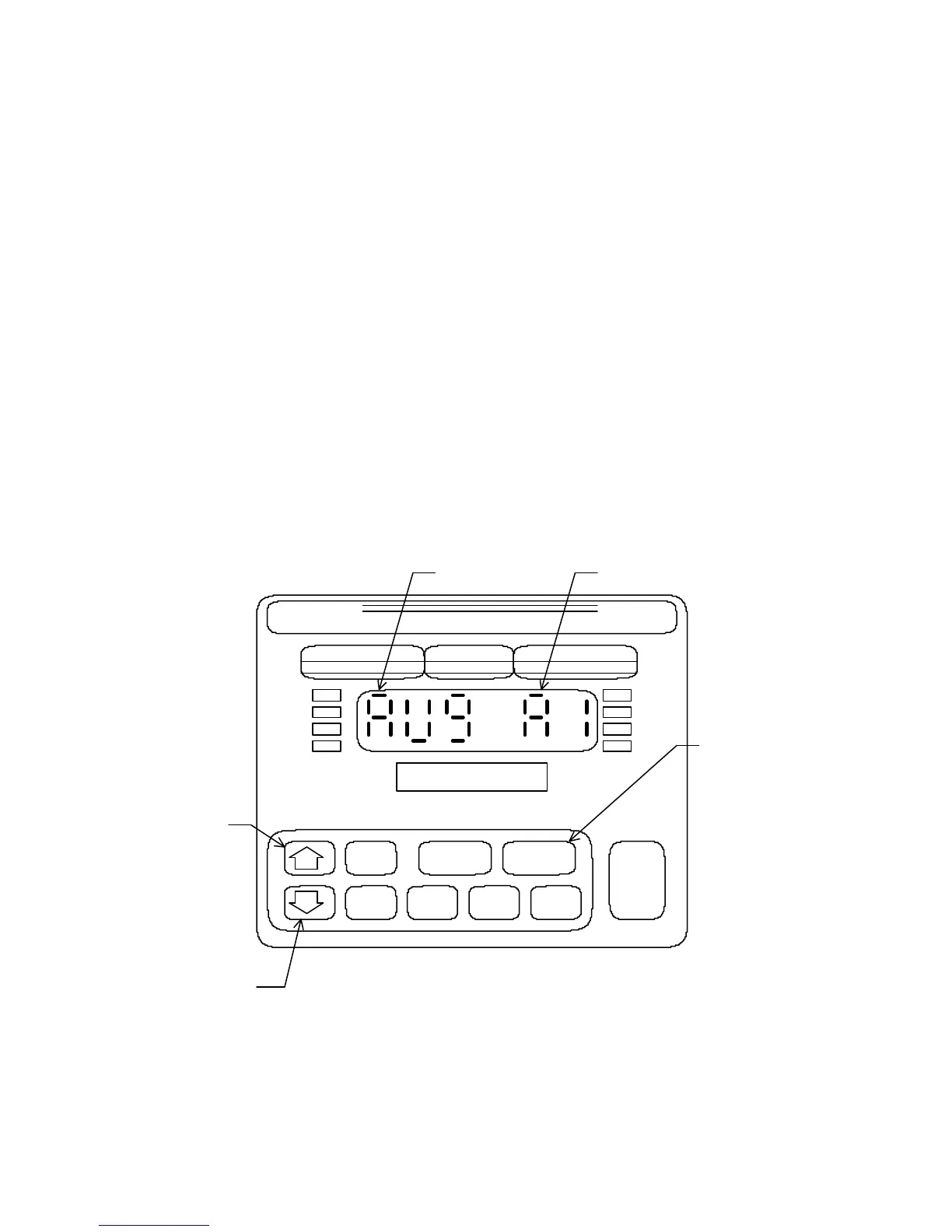
Figure 4 Front Panel Functions - Setup Mode
26
UNDER ACCEPT OVER
ZERO
OVER
UNDER
TARE
GROSS
NET
PROD PRINT UNITS
CLASS III
CAP.
4200
DORAN
DIGIBAR
PARAMETER
OPTION
ADVANCE
OPTION
ADVANCE
PARAMETER
SWITCH TO
CALIBRATE
MODE



 To Next Page