Section 7. Calibration
The 4200 was designed to make calibration as simple and flexible as possible. All that is
needed to calibrate the 4200 is one test weight and some simple manipulation of the front
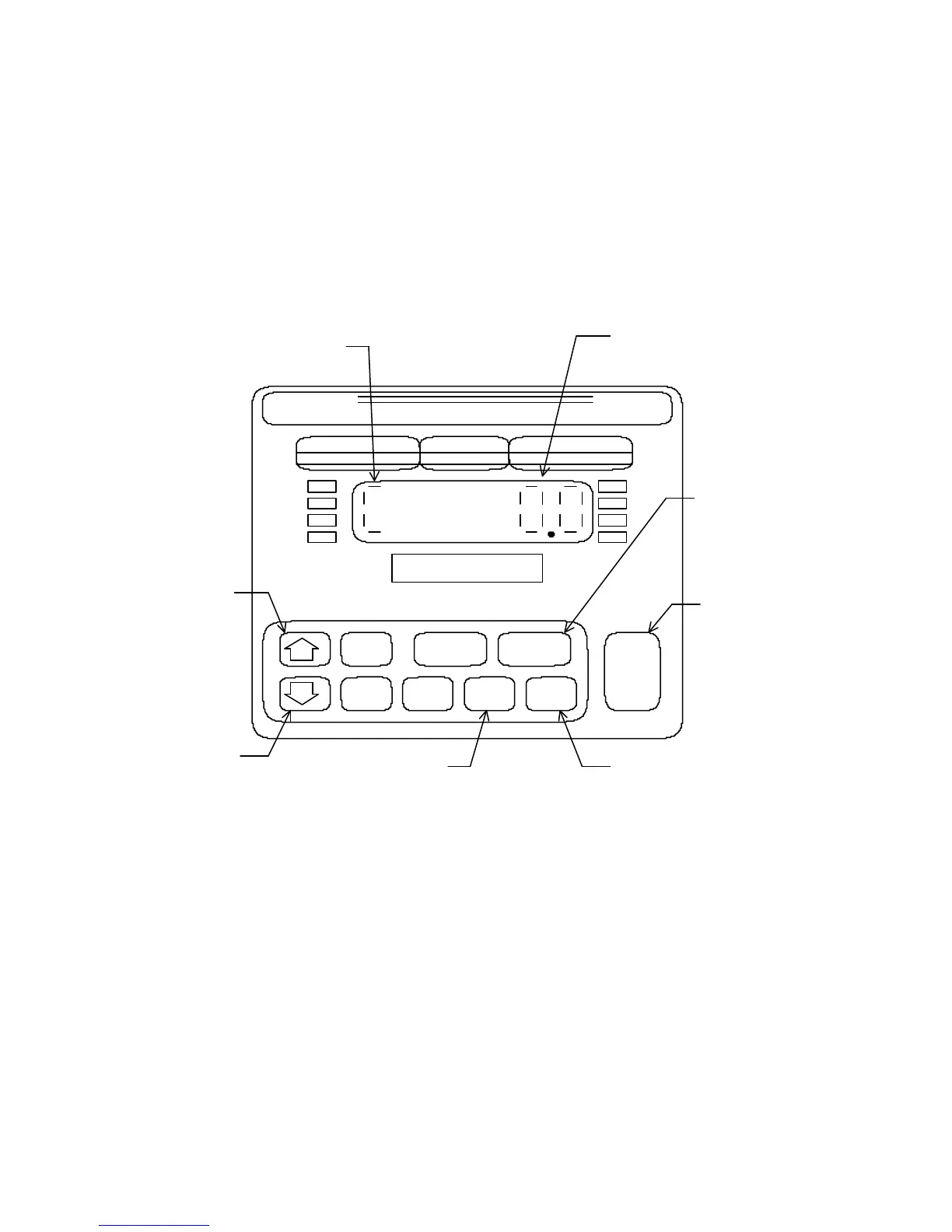
panel push-buttons. Refer to Figure 5 below for push-button functions in the calibrate
mode.
Figure 5 Front Panel Functions - Calibration Mode
ENTERING THE CALIBRATION MODE
To enter the Calibration Mode, it is necessary to gain access to the main board. This is
done differently with the 3 enclosure types (see figure 1).
Model 4200 Tower: Remove the small rectangular access panel on the rear of the tower
by removing the two hex screws holding it in place. Flip S1 located on
the PCB just inside the access port (red-handled toggle switch) to
enter the setup mode.
46
UNDER ACCEPT OVER
ZERO
OVER
UNDER
TARE
GROSS
NET
PROD PRINT UNITS
CLASS III
CAP.
4200
DORAN
DIGIBAR
FLASHING 'C INDICATES
CALIBRATE MODE
CALIBRATION
WEIGHT READING
SWITCH TO
SETUP MODE
ENTER ZERO
ENTER SPAN
CALIBRATION
DISPLAY RAW
COUNTS
INCREASE
SPAN
READING
DECREASE
SPAN
READING



 To Next Page