UIC-DX270 Series User’s Manual Rev 1.0
- 17 -
3. COMPOSITION
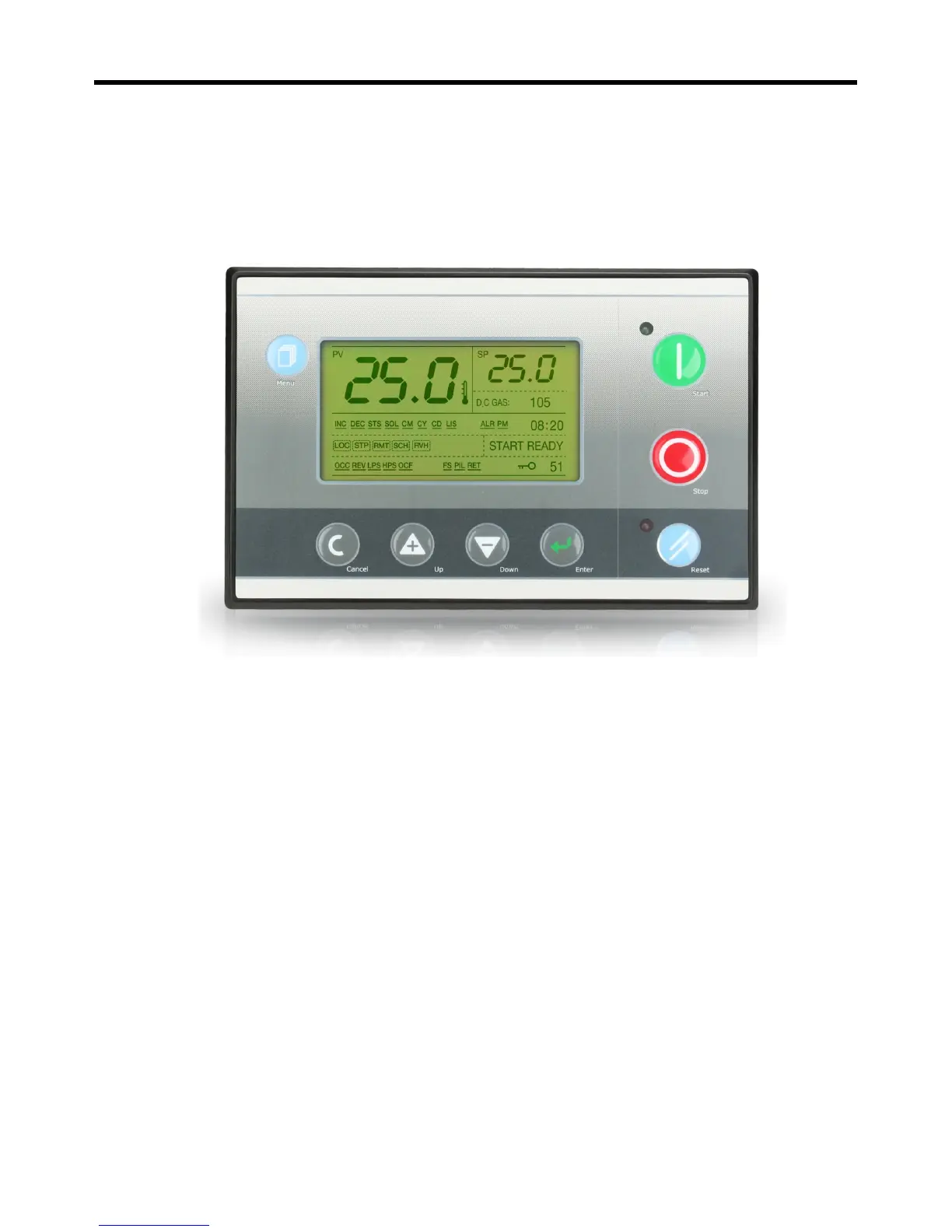
1) OPERATION AND DISPLAY
1-1)
General composition
Display: 240 X 128 Graphic LCD (LED BACKLIGHT), LED Green 1, Red 1
Keyboard: 8 main switches
1-2)
Operation
Start Switch: Start
Stop Switch: Stop
Reset Switch: Reset during trip
Green lamp: Lamp showing the state of operation
Red lamp: Lamp showing the warning or bad trip
1-3)
Setting up program
Choice Switch: Choose the program or value
Down Switch: Control down movement
Up Switch: Control up movement
Menu Switch: Call menu
Return Switch: Return to previous menu or the first menu


 To Next Page