UIC-DX270 Series User’s Manual Rev 1.0
- 19 -
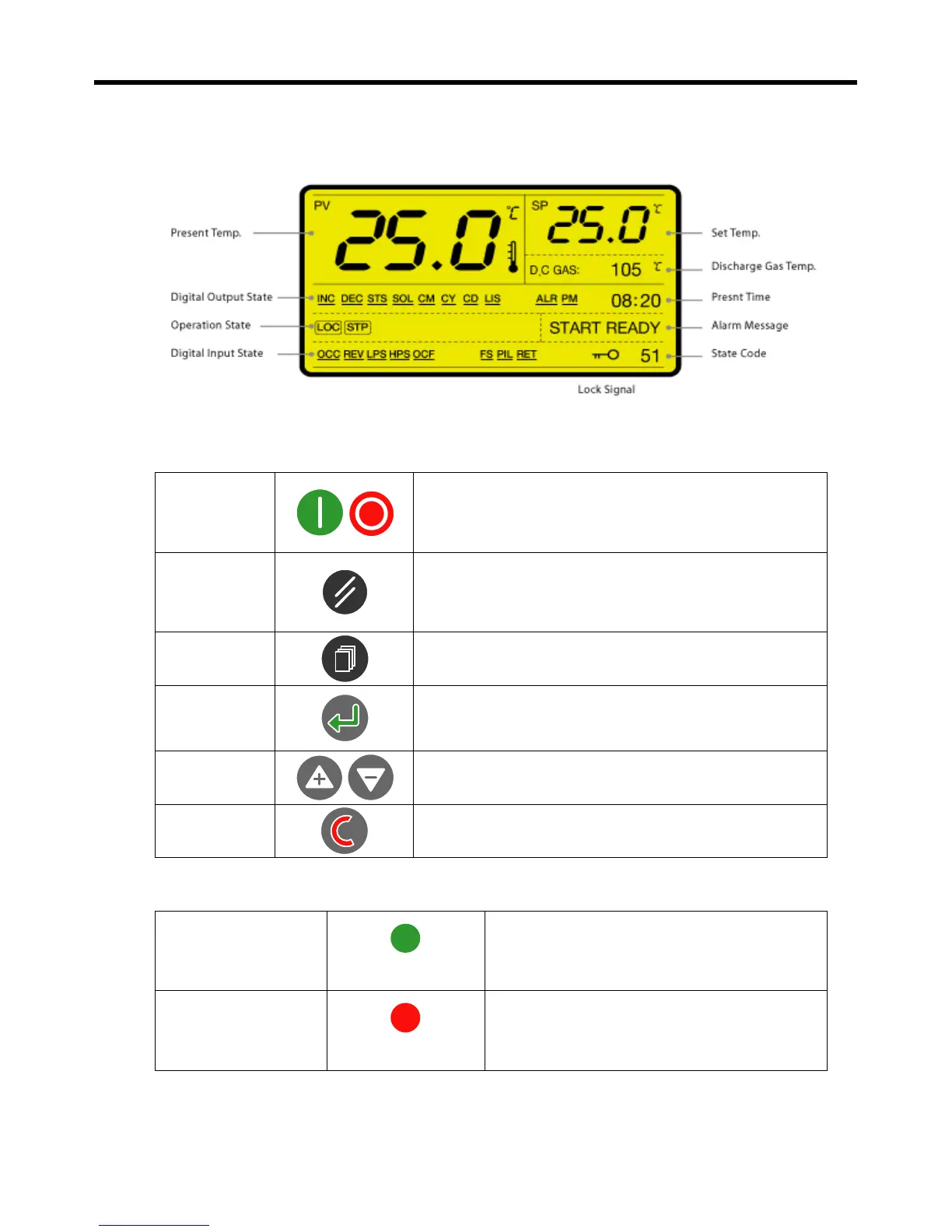
3) DISPLAY OF OPERATING STATE
4) FUNCTION OF AN OPERATION BUTTON
Start/Stop
Start or Stop
Start when putting the start button
Stop when putting the stop button
Reset
Reset during trip
The Trip having automatic reset function will reset
automatically without putting the button
Menu
Menu button to set for a control and state
Enter
Choose or Save button
Up / Down
Up/ Down
Cancel
Return to previous menu or first menu
5) STATE DISPLAY LAMP
Operation state lamp
Green
Operating ON / OFF
Alarm state lamp
Red
Alarm ON / OFF


 To Next Page