UIC-DX270 Series User’s Manual Rev 1.0
- 33 -
10) CONFIGURE
※ Should change a setting number since a grasp called exactly a characteristic.
※ Perfection shall be stopped, and setting is possible equipment.
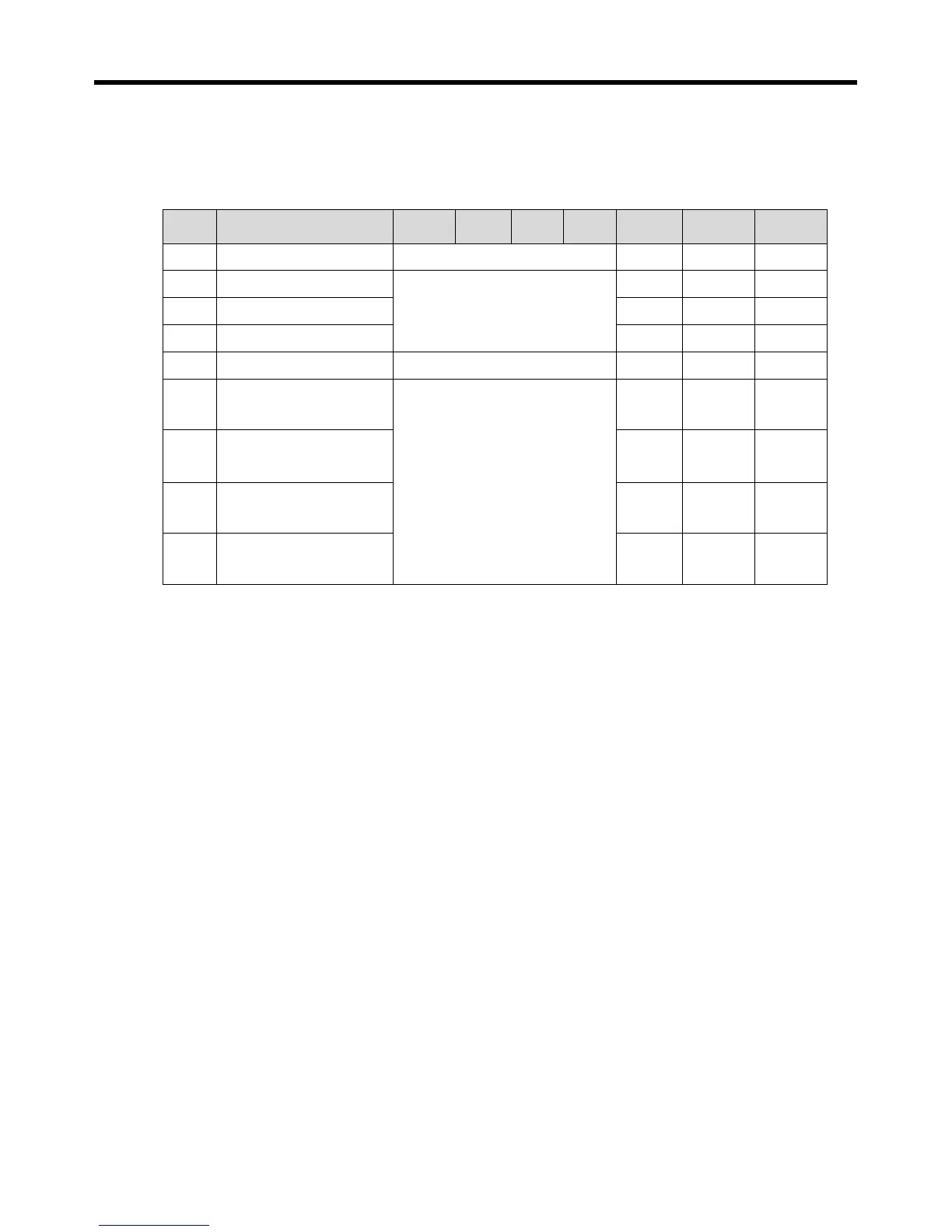
Item Description Units Step Min Max Default View Access
612 Comp. start method Direct / YDelta / PWinding YDelta SVC1 SVC2
613 Inlet temp sensor
OFF / ON
OFF SVC1 SVC2
614 Outlet temp sensor ON SVC1 SVC2
615 Discharge temp sensor ON SVC1 SVC2
617 Injection sol type OFF / ON ON SVC1 SVC2
621 Start capcity method
1 - CR1:OFF, CR2:OFF, CR3:OFF
2 - CR1:OFF, CR2:OFF, CR3:ON
3 - CR1:OFF, CR2:ON, CR3:OFF
4 - CR1:OFF, CR2:ON, CR3:ON
5 - CR1:ON, CR2:OFF, CR3:OFF
6 - CR1:ON, CR2:OFF, CR3:ON
7 - CR1:ON, CR2:ON, CR3:OFF
8 - CR1:ON, CR2:ON, CR3:ON
9 – NONE
2 SVC1 SVC2
622 50% capcity method 3 SVC1 SVC2
623
75% capcity method
5 SVC1 SVC2
624 100% capcity method 1 SVC1 SVC2
1) Compressor maker selection: Set up a control method.
A capacity control method, a compressor operating method is set up automatically.
2) Select compressor operating method: Select operating method.
3) Entrance/exit/discharge-gas temperature sensor selection: Set up whether or not there is by a
port of the temperature sensor which it was installed and use.
Use injection valve: Set up whether or not there is by use of a liquid spray valve.
4) Configuration of an action to control capacity: operating/50%/75%/100% Select valve
configuration of an action to control capacity.
5) capacity control does not call if we set up to NONE in Configuration of an action Relevant
to control capacity.


 To Next Page