EasyManua.ls Logo

Dräger VarioGard - User Manual

Dräger VarioGard
46 pages
Print Icon
To Next Page IconTo Next Page
Loading...
VarioGard
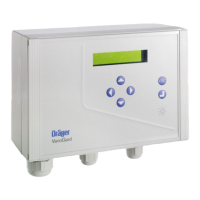
Gas warning system
Instructions for Use
Software 2.nn
00123572
VarioGard
ESC
D
VarioGard
ESC
D
VarioGard
ESC
D
VarioGard
ESC
43
D

Other manuals for Dräger VarioGard

Questions and Answers

  • N
    Nicole WoodAug 17, 2025
    What does 'Transmitter 1 Warming up ! Transmitter 1 Error !' mean on Dräger Gas Detectors?
    • B
      Barbara FoleyAug 17, 2025
      The message 'Transmitter 1 Warming up ! Transmitter 1 Error !' on Dräger Gas Detectors indicates that the transmitter is either warming up or there is an electronic fault. If the issue is due to the transmitter warming up, the fault will resolve itself at the end of the warming-up time. However, if the problem persists, the transmitter may need to be replaced, or you may need to contact DrägerService.
  • B
    Barry WilliamsonAug 20, 2025
    What to do if Dräger Gas Detectors displays 'Transmitter 1 Mainten. necessary !'?
    • A
      Amy LoweryAug 20, 2025
      The 'Transmitter 1 Mainten. necessary !' message on Dräger Gas Detectors indicates that the transmitter's operating time has expired and the sensor is no longer working properly. To resolve this, fit a new transmitter.
  • J
    jessicaarroyoAug 23, 2025
    What does 'Transmitter 1 Mainten. recommend !' mean on Dräger Gas Detectors?
    • R
      Rick BaldwinAug 23, 2025
      The 'Transmitter 1 Mainten. recommend !' message on Dräger Gas Detectors means that the transmitter operating time is about to expire. Fit a new transmitter to prevent potential issues.
  • M
    Michael StewartAug 26, 2025
    How to fix 'Dräger Gas Detectors VarioGard Alkaline batt. dead !'?
    • R
      rachaelphillipsAug 26, 2025
      The 'Dräger VarioGard Alkaline batt. dead !' message indicates that the battery in the central unit is discharged due to frequent voltage losses. Replace the battery.
  • M
    Maurice RileyAug 28, 2025
    What to do if Dräger Gas Detectors VarioGard shows 'Alkaline battery low !'?
    • D
      David PerezAug 28, 2025
      The 'Dräger VarioGard Alkaline battery low !' message means the battery in the central unit is low due to frequent voltage losses. Replace the battery as soon as possible.
  • J
    Jeffrey StephensAug 30, 2025
    What to do if Dräger Gas Detectors VarioGard shows 'Emerg. power supply'?
    • G
      Gregory BeanAug 30, 2025
      If the Dräger VarioGard central unit is not connected to the mains or there is a voltage loss, the device will switch to emergency power supply. Check the installation and correct any voltage loss to resolve this issue.
  • J
    Jessica DiazSep 2, 2025
    How to fix 'Transmitter Comms. interrupted !' on Dräger Gas Detectors?
    • X
      xandersonSep 2, 2025
      The 'Transmitter Comms. interrupted !' error in Dräger Gas Detectors usually means that a slave device, like a transmitter, is either not connected or faulty. First, check the installation and correct any issues. If the problem persists, the slave device may need to be replaced, or you may need to contact DrägerService.
  • P
    pamela85Sep 5, 2025
    Why Dräger Gas Detectors VarioGard says 'Voltage is too low'?
    • L
      Laura McmillanSep 5, 2025
      The 'Voltage is too low !' error on your Dräger VarioGard Gas Detectors can occur due to several reasons: * If using a 28 V DC mains supply, the voltage may be too low; check the 28 V DC mains. * If using 110 V mains, the power supply might be set to 230 V; convert the power supply to 110 V. * In case of an electronic fault, contact DrägerService.
  • C
    Christopher SpencerSep 8, 2025
    Why is my Dräger VarioGard Control Unit showing a voltage too low error?
    • U
      uhessSep 8, 2025
      If your Dräger VarioGard control unit displays a 'Voltage too low' error, there are several potential causes. If you're using DC mains, the voltage may be insufficient, so check the DC mains. Alternatively, if you're using 115 V mains, the power supply might be incorrectly set to 230 V; in this case, convert the power supply to 115 V. If neither of these resolves the issue, it could be an electronic fault, which requires repair by Dräger Service.
  • E
    Eric RamirezSep 12, 2025
    What to do if my Dräger Control Unit VarioGard recommends Transmitter 1 maintenance?
    • M
      Monica ParkSep 12, 2025
      If your Dräger VarioGard control unit displays 'Transmitter 1 Mainten. recommend !', it indicates that the transmitter's operating time is nearly up. You should install a new transmitter or have Dräger Service check the transmitter.

Summary

For Your Safety

Intended Use

Performance Test

Installing the VarioGard System

Mechanical Installation

Instructions for the physical mounting of central unit, transmitters, and modules.

Transmitter Location Selection

Guidance on selecting optimal locations for VarioGard transmitters based on gas properties and airflow.

Electrical Installation

Wiring Arrangement

Diagrams and pin assignments for connecting system components like the central unit and transmitters.

Installation Layouts

Examples of emergency power supply configurations for various scenarios.

Starting Up the VarioGard System

Initial Configuration Steps

Procedure for setting language and registering connected system components.

Operation

Gas Concentration Display

How to view current and average gas concentrations on the central unit display.

Factory Default Settings

Alarm States

Alarm A4 Acknowledgment

How to acknowledge the Alarm A4 and potentially switch off acoustic warnings.

Fault States

Troubleshooting

Error Messages and Warnings

Provides solutions for common system errors like FLASH, EEPROM, RAM, and clock issues.

Fault Resolution

Addresses issues like low battery voltage, low system voltage, and communication errors.

Maintenance

Maintenance Intervals

Recommended schedule for visual inspections and routine checks.

When Necessary Maintenance

Actions to take when specific components like transmitters or batteries need replacement.

Changing Transmitter

Replacing the Battery in the Central Unit

Menu Mode

Menu Structure

Hierarchical display of available menu options for maintenance and configuration.

Entering the Password

Setting the Language

Displaying Peak Values

Clearing Peak Values

Displaying Alarms

Setting the Clock

Clearing Exposure Evaluation

Displaying Number of Exposure

Registering All Slaves

Changing Transmitter Upper Part

Testing the Relays

Deactivating Transmitters

Changing Passwords

Displaying the Voltage

Technical Data

Central Unit Specifications

Details on weight, dimensions, cable entry, switching outlets, power supply, and fuses.

Transmitter Specifications

Measurement ranges, resolution, error margins, and operating voltage for transmitters.

Battery Module Specifications

Technical details for the battery module, including housing type, input/output voltage, and power consumption.

Measurement Principle of Transmitter

Order List

Index

Drilling Template - Central Unit; Battery Module

Drilling Template - Transmitter

Dräger VarioGard Specifications

General IconGeneral
Protection ClassIP65
Operating Humidity95 % RH, non-condensing
Power Consumption5 W
DisplayLCD, backlit
Enclosure MaterialPlastic
InputsAnalog and digital inputs
OutputsAnalog and digital outputs
TypeControl Unit
CompatibilityDräger sensors
FunctionMonitoring and control

Related product manuals