5-30
Monitoring at a Specified Time and Date, continued
Monitoring
using start &
end time
(continued)
Continued on next page
Action... Result...
STEP 2 (continued):
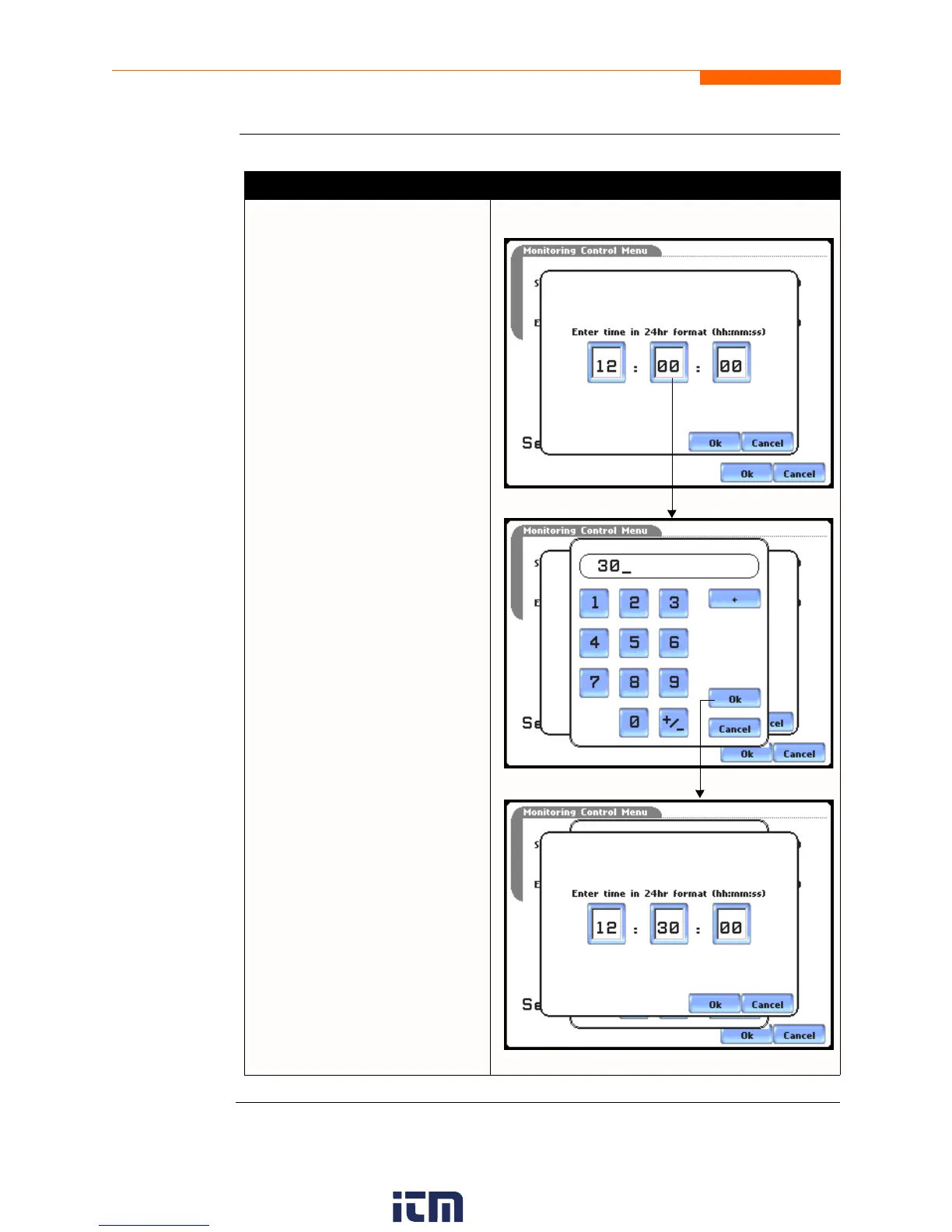
•Press Time to enter desired
hour-minute-second to start/
end monitoring. Press to select
the hour/minute/second field to
display the numeric keypad.
Use the keypad to enter time
settings.
•Press OK to accept changes in
time settings. Proceed to Step 3
on page 5-31.
•Press Cancel to discard
changes in time and return to
Monitoring Control Menu.
MARK127
MARK129
MARK130
w ww . . co m
information@itm.com1.800.561.8187


 To Next Page