VigorIPPBX 3510 Series User’s Guide
102
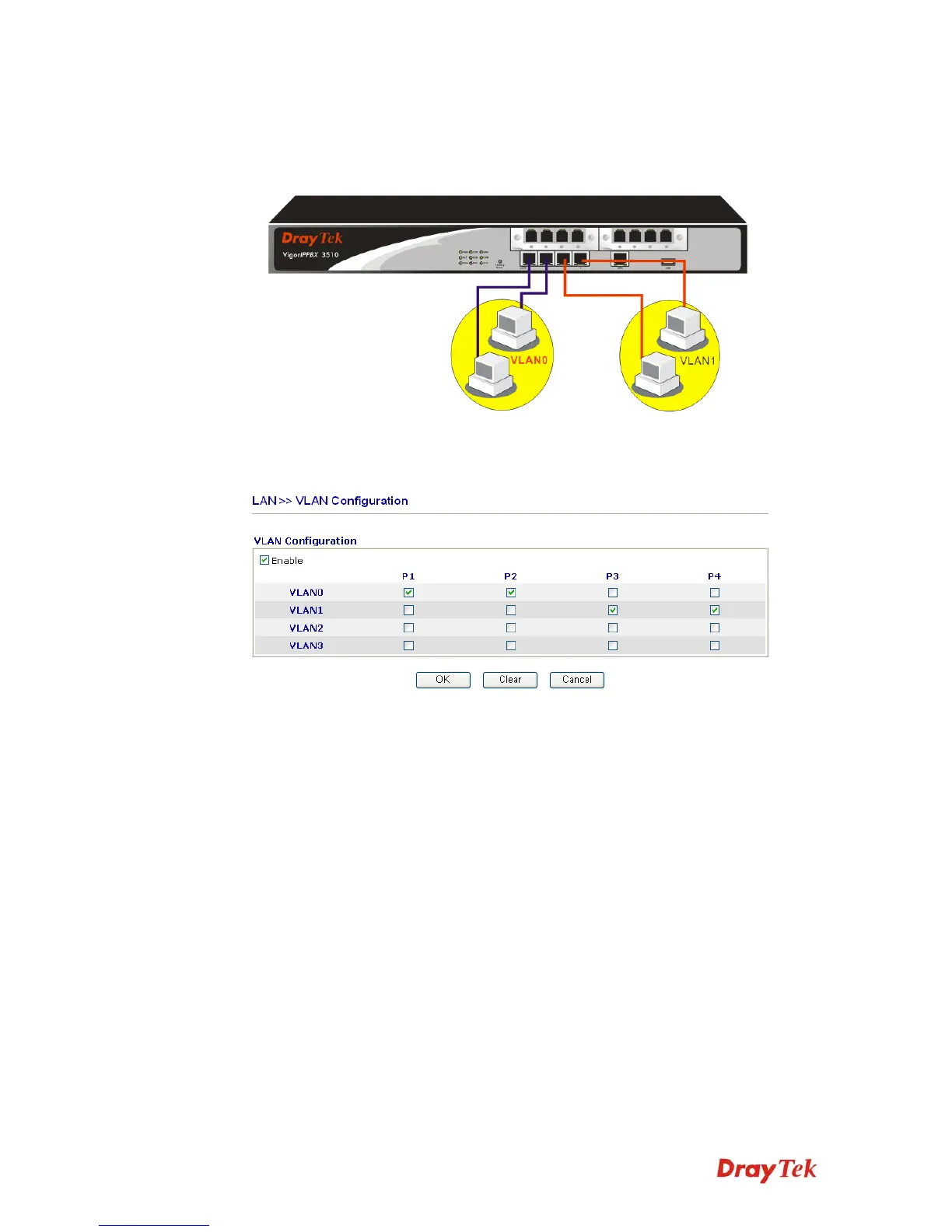
To add or remove a VLAN, please refer to the following example.
1. If, VLAN 0 is consisted of hosts linked to P1 and P2 and VLAN 1 is consisted of hosts
linked to P3 and P4.
2. After checking the box to enable VLAN function, you will check the table according to
the needs as shown below.
To remove VLAN, uncheck the needed box and click OK to save the results.



 To Next Page