VigorIPPBX 3510 Series User’s Guide
101
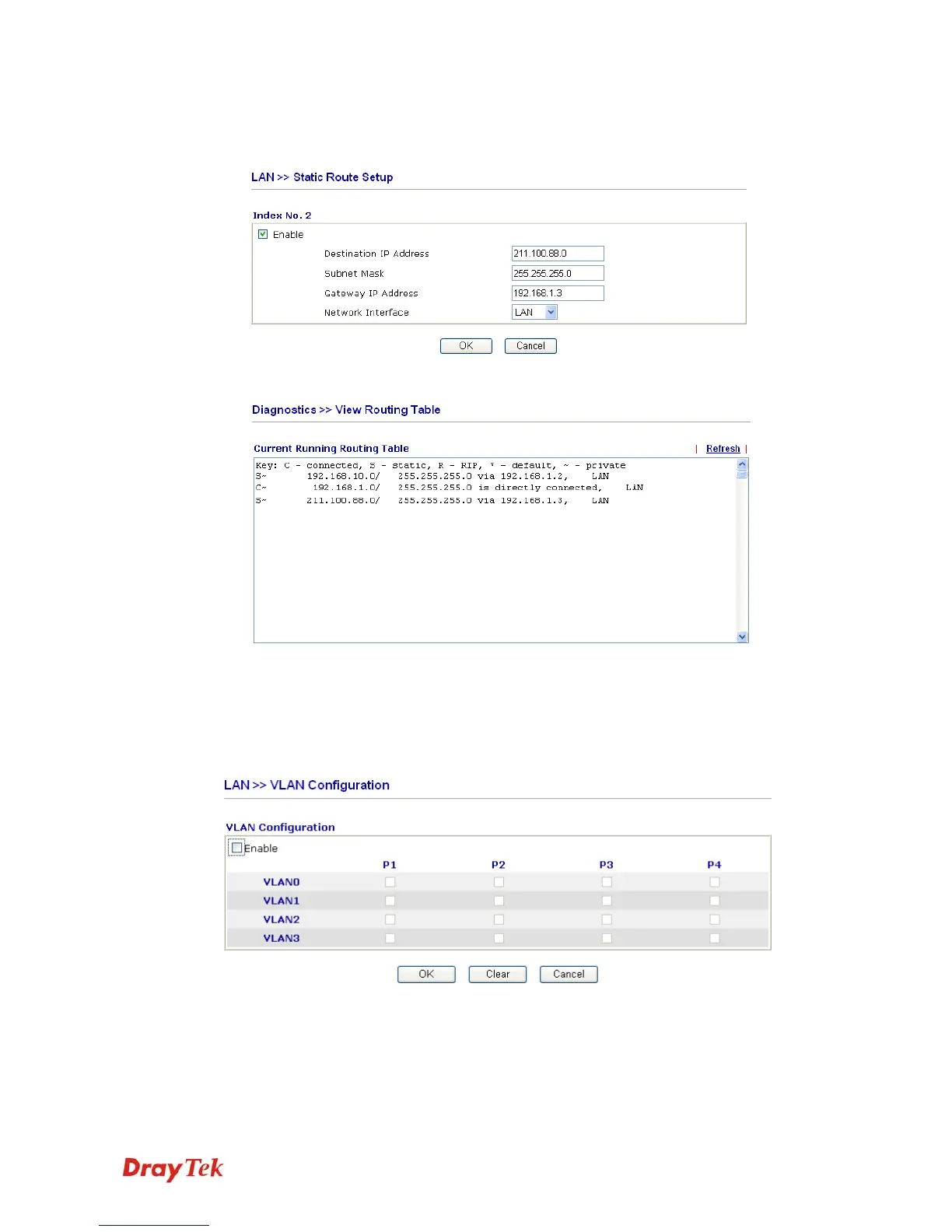
3. Return to Static Route Setup page. Click on another Index Number to add another
static route as show below, which regulates all packets destined to 211.100.88.0 will be
forwarded to 192.168.1.3.
4. Go to Diagnostics and choose Routing Table to verify current routing table.
5
5
.
.
2
2
.
.
4
4
V
V
L
L
A
A
N
N
Virtual LAN function provides you a very convenient way to manage hosts by grouping
them based on the physical port. Go to LAN page and select VLAN. The following page
will appear. Click Enable to invoke VLAN function.



 To Next Page