VigorIPPBX 3510 Series User’s Guide
25
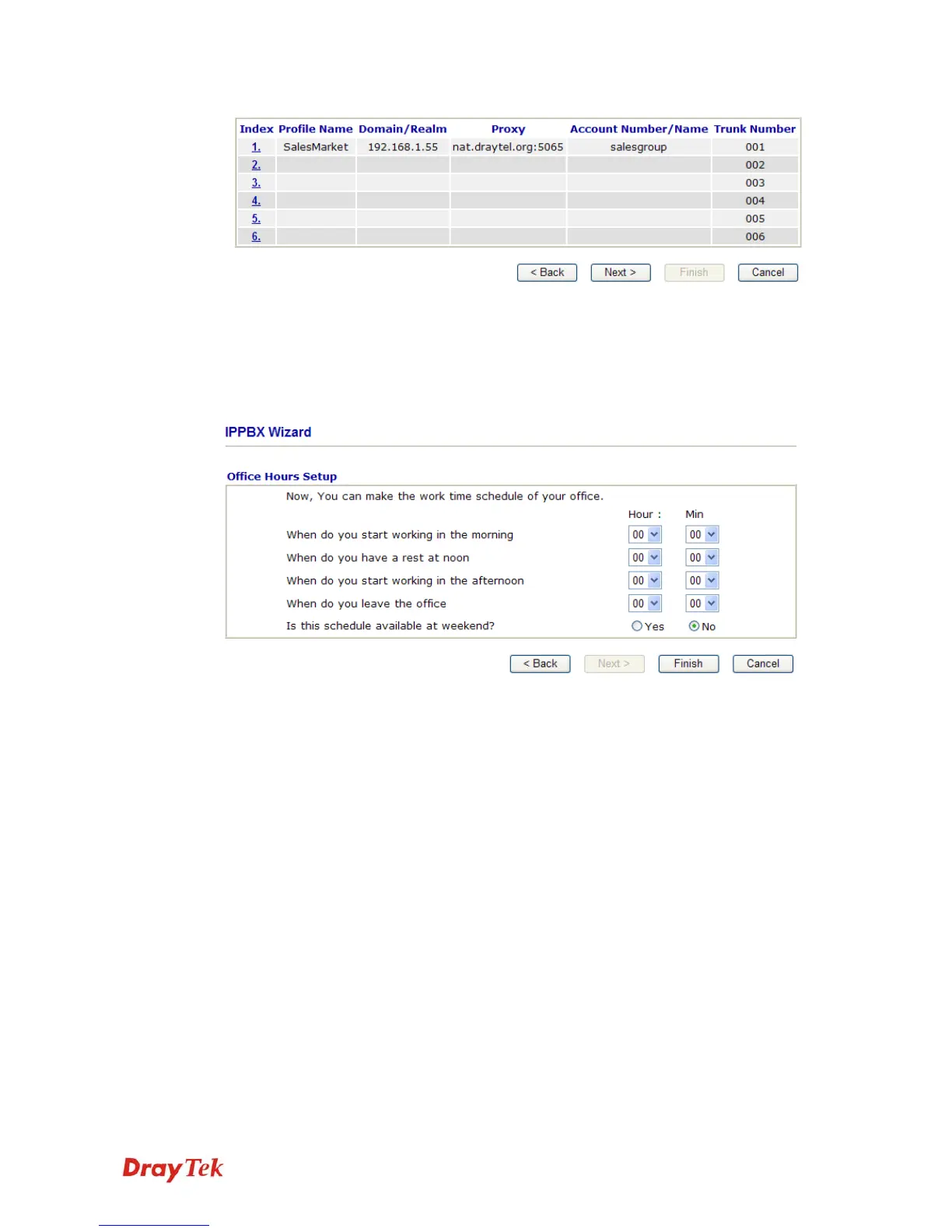
You can set 6 profiles for using in different conditions. Then click Next to access into next
web page.
2
2
.
.
3
3
.
.
3
3
O
O
f
f
f
f
i
i
c
c
e
e
H
H
o
o
u
u
r
r
s
s
S
S
e
e
t
t
u
u
p
p
This page allows you to set office hours including starting point, ending point on duty day(s).
When do you start working
in the morning
Use the drop down menu to choose the time as the starting
point in the morning.
When do you have a rest at
noon
Use the drop down menu to choose the time as the ending
point in the morning.
When do you start working
in the afternoon
Use the drop down menu to choose the time as the starting
point in the afternoon.
When do you leave the
office
Use the drop down menu to choose the time as the ending
point in the afternoon.
Is this schedule available at
the weekend
If such schedule will be available in the weekend, simply
click Yes, otherwise, click No.
When you finish the settings, click Finish to save the settings and exit the wizard.



 To Next Page