VigorIPPBX 3510 Series User’s Guide
20
2
2
.
.
2
2
.
.
3
3
S
S
t
t
a
a
t
t
i
i
c
c
I
I
P
P
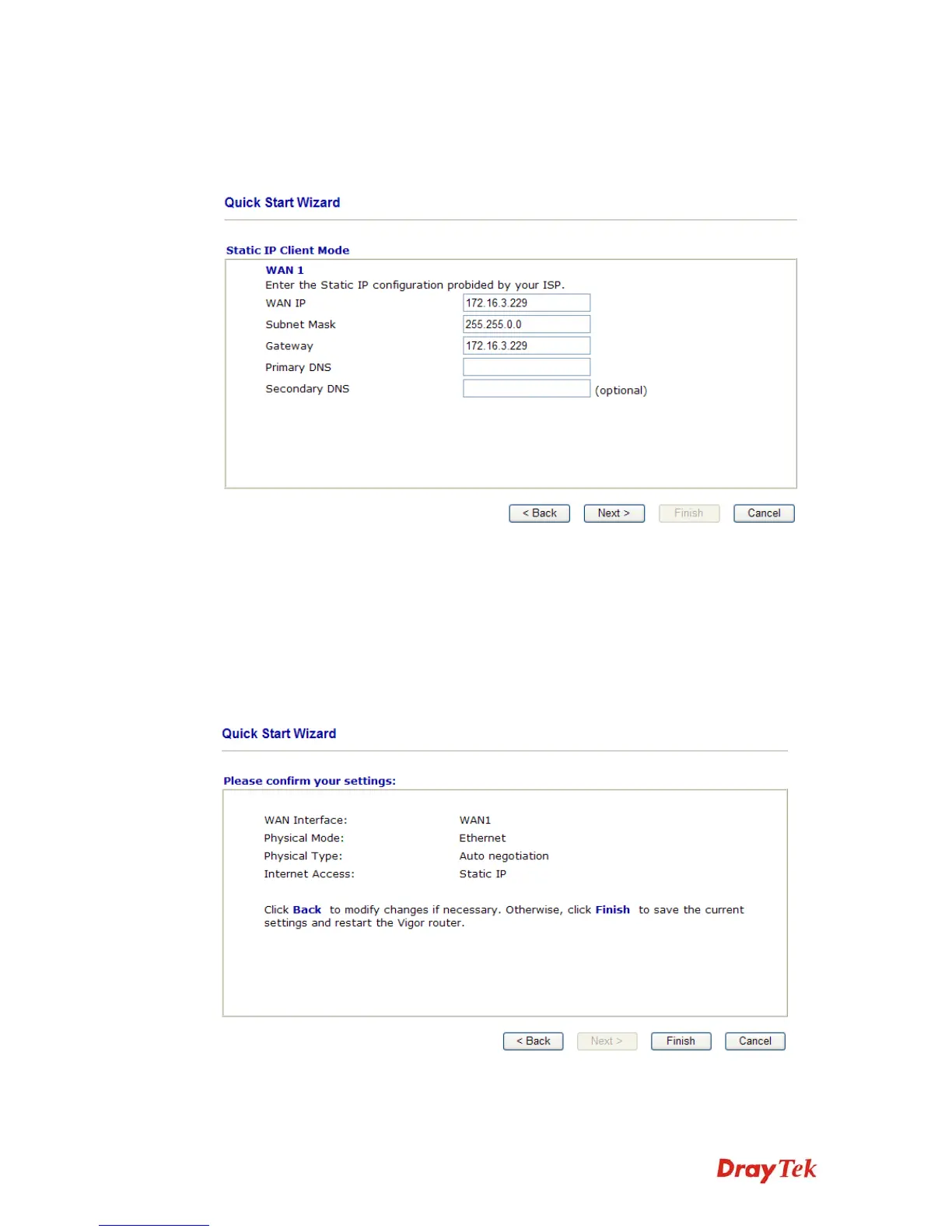
Click Static IP as the protocol. Type in all the information that your ISP provides for this
protocol.
WANIP Address Type the IP address.
Subnet Mask Type the subnet mask.
Gateway Type the gateway IP address.
Primary/Secondary
DNS
Type in the primary IP address for the router if you want to use
Static IP mode. If necessary, type in secondary IP address for
necessity in the future.
After finishing the settings in this page, click Next to see the following page.



 To Next Page