VigorIPPBX 3510 Series User’s Guide
22
Click Finish. A page of Quick Start Wizard Setup OK!!! will appear. Then, the system
status of this protocol will be shown.
2
2
.
.
3
3
I
I
P
P
P
P
B
B
X
X
W
W
i
i
z
z
a
a
r
r
d
d
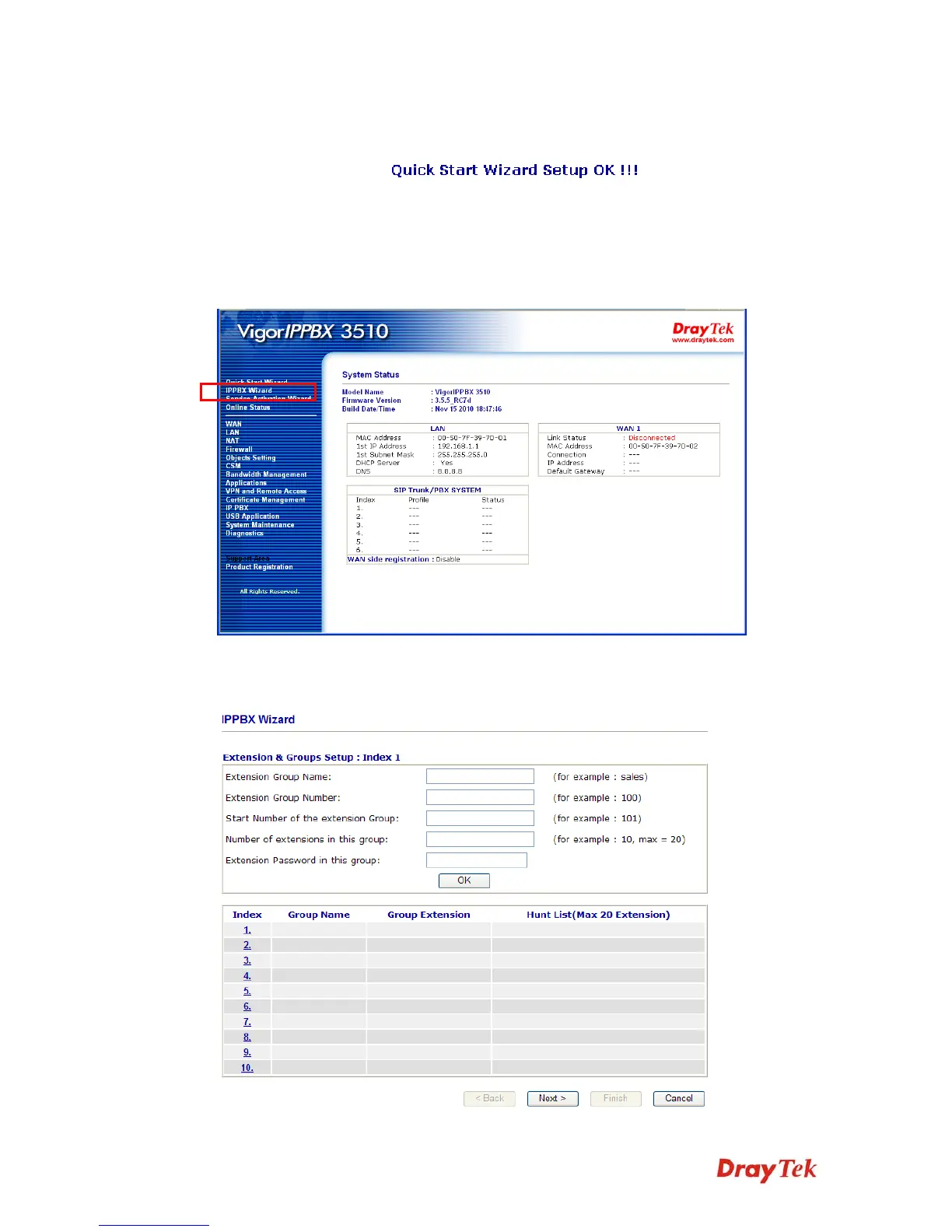
IPPBX Wizard can guide the user to configure the required settings for this router within
several steps. All the settings, also, can be configured by using IP PBX menu. However, the
wizard is the most convenient and easy method for users.
2
2
.
.
3
3
.
.
1
1
E
E
x
x
t
t
e
e
n
n
s
s
i
i
o
o
n
n
&
&
G
G
r
r
o
o
u
u
p
p
S
S
e
e
t
t
u
u
p
p
Click IPPBX Wizard. You can get the first screen as shown below.



 To Next Page