VigorIPPBX 3510 Series User’s Guide
169
5
5
.
.
9
9
V
V
P
P
N
N
a
a
n
n
d
d
R
R
e
e
m
m
o
o
t
t
e
e
A
A
c
c
c
c
e
e
s
s
s
s
A Virtual Private Network (VPN) is the extension of a private network that encompasses
links across shared or public networks like the Internet. In short, by VPN technology, you
can send data between two computers across a shared or public network in a manner that
emulates the properties of a point-to-point private link.
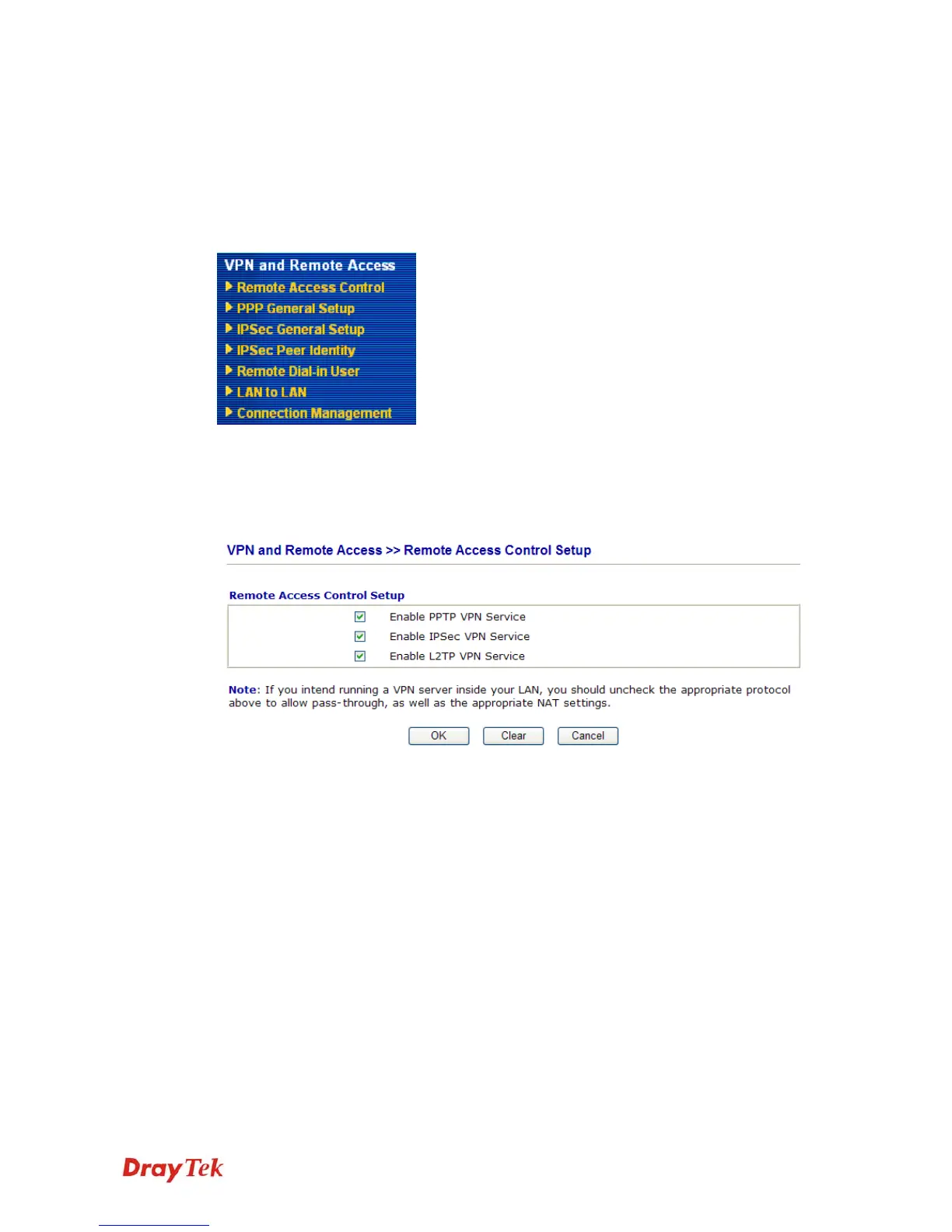
Below shows the menu items for VPN and Remote Access.
5
5
.
.
9
9
.
.
1
1
R
R
e
e
m
m
o
o
t
t
e
e
A
A
c
c
c
c
e
e
s
s
s
s
C
C
o
o
n
n
t
t
r
r
o
o
l
l
Enable the necessary VPN service as you need. If you intend to run a VPN server inside your
LAN, you should disable the VPN service of Vigor Router to allow VPN tunnel pass through,
as well as the appropriate NAT settings, such as DMZ or open port.



 To Next Page