VigorIPPBX 3510 Series User’s Guide
184
here. Herein, we provide four options: TX/RX Both, TX Only,
RX Only, and Disable.
From first subnet to
remote network, you have
to do
If the remote network only allows you to dial in with single
IP, please choose NAT, otherwise choose Route.
Change default route to
this VPN tunnel
Check this box to change the default route with this VPN
tunnel. Be aware that this setting is available only for WAN
interface is enabled.
5
5
.
.
9
9
.
.
7
7
C
C
o
o
n
n
n
n
e
e
c
c
t
t
i
i
o
o
n
n
M
M
a
a
n
n
a
a
g
g
e
e
m
m
e
e
n
n
t
t
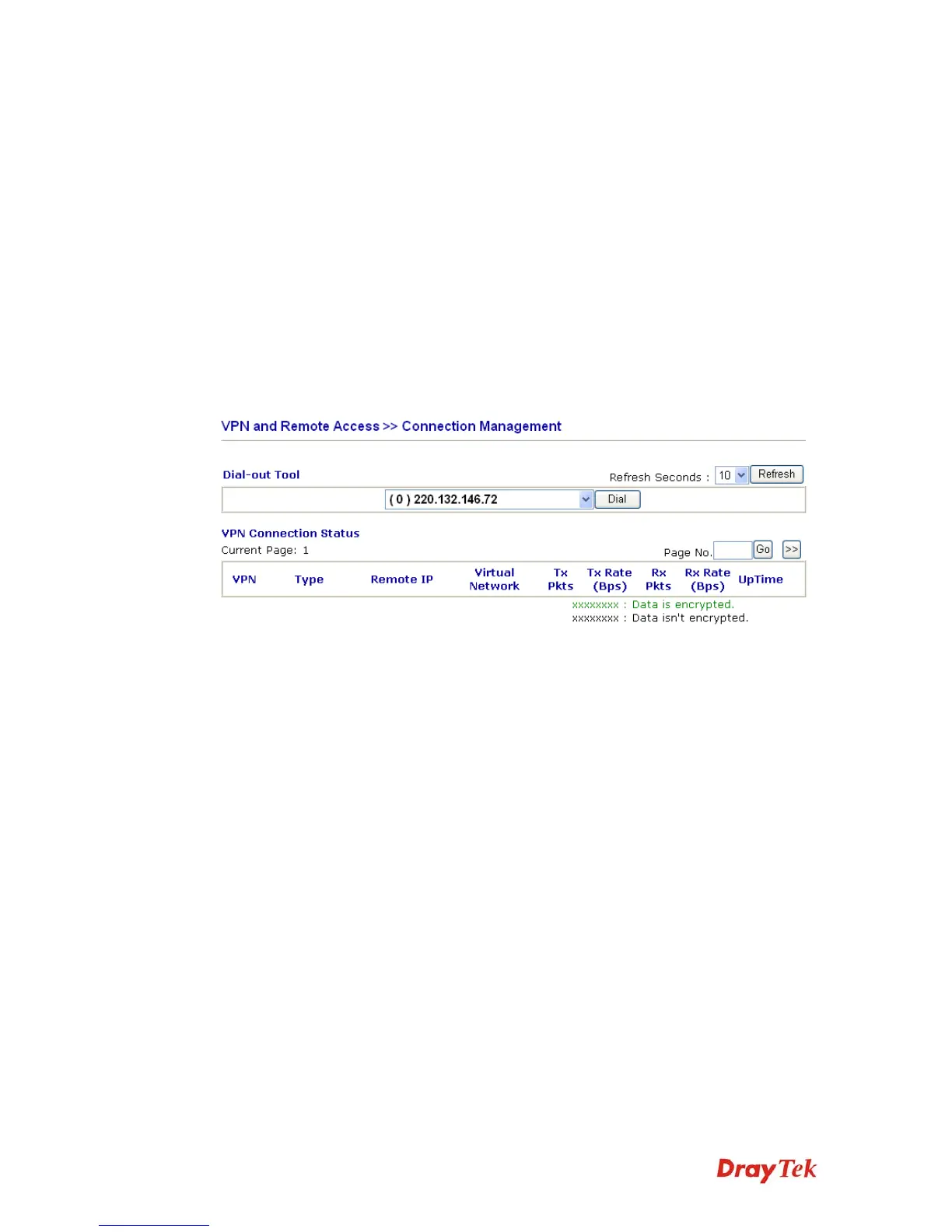
You can find the summary table of all VPN connections. You may disconnect any VPN
connection by clicking Drop button. You may also aggressively Dial-out by using Dial-out
Tool and clicking Dial button.
Dial Click this button to execute dial out function.
Refresh Seconds Choose the time for refresh the dial information among 5, 10,
and 30.
Refresh Click this button to refresh the whole connection status.



 To Next Page