VigorIPPBX 3510 Series User’s Guide
120
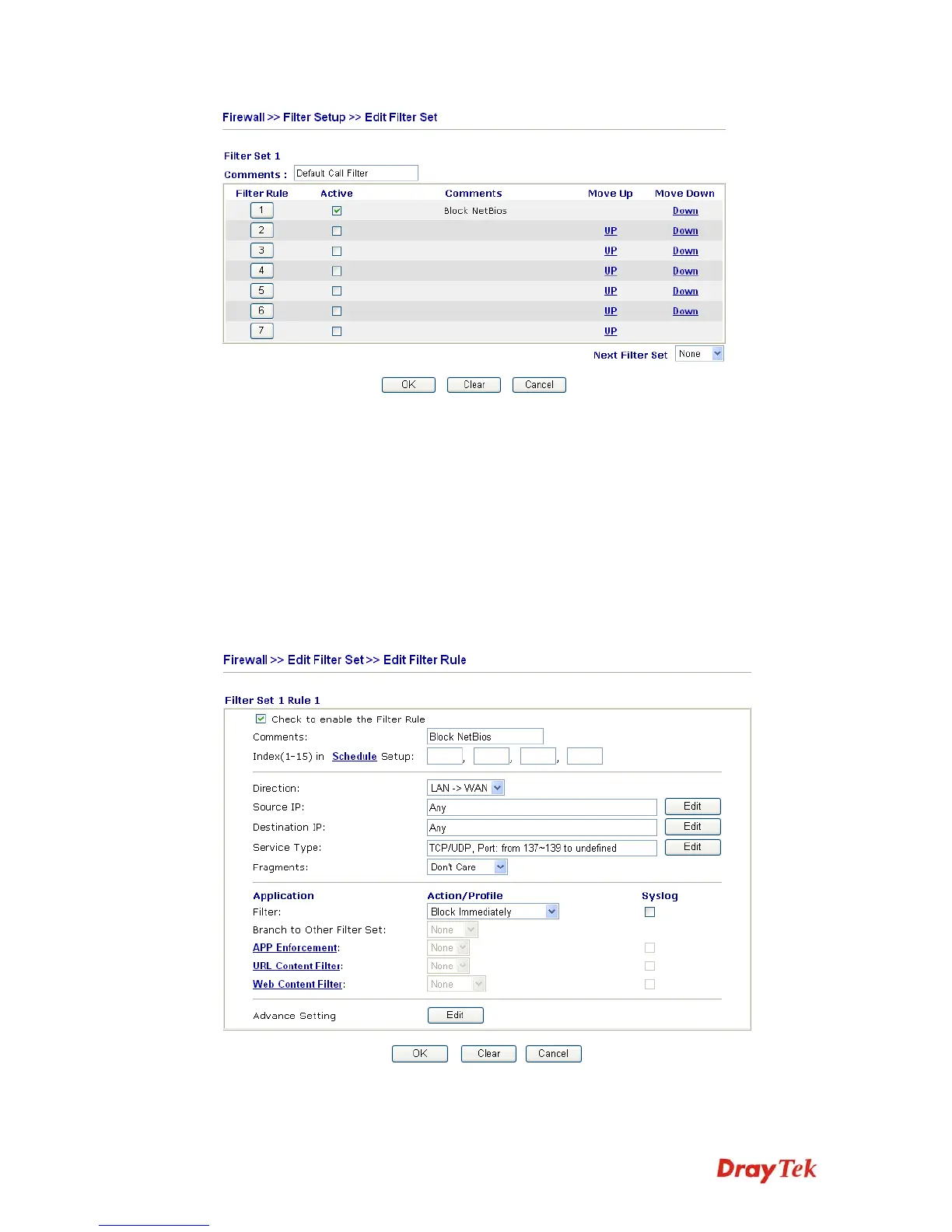
Filter Rule Click a button numbered (1 ~ 7) to edit the filter rule. Click the
button will open Edit Filter Rule web page. For the detailed
information, refer to the following page.
Active Enable or disable the filter rule.
Comment Enter filter set comments/description. Maximum length is
23–character long.
Move Up/Down Use Up or Down link to move the order of the filter rules.
Next Filter Set Set the link to the next filter set to be executed after the current
filter run. Do not make a loop with many filter sets.
To edit Filter Rule, click the Filter Rule index button to enter the Filter Rule setup page.
Check to enable the
Filter Rule
Check this box to enable the filter rule.



 To Next Page