VigorIPPBX 3510 Series User’s Guide
181
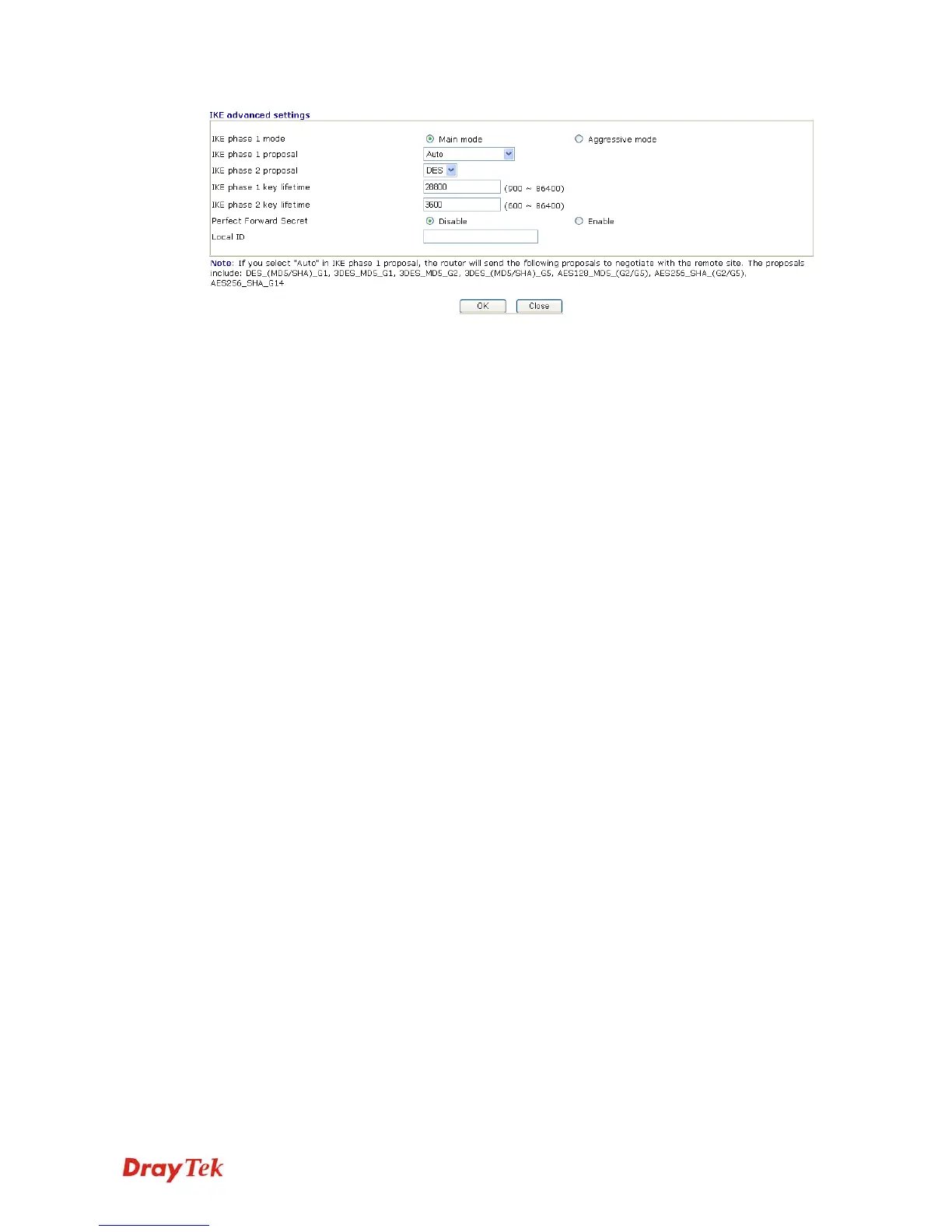
IKE phase 1 mode -Select from Main mode and Aggressive
mode. The ultimate outcome is to exchange security proposals
to create a protected secure channel. Main mode is more
secure than Aggressive mode since more exchanges are done
in a secure channel to set up the IPSec session. However, the
Aggressive mode is faster. The default value in Vigor router is
Main mode.
IKE phase 1 proposal-To propose the local available
authentication schemes and encryption algorithms to the VPN
peers, and get its feedback to find a match. Two combinations
are available for Aggressive mode and nine for Main mode.
We suggest you select the combination that covers the most
schemes.
IKE phase 2 proposal-To propose the local available
algorithms to the VPN peers, and get its feedback to find a
match. Three combinations are available for both modes. We
suggest you select the combination that covers the most
algorithms.
IKE phase 1 key lifetime-For security reason, the lifetime of
key should be defined. The default value is 28800 seconds.
You may specify a value in between 900 and 86400 seconds.
IKE phase 2 key lifetime-For security reason, the lifetime of
key should be defined. The default value is 3600 seconds.
You may specify a value in between 600 and 86400 seconds.
Perfect Forward Secret (PFS)-The IKE Phase 1 key will be
reused to avoid the computation complexity in phase 2. The
default value is inactive this function.
Local ID -In Aggressive mode, Local ID is on behalf of the
IP address while identity authenticating with remote VPN
server. The length of the ID is limited to 47 characters.
Index (1-15) in Schedule Enter the index of schedule profiles to control the call barring
according to the preconfigured schedules. Refer to section
Application>>Schedule for detailed configuration.



 To Next Page