VigorIPPBX 3510 Series User’s Guide
209
5
5
.
.
1
1
1
1
.
.
4
4
.
.
4
4
O
O
f
f
f
f
i
i
c
c
e
e
H
H
o
o
u
u
r
r
s
s
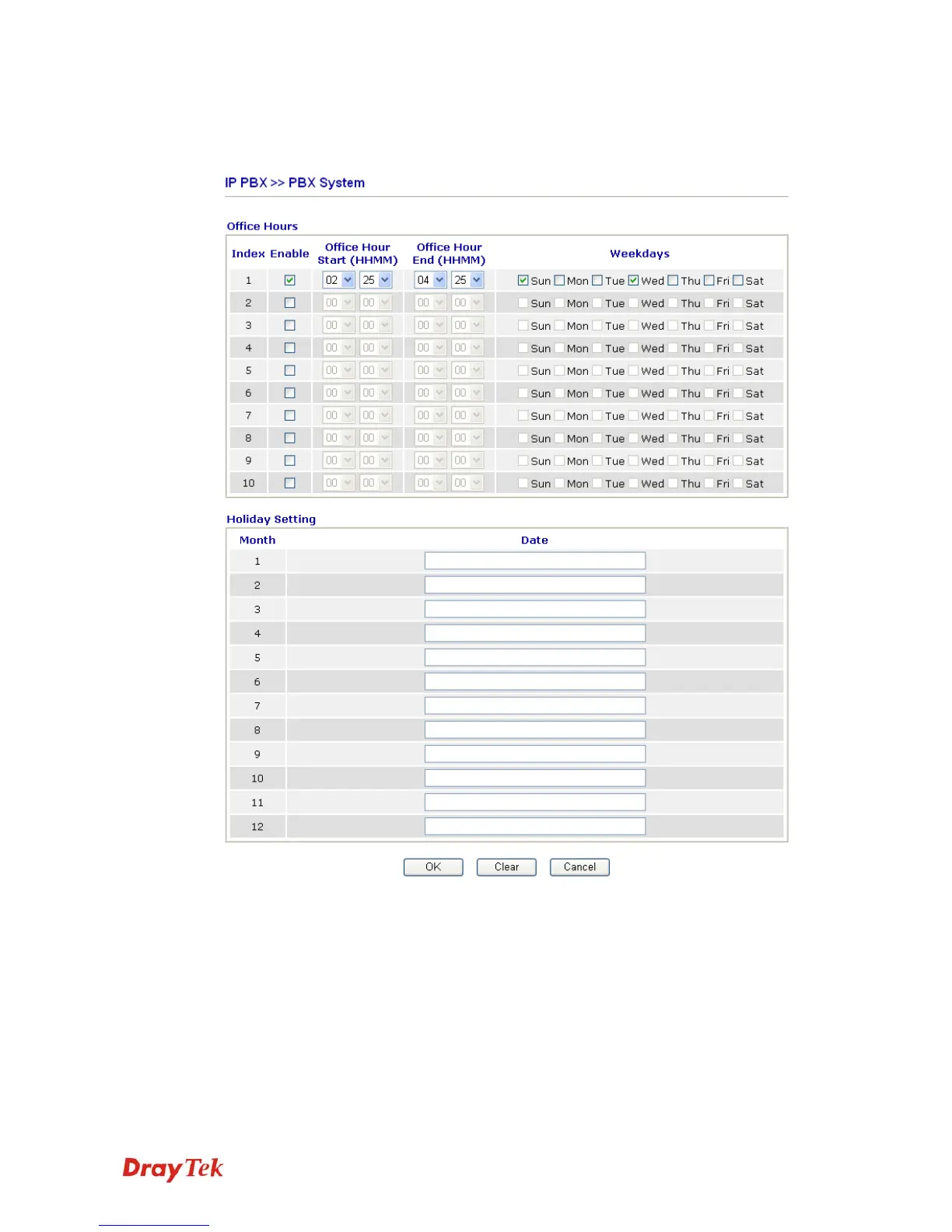
You can set ten groups of office hours including starting point, ending point on duty day(s).
Office Hour Start
Use the drop down menu to choose the time as the starting
point.
Office Hour End
Use the drop down menu to choose the time as the ending
point.
Weekdays
Check the day(s) to apply the office hour for that index.
Date
Specify date(s) for applying the office hour settings in
holiday, for example, type 2,4 6 & 7 in the field of Date for
Month 1. It means January 2,4,6 & 7 will apply the office
hour settings configured in this page.



 To Next Page