VigorIPPBX 3510 Series User’s Guide
28
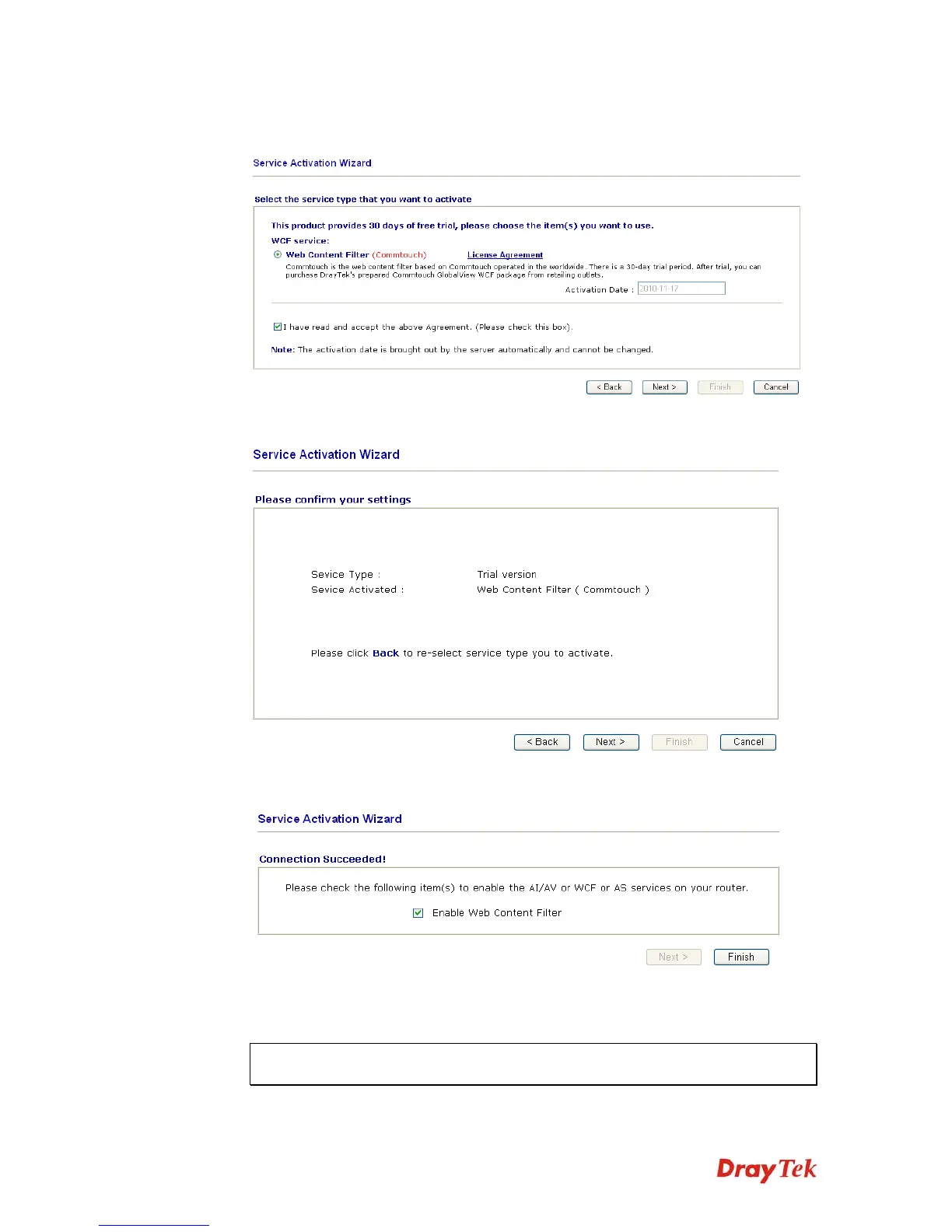
3. In the following page, please check the box of I have read and accept the above
agreement. When you finish the selection, please click Next.
4. Setting confirmation page will be displayed as follows, please click Next.
5. Wait for a moment till the following page appears.
When such page appears, you can enable or disable these services for your necessity.
Then, click Finish.
Note: The service will be activated and applied as the default rule configured in
Firewall>>General Setup.



 To Next Page