VigorIPPBX 3510 Series User’s Guide
42
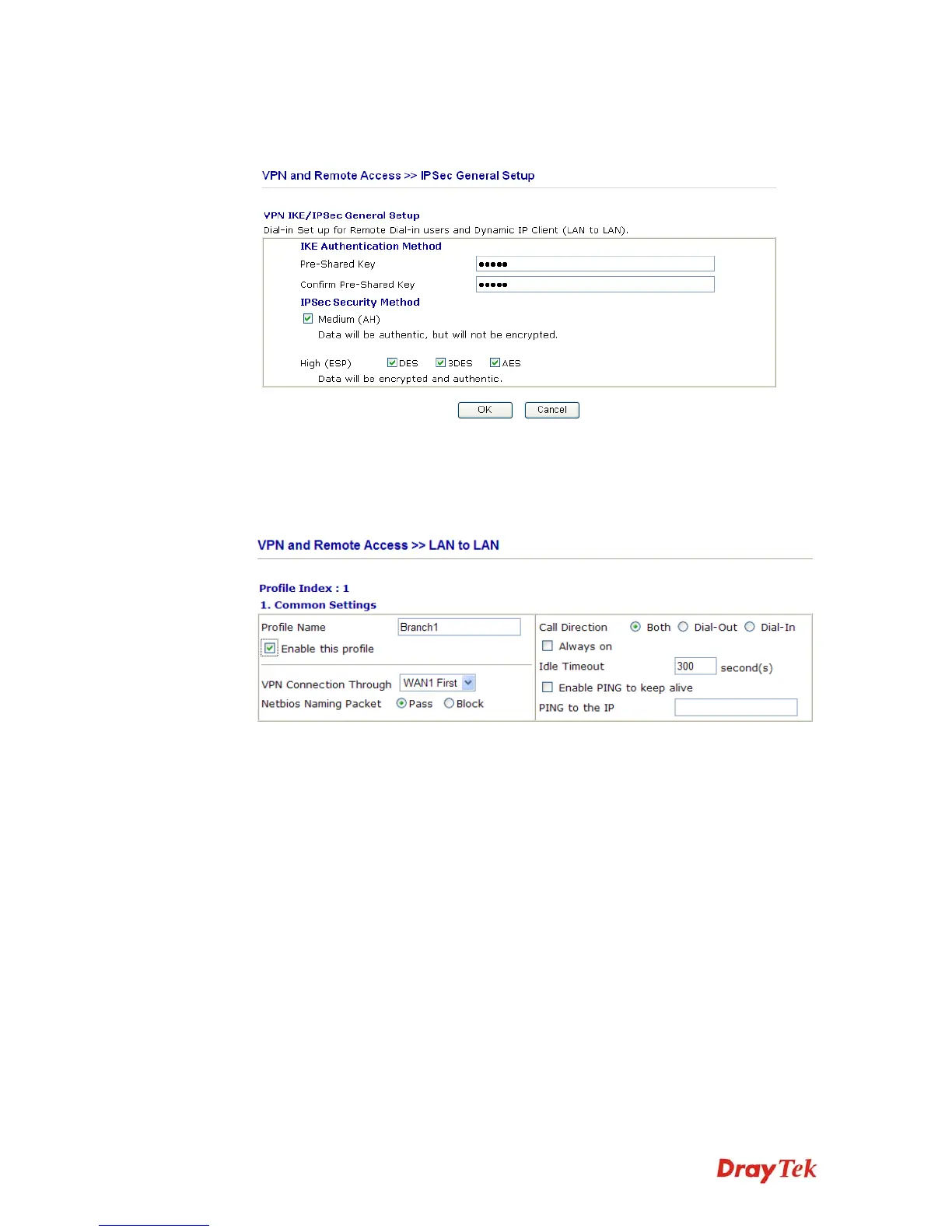
set general settings in IPSec General Setup, such as the pre-shared key that both
parties have known.
3. Go to LAN-to-LAN. Click on one index number to edit a profile.
4. Set Common Settings as shown below. You should enable both of VPN connections
because any one of the parties may start the VPN connection.



 To Next Page