VigorIPPBX 3510 Series User’s Guide
53
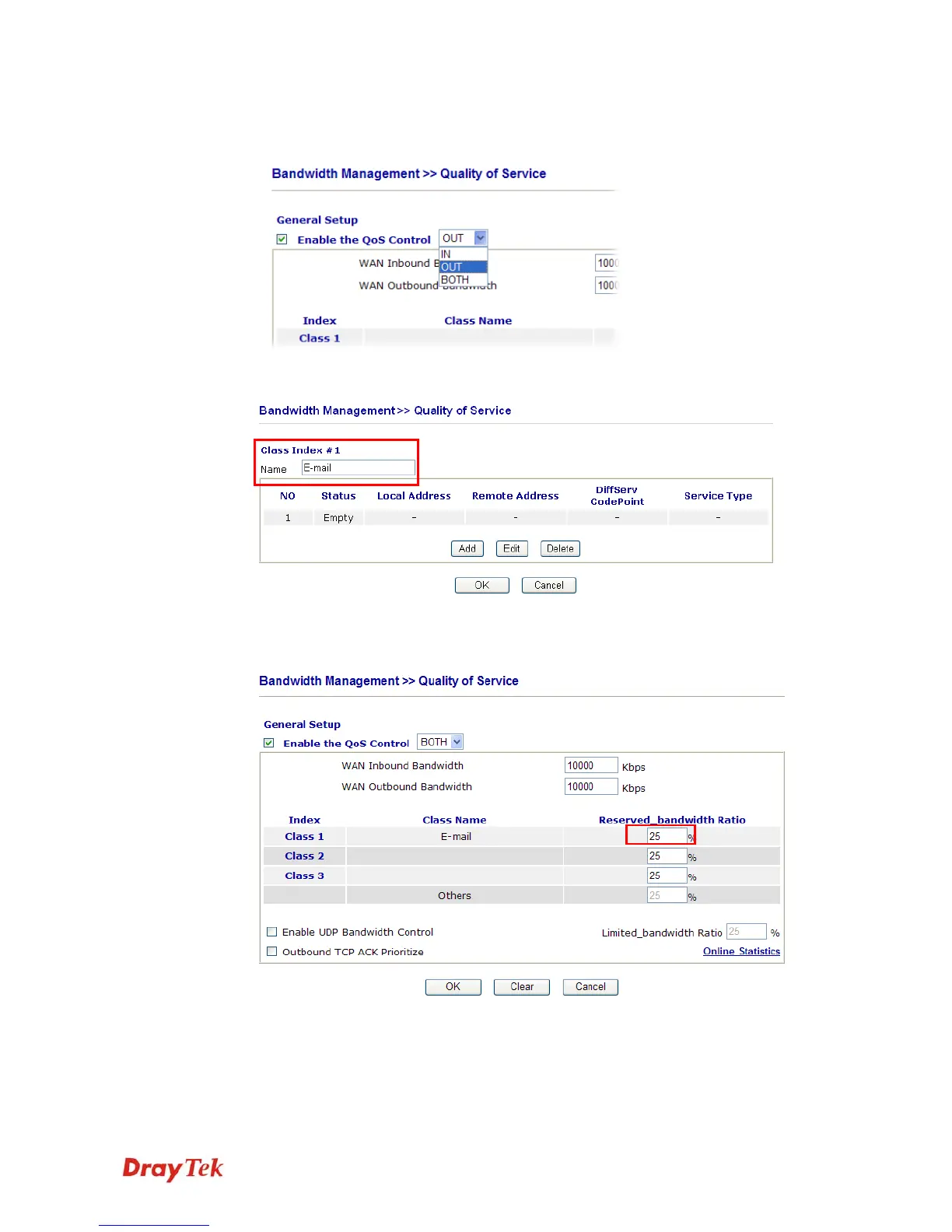
2. Click Setup link of WAN 1. Make sure the QoS Control on the left corner is checked.
And select BOTH in Direction.
3. Return to previous page. Enter the Name of Index Class 1 by clicking Edit link. Type
the name “E-mail” for Class 1.
4. For this index, the user will set reserved bandwidth (e.g., 25%) for E-mail using
protocol POP3 and SMTP.



 To Next Page