VigorIPPBX 3510 Series User’s Guide
61
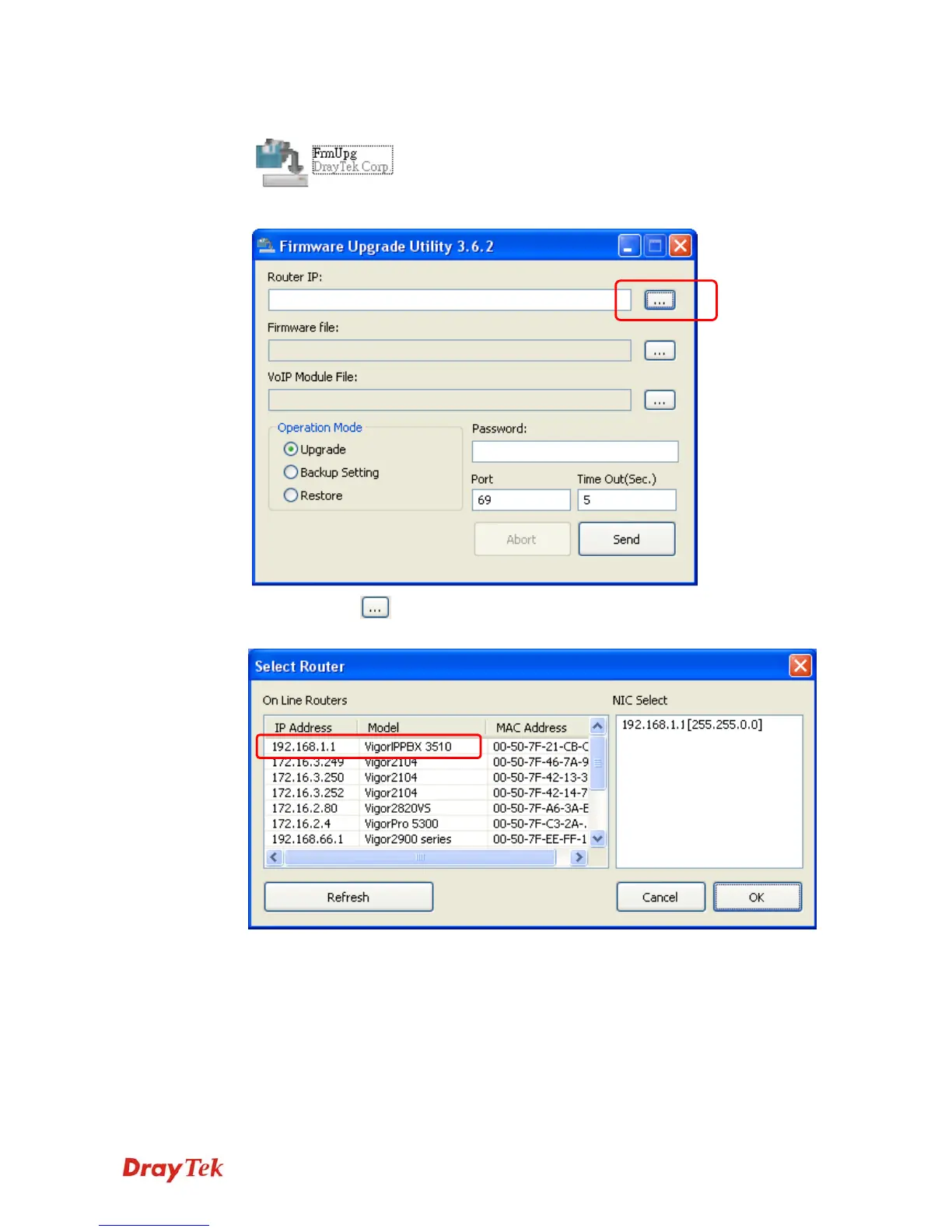
4. Double click on the FrmUpg icon.
5. The Firmware Upgrade Utility will appear as follows:
6. Click the browse
button of Router IP to search the IP address (e.g., 192.168.1.1)
of VigorIPPBX 3510. Click OK.
Note: Do not type the IP address in the field of Router IP directly.



 To Next Page