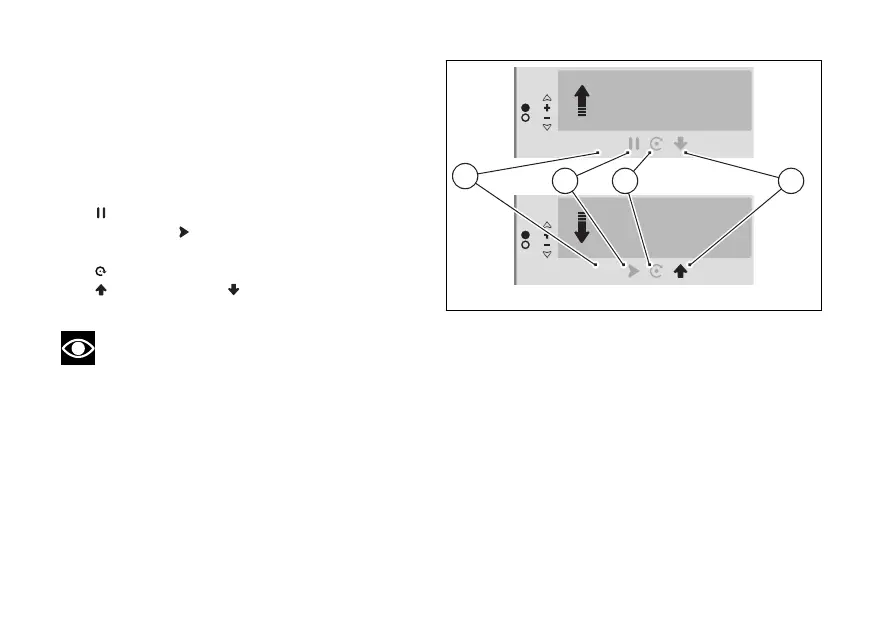
Controls
Once the trip master has been activated, it is
possible to scroll through and select the following
controls by pressing the ENTER (3) briefly, to
activate the selected control, long press the ENTER
(3):
●
"On" displayed if the trip master is active (C).
●
pause displayed if the trip master counter is
running, or play displayed if the trip master
counter is paused (D).
●
reset to reset the counter (E).
●
incremental or to change the
distance calculation mode (F).
Note
By briefly pressing (1) and (2) you can
increase or decrease the counted distance at any
time (specific function for Roadbook navigation).
At any time, even with the trip master counter
running, it is possible to move the selection to the
Interactive Menu by long-pressing (1) or to
the Info display by long-pressing (2), in order
to access the other functions of the instrument
panel.
Fig 76
133













 To Next Page