EasyManua.ls Logo

Ducati DESERTX - Setting Menu - Fuel Indicator

Ducati DESERTX
332 pages
Print Icon
To Next Page IconTo Next Page
To Previous Page IconTo Previous Page
Loading...
 menu – Fuel indicator
This function allows you to change the way the fuel
level is displayed, choosing between bar or
remaining distance (km or miles) modes.
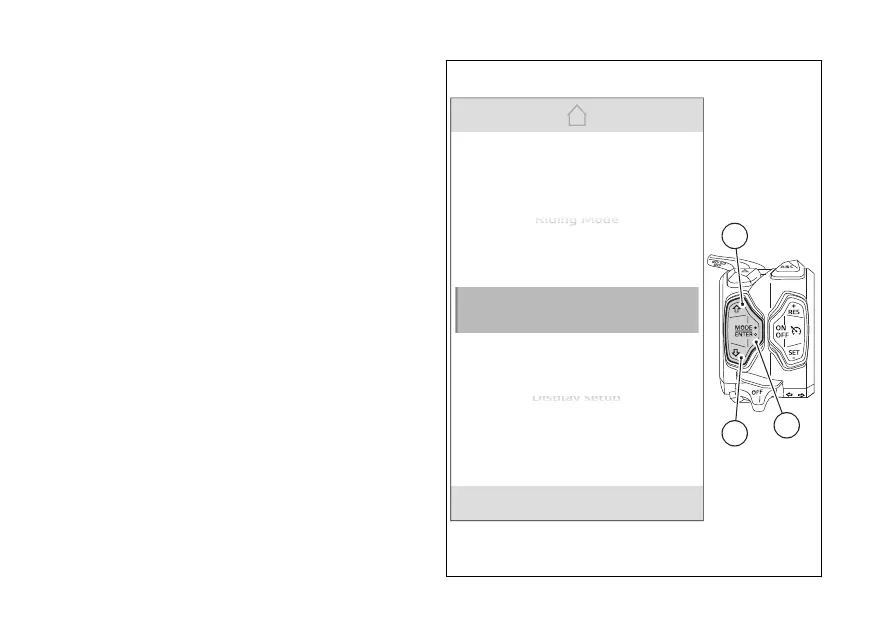
From the Interactive Menu, use  (1) and
(2) to select the item  menu" and press
ENTER (3).
Select the “Fuel indicator” item and press
ENTER (3).
N
Gear
Display setup
D
D
D
D
is
is
is
is
pl
pl
pl
pl
pl
ay
ay
s
s
s
s
et
et
et
et
up
up
up
up
up
DRL
Fuel indicator
Info display
Riding Mode
R
R
R
R
R
id
id
id
id
id
in
in
in
in
in
g
g
g
g
g
Mo
Mo
Mo
Mo
Mo
de
de
de
de
de
1
3
2
Fig 122
210

Table of Contents

Related product manuals