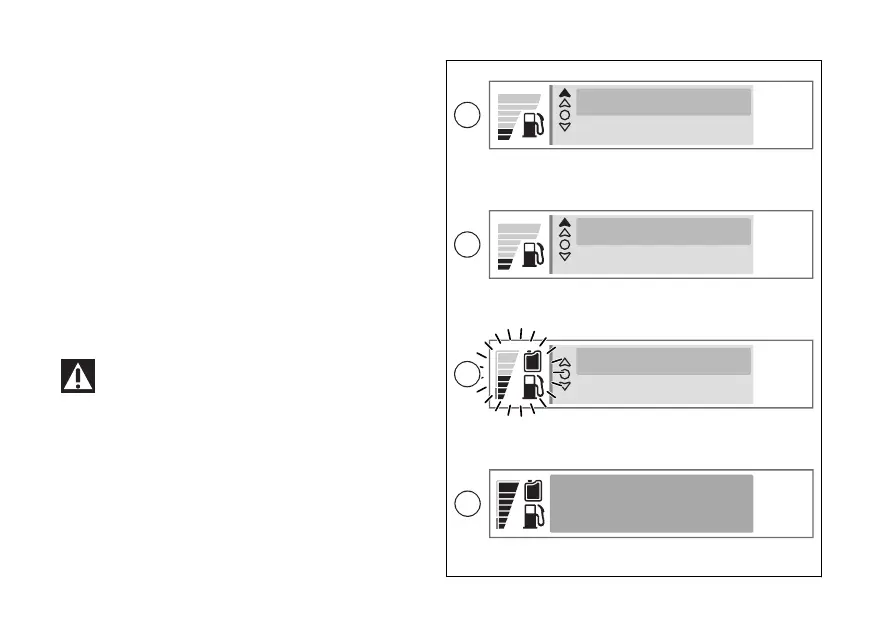
The window (C) appears and asks whether to proceed
with the fuel transfer. Use (1) and (2) to
select "Yes" to proceed or "No" (D). Press ENTER (3)
to confirm.
the fuel transfer
selecting and confirming "Yes" (C), the
instrument panel returns to the previous screen and
the fuel transfer procedure. The fuel transfer
in progress is indicated by the fuel level animation
and the secondary tank symbol (E).
When the fuel transfer is complete, "Fuel transfer
completed" (F) will be displayed for a few seconds,
which the updated fuel level display will be
restored.
To avoid dangerous fuel spillage, do not refuel
the main or secondary tank while fuel transfer from
the secondary tank is in progress.
10:34
am
10:34
am
10:34
am
10:34
am
Fuel transfer?
Yes No
Fuel transfer?
Yes No
Fuel transfer
Setting menu
Fuel transfer completed
C
D
F
E
Fig 91
153













 To Next Page