Pairing
This function allows pairing a new Bluetooth device.
●
From the Interactive Menu, use (1) and
(2) to select the item menu" and press
ENTER (3).
●
Select the “Bluetooth” item and press ENTER
(3).
●
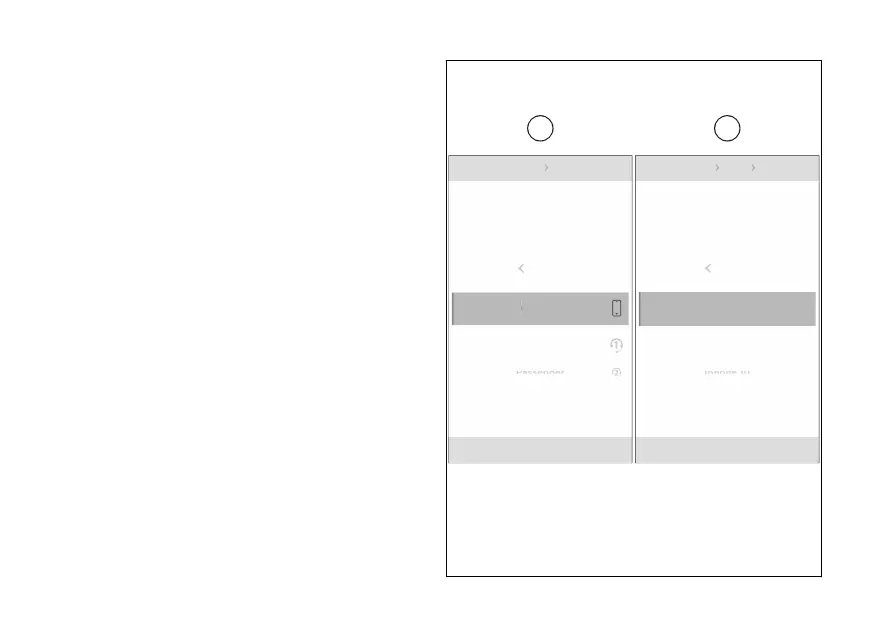
Select the “Pairing” item and press ENTER (3).
The 4 types of devices that can be paired are
displayed (A): rider headset, passenger
headset, satellite navigator.
With (1) and (2) select the type of device you
wish to pair. Press ENTER (3) to confirm and the
device search.
The instrument panel searching for nearby
Bluetooth devices and displays the message "Wait..."
followed by a list of detected devices. As soon as the
search stage is over, system gives out a list of all
detected devices (B).
Use the (1) and (2) to select the required
device and press ENTER (3).
The display shows the message "Pairing…" on the
right, while waiting validation by the Bluetooth
device. If you are pairing a the
Bluetooth Pairing Phone
Galaxy A8
Samsung S10
Iphone 10
Back
N
Gear
Phone
Rider
Passenger
Back
N
Gear
Fig 3
24













 To Next Page