The window (C) is shown listing the last 7 calls made,
received or missed. If a number or contact is present
several times among the last calls, this is displayed
only once.
Use (1) and (2) to scroll through the calls in
the list. Press ENTER (3) to make a call to the number
or contact selected in the list.
Call in progress
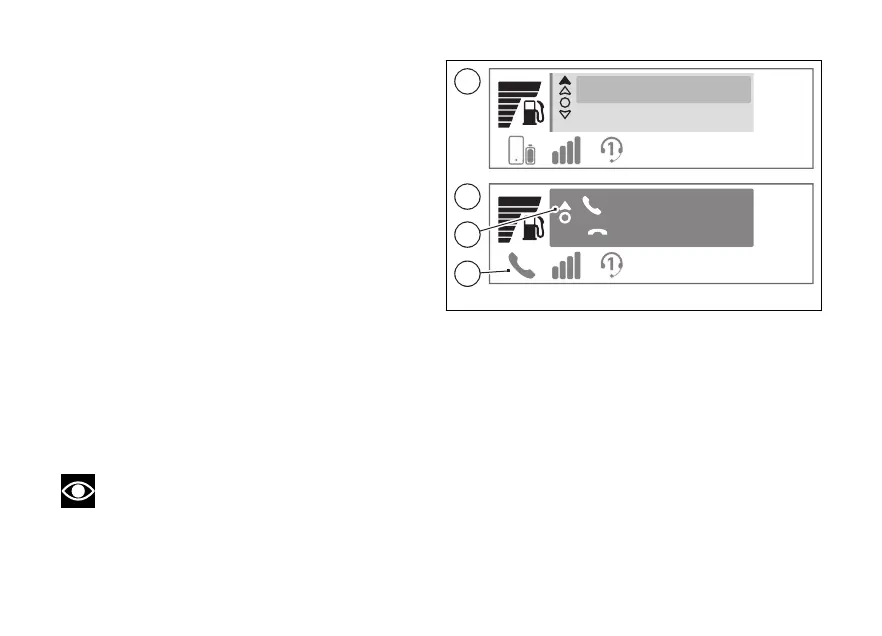
When a call is in progress, a green window is shown
with the name or number of the contact as well as
the item “End call” (D). To end the call, press the
ENTER (3).
During the call, the solid arrow at the top (E)
indicates that, by holding down the (1), you
can exit the call display to access other menus on the
main screen. The blue phone icon (F) is also activated
to indicate that the call is in progress.
To return to the call in progress window (D), select
"Phone” (B, Fig 6) from the Interactive Menu, and
press ENTER (3).
Note
The music player will be paused during a call.
10:34
am
Mario Rossi
Jeff Walker
10:34
am
Mario Rossi
End call
C
D
E
F
Fig 7
30













 To Next Page