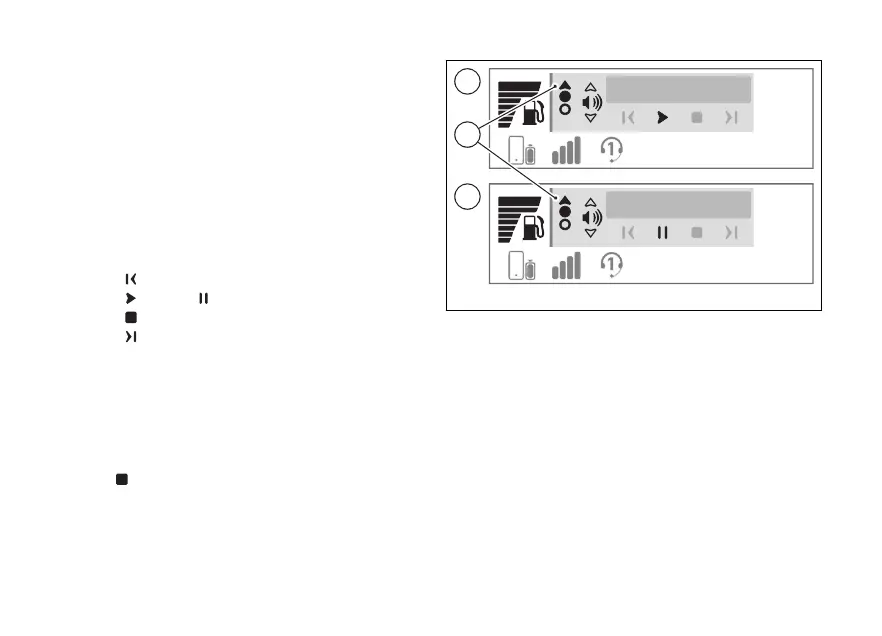
The player window (C) will be displayed where the
controls of the music player and the track currently
playing are shown. If the track is playing when the
function is entered, the player window is displayed
with the pause command active (D).
●
By briefly pressing (1) and (2) you can
increase and decrease the volume respectively;
●
by briefly pressing the ENTER (3) it is
possible to scroll and select the following
controls, to activate the selected control press
the ENTER (3) for a long time:
●
previous track
●
play or pause
●
stop
●
next track
During playback of a track, the solid arrow at the top
(E) indicates that, by holding down the (1),
you can exit the music player display to access other
menus on the main screen, while keeping the track
playing.
When ENTER (3) is pressed with the stop
control
selected, the music player window is
closed and the current track is stopped.
10:34
am
Track 01 - spo...
10:34
am
Track 01 - spo...
C
D
C
D
E
Fig 10
34













 To Next Page