22
Chapter 1 Before Operation
Copyright © 2019 Duplo Corporation All Rights Reserved
No. Name Function
[5] FoldingBpositionadjustment
key(*)
Adjuststhepositionofthefoldingstopperoffoldingplate2.
[+]RaisesthepositionoffoldingB.Whenpressedandheld,thevalue
continues to increase automatically within the setting range.
[-]LowersthepositionoffoldingB.Whenpressedandheld,thevalue
continues to decrease automatically within the setting range.
[6] Folding B reversal Reverses[+]and[-]ofthefoldingdimensionB.
Whenthevalueafterbeingreversedisoutsidethespecicationrange,itis
correctedtothenearestvaluewithinthespecicationrange.
Whenincustomfoldingorstopperxedmode,itisnotdisplayed.
[7]
(Test)key
Executestestfoldbeforesavingtheadjustedvalueofthefoldingstopper
position.
Itisnotdisplayedwheninmanualfeedmode(option).
[8]
(Return)key
Savestheinputvalueandreturnstothe[Ready]screen.
Whenyoutouchthekeywhiletheinputvalueisoutsidethespecication
range, the value within the range that you can input is displayed in the
Outline of folding dimension.
[9] Warningmessage Whentheinputvalueisoutsidethespecicationrange,awarningmessage
is displayed.
[10] Outline of folding dimension The outline of folding dimension for folding form is displayed.
[11]
(Cancel)key
Returnstothe[Ready]screenwithoutsavingtheinputcontent.
[12]
(Stackerroller)key
The[StackerRoller]screenisdisplayed.
Whenthecombinationofpositionadjustmentvaluesisinvalid,awarning
messageisdisplayedandthe[StackerRoller]screenisnotdisplayed.
(*) Itisnotdisplayeddependingonthecontenttobeset.
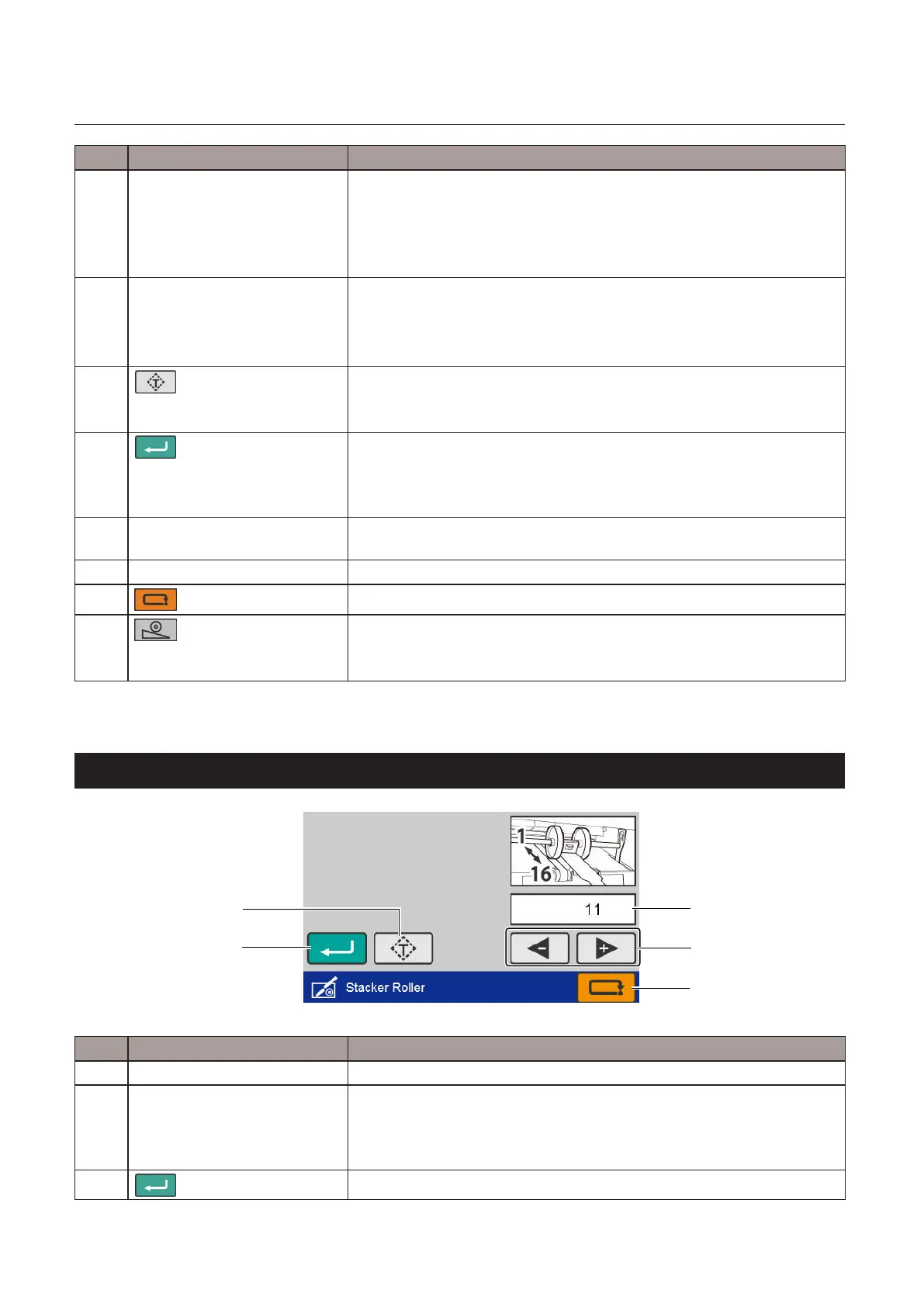
6-8. [Stacker Roller] screen
[5]
[3]
[4]
[1]
[2]
No. Name Function
[1] Stacker roller position Displays position of stacker roller.
[2] Stackerrolleradjustmentkey [+]Raisesthepositionofstackerroller.Whenpressedandheld,thevalue
continues to decrease automatically.
[-]Lowersthepositionofthestackerroller.Whenpressedandheld,the
value continues to increase automatically.
[3]
(Return)key
Saves the input value and returns to the previous screen.



 To Next Page