70
Chapter3AdvancedOperation
Copyright © 2019 Duplo Corporation All Rights Reserved
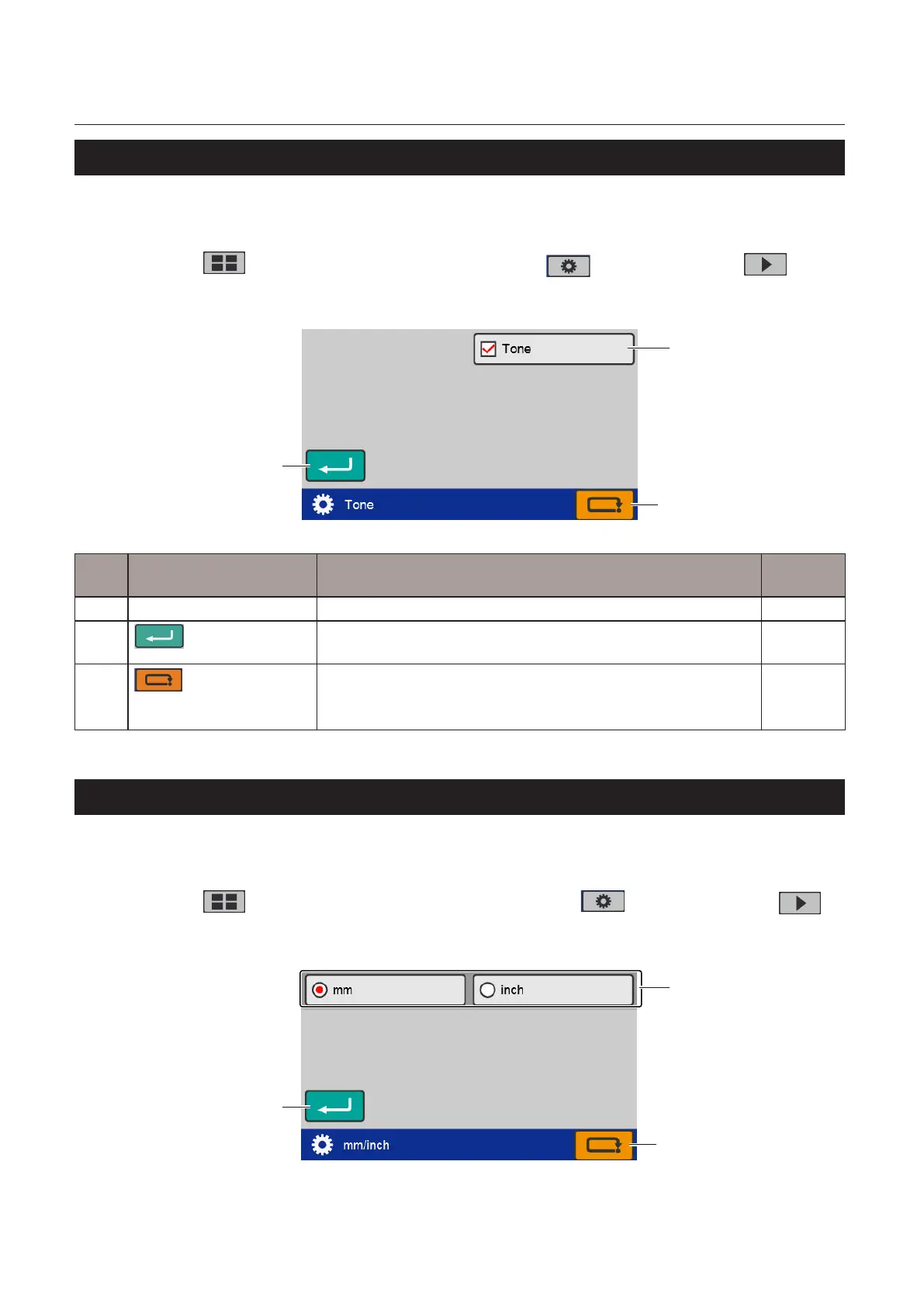
8-10. Tone
Thebuzzer(keyoperationalsoundonthecontrolpanel)ornotcanbeset.
Thebuzzersoundswiththesettingowhenatroublehasoccurred.
Touch the key on the top screen —> Touch the key —> Touch the key
—> Touch the [Tone].
The[Tone]screenisdisplayed.
[1]
[3]
[2]
No. Name Function Default
value
[1] Tone Seton/oofthetone. On
[2]
(Return)key
Savesthetonesettingandreturnstothe[FunctionSettings]
screen.
–
[3]
(Cancel)key
Returnstothe[FunctionSettings]screenwithoutsavingtheinput
content.
Pressandholdtoreturntothe[Ready]screen.
–
8-11. mm/inch
Accordingtotheusageenvironment,unitsofnumericalinputsavedforthepapersize,foldingdimensions
(foldingstopperadjustmentvalue),andcustomfoldingcanbechanged.
Touch the key on the [Ready] screen —> Touch the key —> Touch the
key —> Touch the [mm/inch].
The[mm/inch]screenisdisplayed.
[1]
[3]
[2]



 To Next Page