23
Chapter 1 Before Operation
Copyright © 2019 Duplo Corporation All Rights Reserved
No. Name Function
[4]
(Test)key
Executestestfoldbeforesavingtheadjustedvalueofthestackerroller
position.
Itisnotdisplayedwheninmanualfeedmode(option).
[5]
(Cancel)key
Returns to the previous screen without saving the input value.
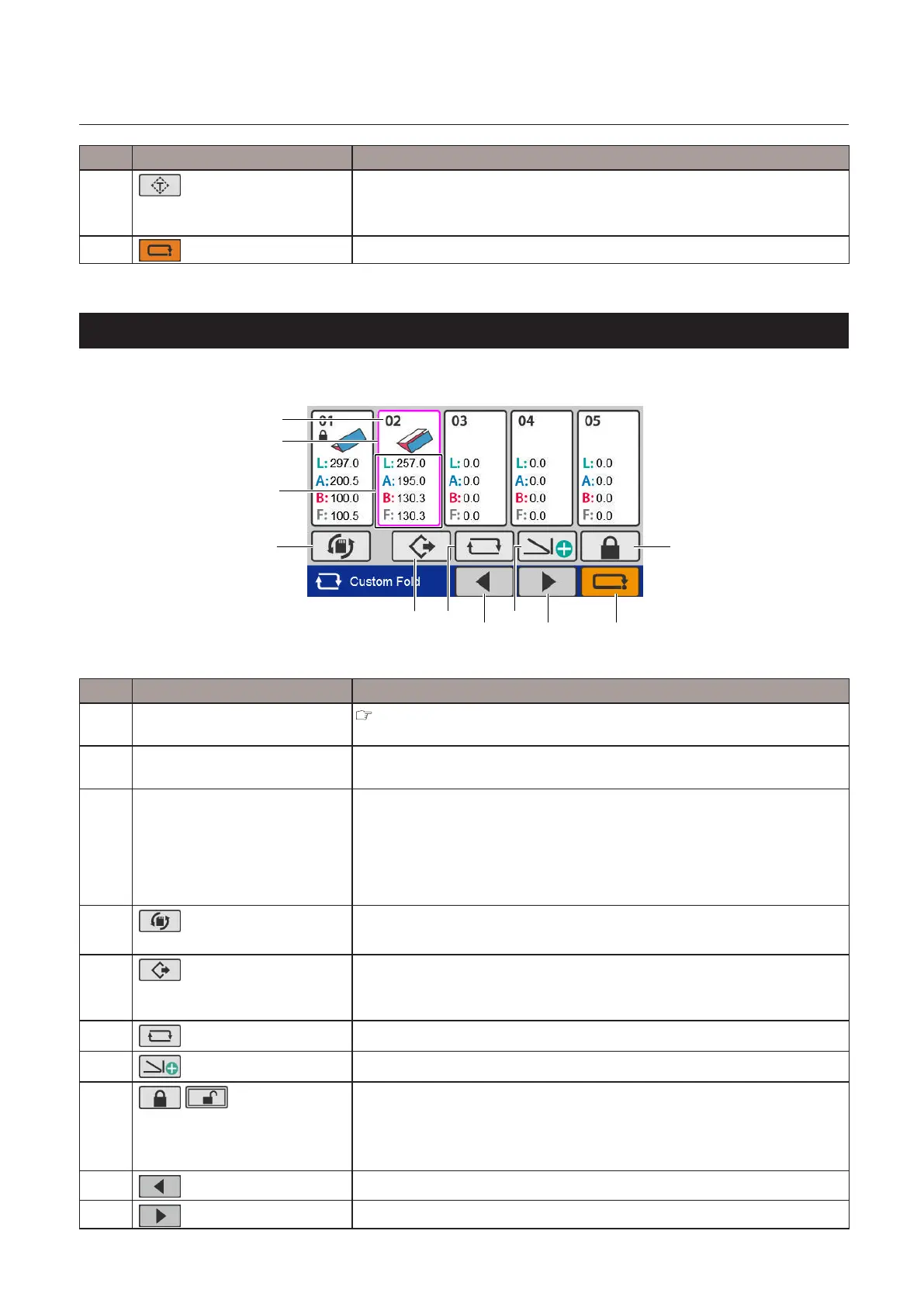
6-9. [Custom Fold] screen
Saved data selection screen
[5] [6]
[9] [10] [11]
[8]
[7]
[4]
[1]
[2]
[3]
No. Name Function
[1] Saveddatanumber/Saveddata
lock display
“6-1-1. Touch panel display” (p.13)
[2] Selection frame Touch to select the saved data you want to use. The color of the frame of
the selected saved data changes.
[3] Custom fold data Displays the length of each fold saved.
L: Paper length
A: Folding A length
B: Folding B length
F: Finishing length
[4]
(Switchtosavescreen)
key
Displaysthe[Save]screen.
[5]
(Open)key
Reads the selected saved data and returns to the top screen.
Whennon-saveddataisselected,thekeyisgrayedoutandcannotbe
operated.
[6]
(Edit)key
Displaysthe[PaperLength]inputscreenfortheselectedsaveddata.
[7]
(Createnew)key
Creates new data.
[8]
/ (Lock/Unlock)key
Locks or unlocks the selected saved data.
Locked data cannot be deleted.
Whennon-saveddataisselected,thekeyisgrayedoutandcannotbe
operated.
[9]
(Pagebackward)key
Movestothepreviouspage.
[10]
(Pageforward)key
Movestothenextpage.



 To Next Page