34
Chapter 2 Basic Operation
Copyright © 2019 Duplo Corporation All Rights Reserved
2. Stacking the Paper
2-1. Before stacking paper
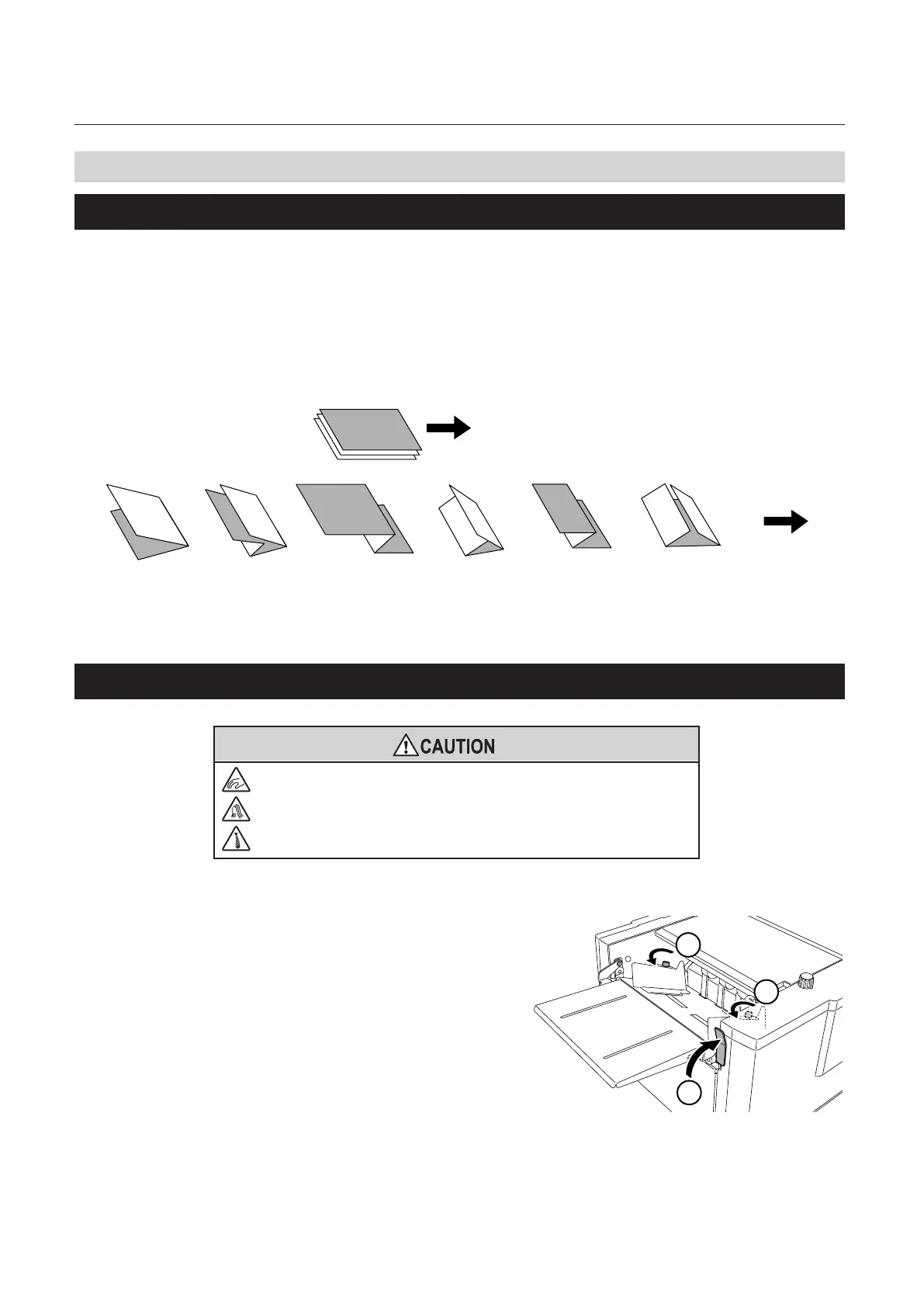
Standard folding
Therearesixtypesofstandardfoldingmodes:singlefold,doublefold,irregularaccordionfold(foldout),
letterfold,accordionfold(zfold)andgatefold.Paperisfoldedasshownbelowwhenthepaperisplacedon
the paper feed tray with its print side facing upward.
Whenpaperisstackedwiththegraysurfaceontheobversesideandwhitesurfaceonthereversesideon
the paper feed tray, and processing is completed in the standard folding mode, the folded paper is as shown
inthegure.
Paper feed direction
Ejection
direction
Single
fold
Double
fold
Irregular
accordion fold-out
Letter
fold
Accordion-
fold
Gate fold
2-2. Stacking paper
Do not put ngers inside during operation.
Keep away long hair, ties, jewelry and loose clothing.
It could cause injury.
Steps1and6arenotnecessarywiththeDF-999/DF-999A.Moveontosteps2to5.
1
2
2
1
Raise the paper set lever.
The paper feed stand will come down to the
paper stacking position when the paper set
lever is raised.
2
Loosen the guide fixing screw.



 To Next Page