1717
GeneralOperation
STEP
1
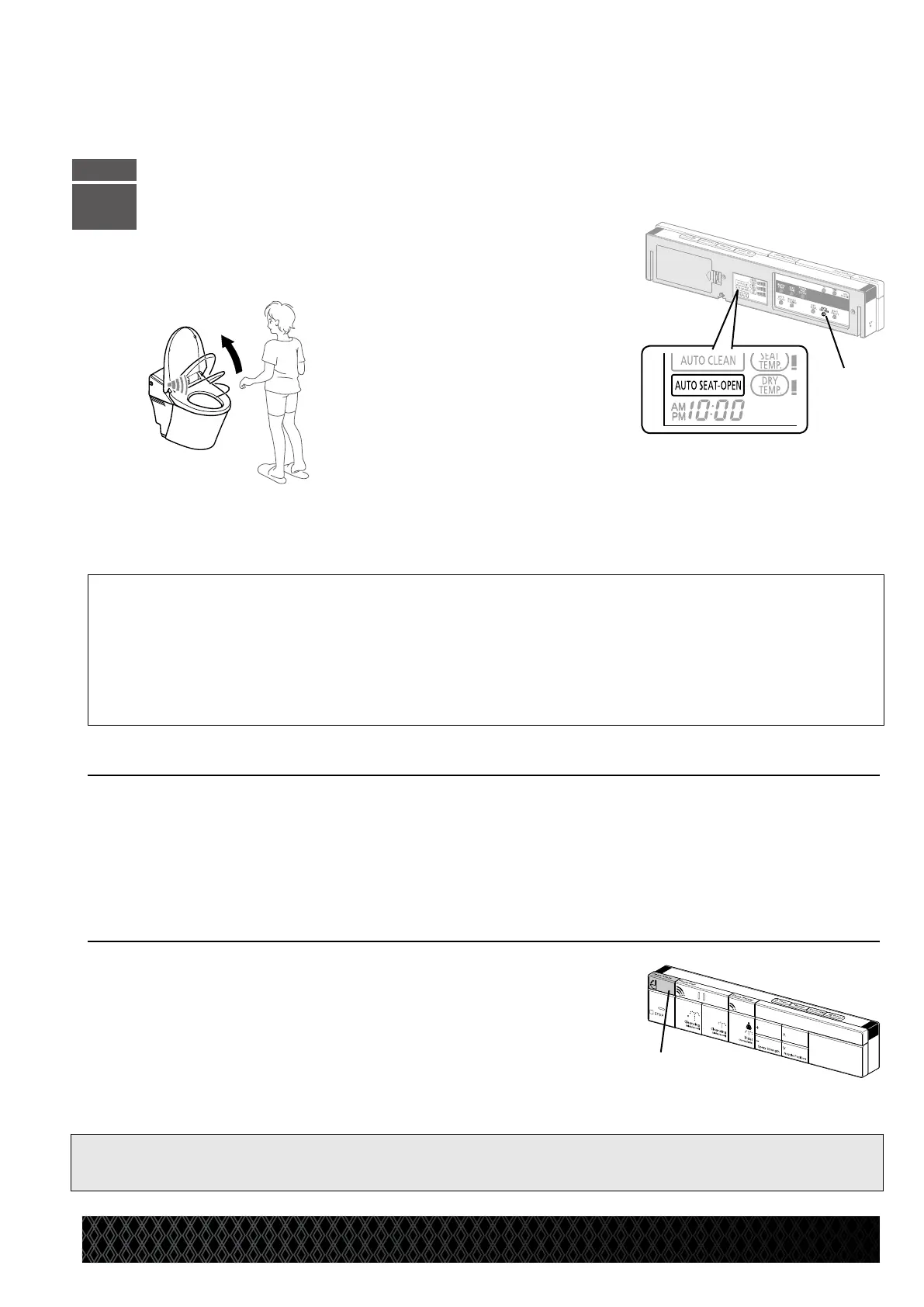
* “AUTO SEAT-OPEN” button appears
on the LCD.
* The function is set to “ON” in the
default settings.
AutoSeatOpenFunction
•PresstheAutoSeatOpenbutton[A]to
activate this feature.
* If the seat sensor is not activated after the seat lid opens independently, the seat lid automatically closes after
approximately one minute.
* The upper body sensor detects the motion of a person and automatically opens the toilet seat lid.
•Toopenthetoiletseatlidandtoiletseatsimultaneously
PresstheSTOPandOpen/Closebuttonssimultaneouslyfor2seconds.
* A short beep sounds when the setting is complete.
* The seat and seat lid close approximately 1 minute after the user leaves the toilet.
* Press the STOP and Open/Close buttons simultaneously for 2 seconds to reset.
A beep sounds when the setting is complete.
Tomanuallyopenandclosethetoiletseatlidorseat
PresstheAutoSeatOpenbuttontodeactivatethisfeature.
* The “AUTO SEAT-OPEN” display on the LCD disappears.
* When a small child uses the toilet, turn o the auto seat open function. The seat sensor may not be able
to detect a small child’s body, and, although rare, the toilet seat lid may start to close during use.
* The toilet lid will not open for 10 seconds after it is closed manually.
Toopenandclosethetoiletseatwiththeremotecontrol
1 PresstheOpen/Closebutton[B]to
openthetoiletseat.
2 PresstheOpen/Closebutton[B]again
to close the toilet seat.
[Note]
● Avoid direct sunlight, as this may cause the sensor to malfunction and the toilet seat lid to automatically open.
[A]
[B]


 To Next Page