4949
Removing the Nozzle Tip
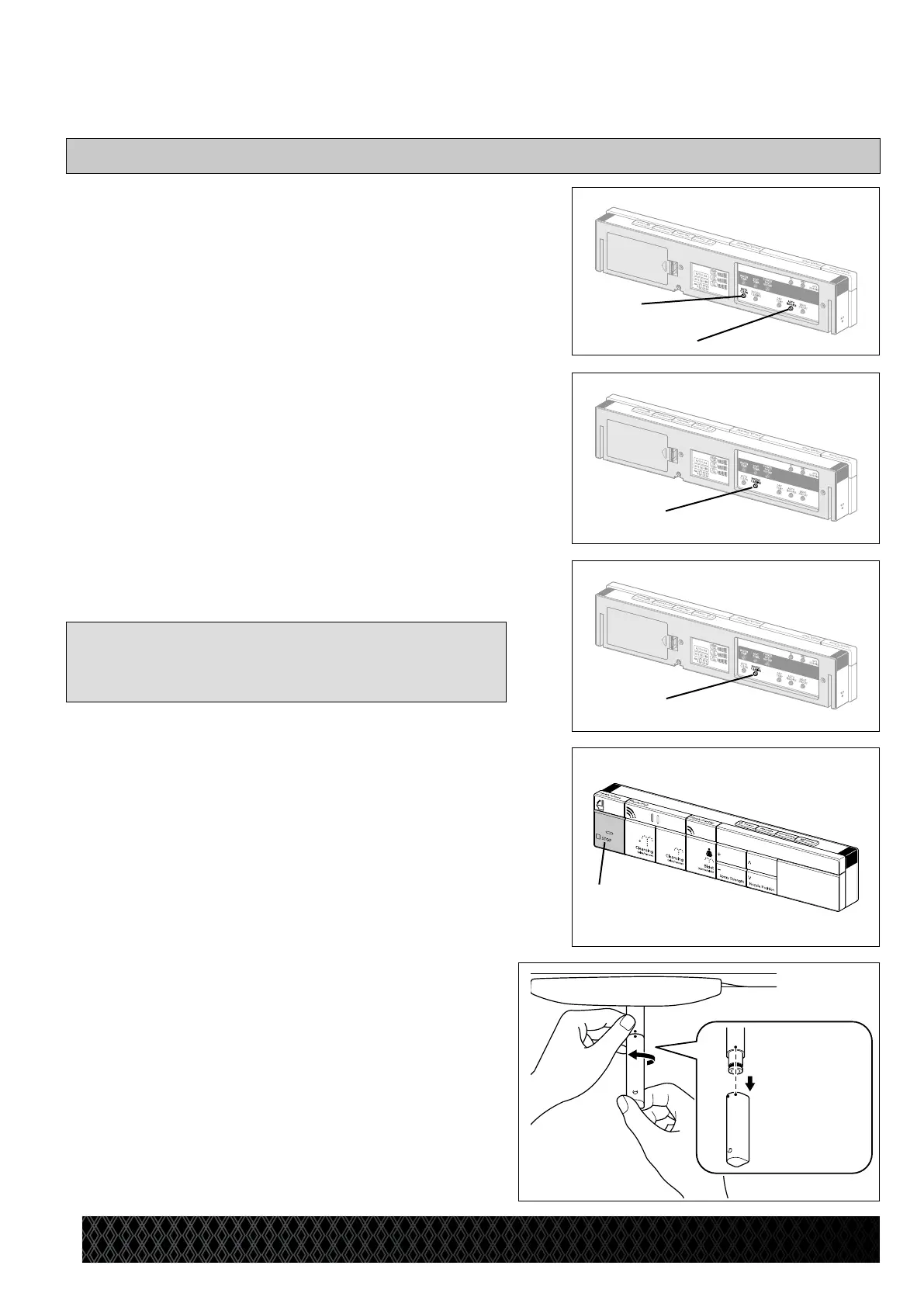
1 TurnofftheAutoClean[A]andAutoSeat
Open[B]buttons.
* This will disable the automatic lid and automatic
flush functions.
2 Lifttheseatlidandseat.
3 PresstheNozzleCleaningbutton[C].
* The rear cleansing nozzle extends and oscillates.
* Water will automatically wash the nozzles.
<To select the front cleansing nozzle for replacement>
PresstheNozzleCleaningbutton[D]again.
* The front cleansing nozzle extends and oscillates.
[Note]
• Thenozzletipcannotbereplacedwhileauserissitting
onthetoiletseat.
4 PresstheSTOPbutton[E].
* The nozzle stops for approximately 5 minutes.
Replace the nozzle tip.
The nozzle retracts to its original position after
5 minutes.
5 Turn the nozzle tip counterclockwise to
align the replacement mark on the right of
the nozzle tip with the nozzle center mark,
and pull out the nozzle tip as shown in the
diagramontheright.
* Pull the nozzle out slightly, hold the back section of
the nozzle with your hand, and remove the tip.
* Install a new nozzle tip as described in “Assembling
the Nozzle Tip” (Page 50) while the nozzle is
stopped. The above procedure can also be followed
to replace the front cleansing nozzle tip.
08M046_シャワートイレパンプキン PAMPKIN_10
②
①
Replacing the Nozzle Tip
[B]
[A]
[C]
[D]
[E]


 To Next Page