1919
Front and Rear Cleansing
For rear cleansing
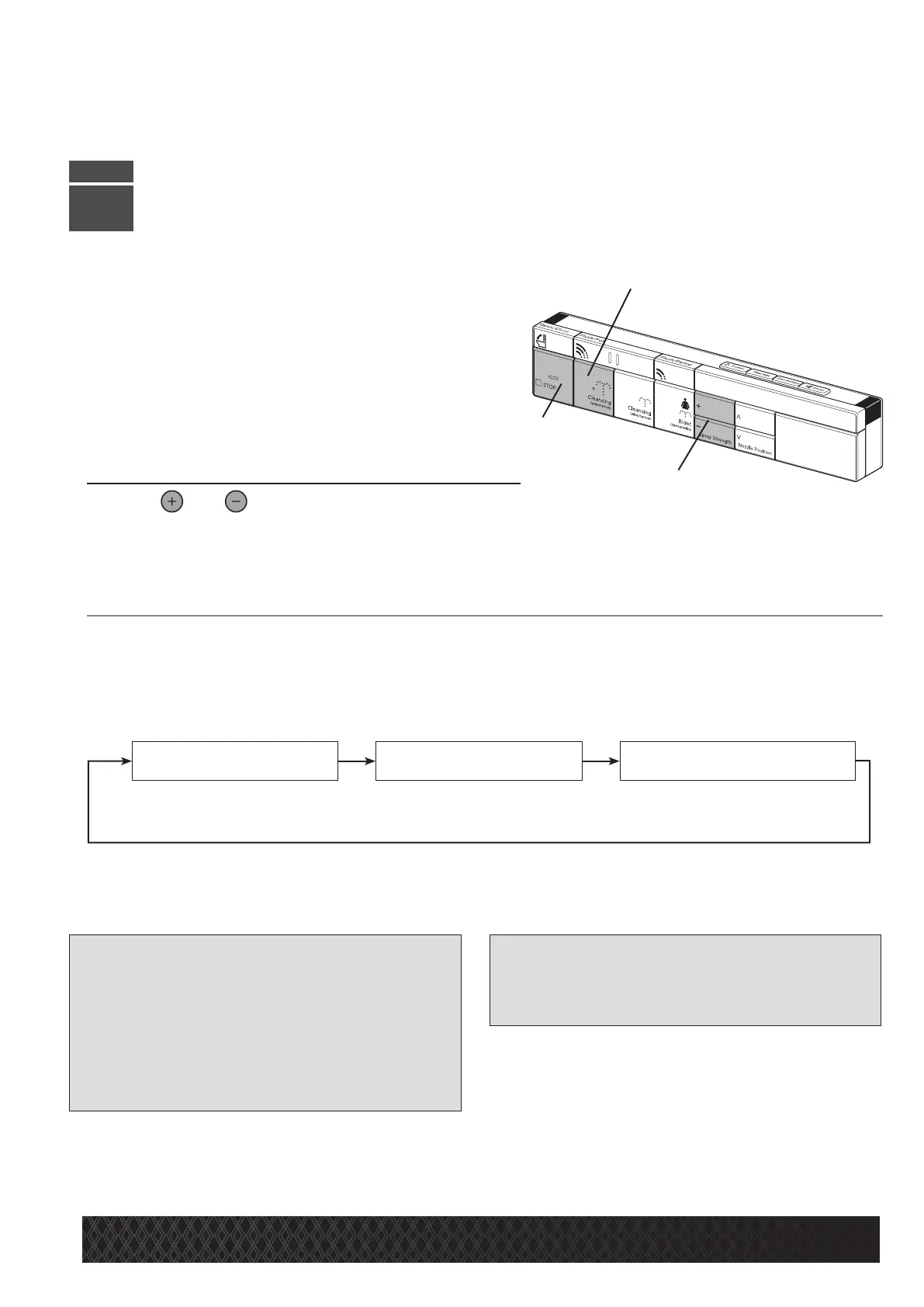
•PresstheCleansingbutton[B].
* Water will drip from the nozzle. This washes the nozzle
before use. The nozzle extends and water sprays.
•PresstheSTOPbutton[A].
* The spray will stop and the nozzle will retract.
Toadjustthewaterpressure
Press or ontheSpray
Strengthbutton[C].
* The water pressure can be adjusted to any of six levels. Select the water pressure as desired.
Tochangethecleansingmode
PresstheCleansingbutton[B]asecondtimeduringrearcleansing.
* Pressing Cleansing during rear cleansing alters the mode.
* Once the cleansing is stopped, the cleansing mode starts with rear cleansing when Cleansing [B] is pressed.
[Note]
•
When the water temperature is extremely low in winter
for instance, the water pressure may become weak.
• Sit further back on the toilet seat.
If you sit further back on the seat, there will be
less water splashing.
• The rear cleansing or rear cleansing - mild function
stops when the toilet is flushed. This function can-
not be started while flushing the toilet.
[Reference]
• The water pressure may be further lowered for
those who feel the water pressure is too strong
even at the lowest setting. (Page 31)
STEP
3
The nozzle moves back and
forth to wash a wide range.
The nozzle moves back and forth over a
short span for more thorough cleansing.
Rear cleansing Oscillatingspray
Oscillatingspray-narrow
[C]
[A]
[B]
GeneralOperation


 To Next Page