EasyManua.ls Logo

DXV AT200 - User Manual

DXV AT200
71 pages
Print Icon
To Next Page IconTo Next Page
Loading...
AT200
USER MANUAL
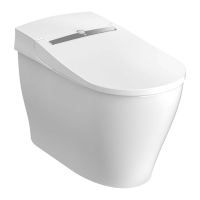
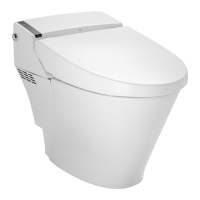
D29020CS416-XXX - SEAT & BOWL COMBINATION-CWH
D23020CS11S-XXX - BOWL-CWH
D28000AS416-XXX - SEAT / BODY UNIT-CWH
Canvas White (415)
Thank you for purchasing this product.
After reading this manual, please keep it in a place where you can refer to it easily.
Be Sure To follow The SAfeTy preCAuTionS.
Failure to follow the safety precautions may result in serious accidents in some circumstances.
Each of these items are extremely important for safety, and should be strictly observed.
In the event that an accident occurs as a result of improper usage, DXV by American Standard
will assume no responsibility for damages.
©2014 AS America Inc.
engliSh

Table of Contents

Questions and Answers

  • D
    Deborah RowlandAug 13, 2025
    What to do if DXV AT200 water does not spray out?
    • J
      jose32Aug 13, 2025
      If water does not spray out from your DXV Toilet, here are a few things to check: * Ensure the water shutoff valve is fully open by turning the handle counterclockwise 90°. * Clean the filter if it's clogged. * Increase the water pressure by pressing “+” on the Spray Strength button if the pressure is too low or the setting is at its lowest. * Make sure the seat sensor detects a user by sitting on the toilet seat, ensuring your skin is detected by the sensor and that your clothes aren't obstructing it. * If the toilet is being flushed, wait until flushing is complete and then press the rear or front cleansing button again.
  • V
    Vincent StanleyAug 17, 2025
    Why my DXV AT200 have no functions and the power LED is off?
    • K
      Kimberly ThomasAug 17, 2025
      If your DXV Toilets have no functions and the power LED is not illuminated, it could be due to several reasons: * Check for a power failure in your home. * Ensure the Power button is turned on by pressing it. * Make sure the power plug is fully connected to the outlet; if it is, try disconnecting and reconnecting it after 10 seconds. * If a short-circuit has occurred or a voltage other than 120 V is applied, disconnect the power plug and request repairs.
  • B
    bowmanrickyAug 21, 2025
    Why DXV Toilets dryer does not work?
    • S
      Stephanie MosesAug 21, 2025
      If the dryer on your DXV Toilets isn't working, it might be because the seat sensor isn't detecting you properly. Try adjusting your sitting posture, such as sitting further back on the seat, or ensure that the sensor can detect your skin directly, without obstruction from clothing.
  • T
    Thomas MathisAug 25, 2025
    How to reset DXV Toilets to default settings?
    • N
      Nicholas GonzalesAug 25, 2025
      To reset your DXV Toilets to its default settings, press the Water temp. button and Seat temp. buttons simultaneously for 2 seconds.
  • P
    Patrick BarkerAug 28, 2025
    Why DXV AT200 Toilets seat is not warm?
    • M
      michaelmillerAug 28, 2025
      If the toilet seat on your DXV Toilets is not warm, check if the seat temperature is set too low and adjust it by pressing the Seat temp. button. Also, verify whether the power save function is activated and, if so, cancel it.
  • J
    John PonceSep 1, 2025
    What to do if DXV AT200 deodorizer fan runs continuously?
    • C
      cnealSep 1, 2025
      If the deodorizer fan in your DXV Toilets runs continuously, check whether something is covering the occupied seat sensor and remove it.
  • S
    simonpatrickSep 5, 2025
    How to fix unstable nozzle guard on DXV Toilets?
    • L
      Luis CooperSep 5, 2025
      If the nozzle guard on your DXV Toilets is unstable, it may have been dislodged during cleaning. Ensure that you attach the nozzle guard correctly.
  • J
    Jessica ShermanSep 8, 2025
    Why DXV Toilets do not flush automatically?
    • E
      erikawilliamsSep 8, 2025
      If your DXV Toilets do not flush automatically, ensure that the Auto Clean button is turned on.

Summary

Safety Precautions - Electrical Hazards

DANGER: Electrocution Risks

Critical warnings regarding electric shock and proper grounding.

WARNING: Burns, Fire, and Injury

Essential safety advice to prevent burns, fire, and personal injury.

Safety Precautions - Specific Risks

Low Temperature Burn Prevention

Precautions against burns from seat heater or dryer, especially for certain users.

Safety Precautions - Usage and Care

Safety Precautions - Water and Electrical Safety

Safety Precautions - Grounding

Electrical Grounding Instructions

Detailed guide on proper electrical grounding for safety.

Preparation and Checks Before Use

Water Shutoff Valve and Power Connection

Verifies water supply and confirms power connection and indicator status.

Preparation and Checks Before Use - Function Verification

Testing Rear Cleansing and Adjusting Temperature

Verifies rear cleansing and guides on setting temperatures.

General Operation - Automatic Features

Auto Seat Open;Close Function

Explains activation and management of automatic seat and lid movement.

General Operation - Cleansing Modes

Rear Cleansing Options and Pressure

Details rear cleansing, oscillating spray, and water pressure adjustments.

General Operation - Cleansing Modes Continued

Rear Cleansing - Mild and Nozzle Cleaning

Instructions for mild rear cleansing and nozzle self-cleaning.

Front Cleansing Options and Pressure

Explains front cleansing, oscillating spray, and pressure adjustments.

General Operation - Cleansing Modes Advanced

Front Cleansing Mode Changes

Details on changing front cleansing modes and pressure settings.

General Operation - Dryer and Flushing

Using the Dryer Function

How to operate the warm air dryer and adjust its temperature.

Flushing the Toilet: Auto and Manual

Explains auto flush activation and manual flushing.

General Operation - Flushing Details

Auto Flush Settings and Variations

Information on auto flush delay settings and flushing types.

Power Saving Functions

One-Touch Power Save (8 Hours)

How to activate and cancel the 8-hour power saving mode.

Advanced Power Save (Always On)

Activating and Cancelling Advanced Power Save

Steps to enable and disable the continuous power saving mode.

Comfort Features - Burn Prevention

Seat Heater Auto OFF Feature Activation

How to activate and cancel the safety feature that turns off the seat heater.

Manual Toilet Flushing

Cleaning and Maintenance - Component Cleaning

Toilet Seat, Lid, and Covers Cleaning

Detailed instructions for cleaning the toilet seat, lid, and cover panels.

Removing the Toilet Seat Lid for Cleaning

Steps for Lid Removal

A step-by-step guide to detach the toilet seat lid for thorough cleaning.

Reassembling the Toilet Seat Lid

Steps for Lid Reassembly

Instructions for correctly reattaching the toilet seat lid after cleaning.

Cleaning the Toilet Bowl

Bowl Cleaning Method and Warnings

How to clean the ceramic bowl, including warnings against certain cleaners.

Cleaning the Nozzle Guard

Nozzle Guard Removal and Reassembly

Instructions for removing and reattaching the nozzle guard for cleaning.

Cleaning the Nozzle

Nozzle Cleaning via Remote Control

How to use the remote control to activate the nozzle cleaning function.

Manual Nozzle Cleaning Procedures

Step-by-step guide for manually cleaning the nozzle.

Cleaning the Nozzle - Manual Steps

Rear and Front Nozzle Cleaning

Specific steps for cleaning the rear and front cleansing nozzles.

Replacing the Nozzle Tip

Removing Nozzle Tips

Step-by-step instructions for removing nozzle tips for replacement.

Assembling the Nozzle Tip

Attaching New Nozzle Tips

Guide to correctly installing new nozzle tips onto the nozzle.

Low Water Pressure Issues

Cleaning the Water Filter

Detailed procedure for cleaning the filter to address weak water pressure.

Periods of Non-use and Toilet Draining

Procedure for Draining the Toilet

Instructions on how to drain the toilet for extended periods of non-use.

Preventing Freezing - General Measures

Preventing Freezing - Intermittent Flushing

Troubleshooting - All Functions

Troubleshooting - Cleansing and Heating

Troubleshooting - Deodorizer and Flushing

Troubleshooting - Auto Seat Open

After-sales Service and Support

Product Specifications

Limited Warranty Information

DXV AT200 Specifications

General IconGeneral
Water Consumption1.28 GPF
MaterialVitreous China
ColorWhite
Bowl ShapeElongated
Gallons Per Flush1.28
Height TypeComfort Height
Flush Volume (Full)1.28 gallons
Rough-In Size12 inches
ADA CompliantYes
WaterSense CertifiedYes
Seat Height16.5 inches
TypeTwo-piece

Related product manuals