3232
32
* Pressing the buttons changes the flush delay time. See the diagram below for the
dierent flush delay settings.
6 seconds
10 seconds
15 seconds
2 seconds
Default setting
* A beep sounds when the setting is returned to the default.
Adjusting the Auto Flush Function
The automatic flush function is factory set so that the flush cycle will begin 6 seconds after the user stands up from
the toilet. However, this flush delay setting can be changed. To adjust the flush delay setting, follow the steps below.
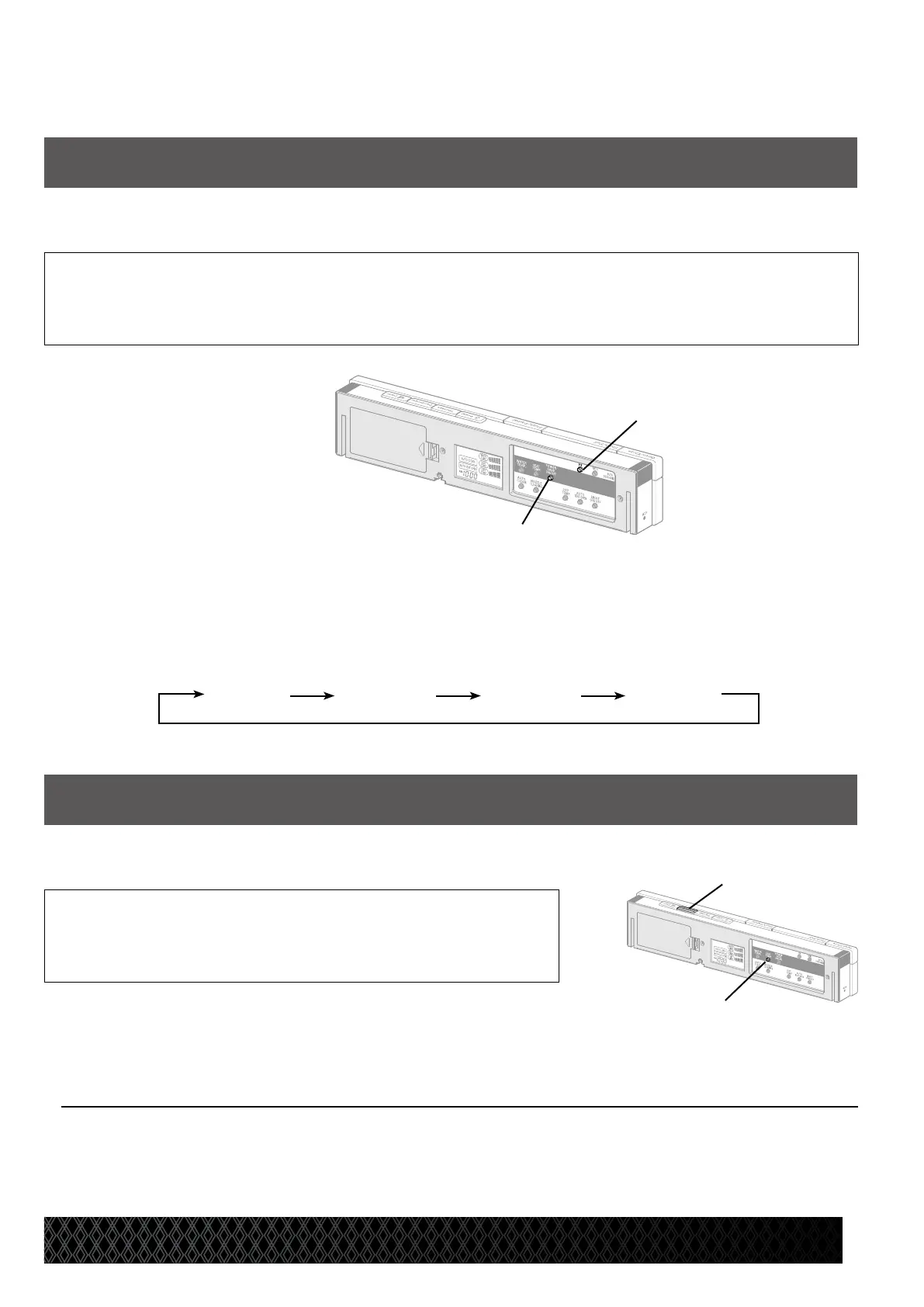
Press the Power save [A] and Hr. [B] buttons simultaneously
for 2 seconds.
* A short beep sounds when the setting is complete.
[A]
[B]
Comfort Features
Muting the Signal Reception Sound
The remote control will emit a signal reception sound whenever a button is pressed. The factory default setting for
this feature is ON. To cancel the signal reception sound, follow the steps below.
Press the Seat temp. [C] and Deodorizer
[D] buttons simultaneously for 2 seconds.
To return to the default setting
Press the Seat temp. [C] and Deodorizer [D] buttons
simultaneously for 2 seconds.
* A short beep sounds when the setting is complete.
[D]
[C]


 To Next Page