Maintenance Manual (960-946) 4-25
Replacement Procedures
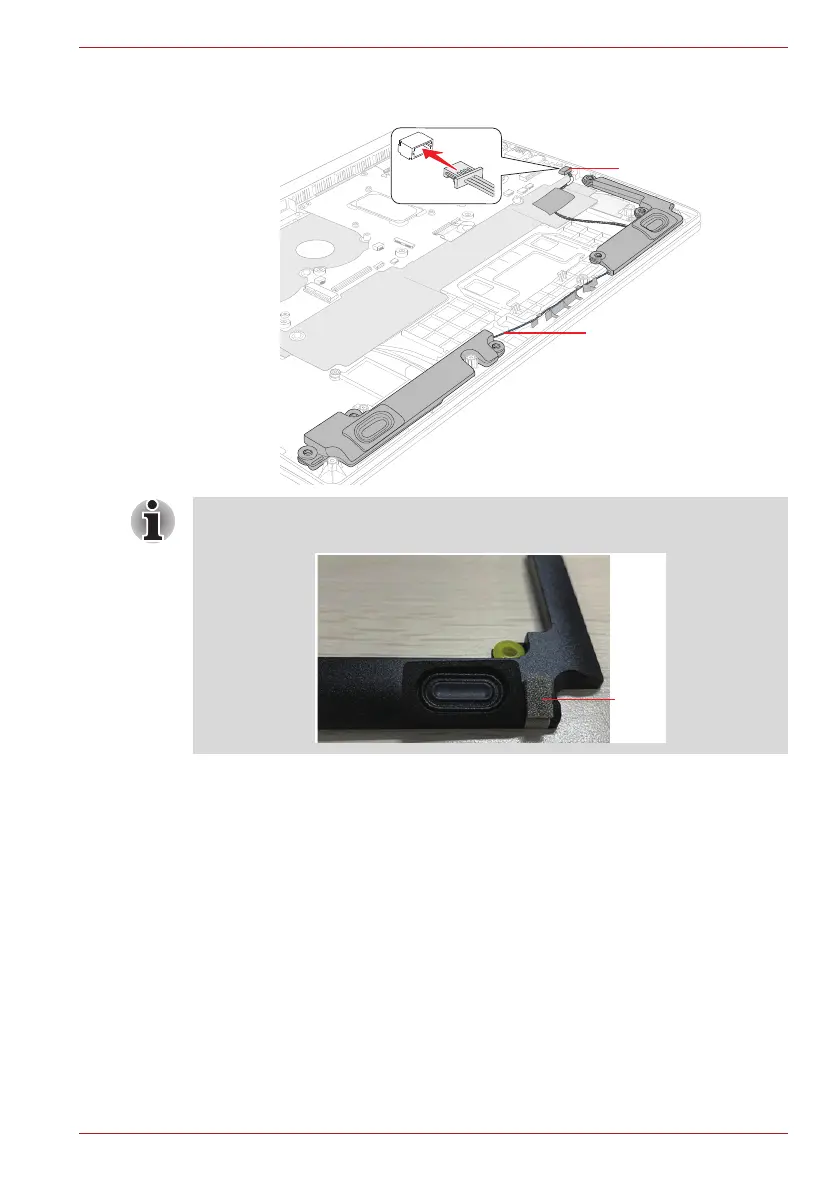
Figure 4-27 Installing the Speaker
4.22 3G antennas
4.22.1 Removing the 3G antennas
To remove the 3G antennas, follow the steps below.
1. Disconnect the SAR harness from the connector CN2650 on the USB
board (FMERLT*).
2. Open the stick tapes and remove the INSU on the 3G antenna (Aux).
3. Release the 3G antenna cables and SAR harness from the guides on
the Cover Assembly.
Speaker Harness
CN6290
(For LTE models) When replacing the speaker with a new one, stick one
piece of Gasket on the speaker in place.



 To Next Page
 Loading...