Maintenance Manual (960-946) 4-10
Replacement Procedures
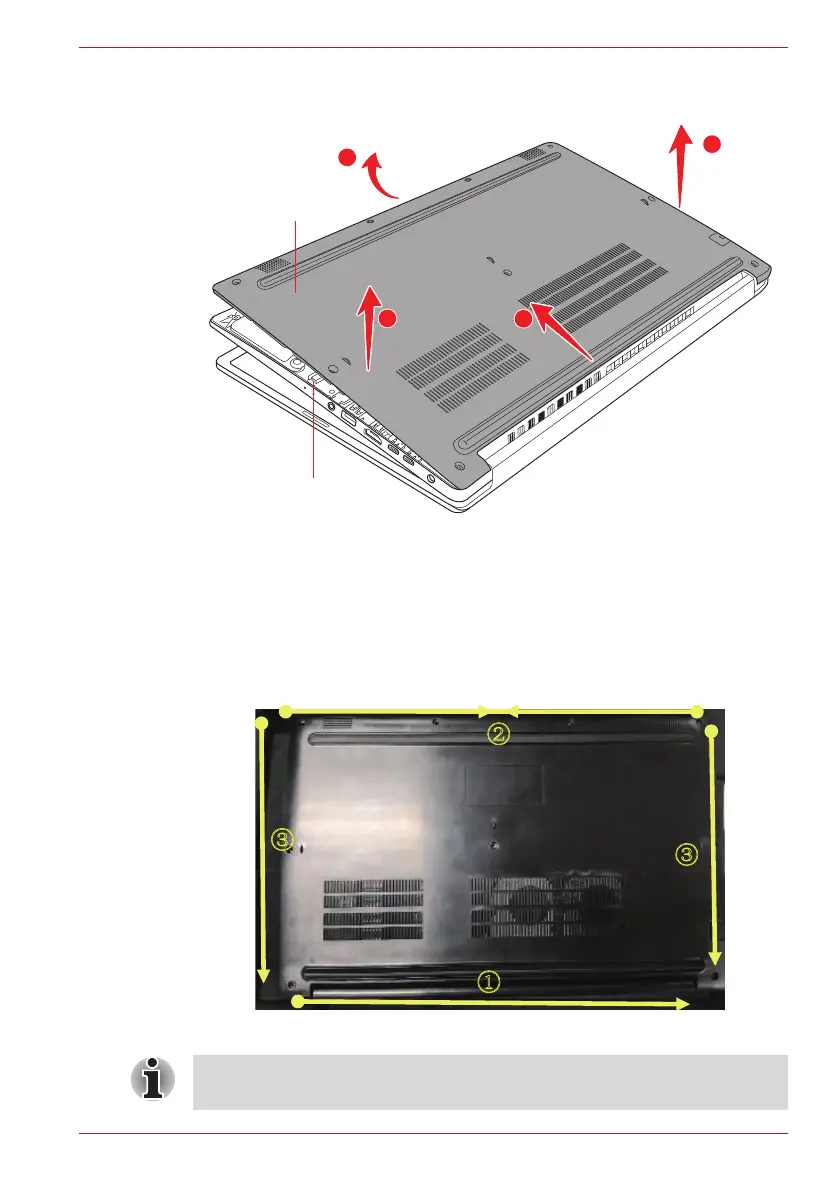
Figure 4-5 Removing the Base Assembly (2)
4.11.2 Installing the Base Assembly
To install the Base Assembly, follow the steps below and refer to Figure 4-4
to Figure 4-6.
1. Set the Cover Assembly on the Base Assembly while securing the
latches.
Figure 4-6 Installing the Base Assembly
2. Secure the Cover Assembly and Base Assembly with the screws.
3
2
1
2
Cover Assembly
Base Assembly
When securing the Base Assembly, be sure to drive the screws in the
order of the number on Figure 4-4.



 To Next Page
 Loading...