Maintenance Manual (960-946) 4-44
Replacement Procedures
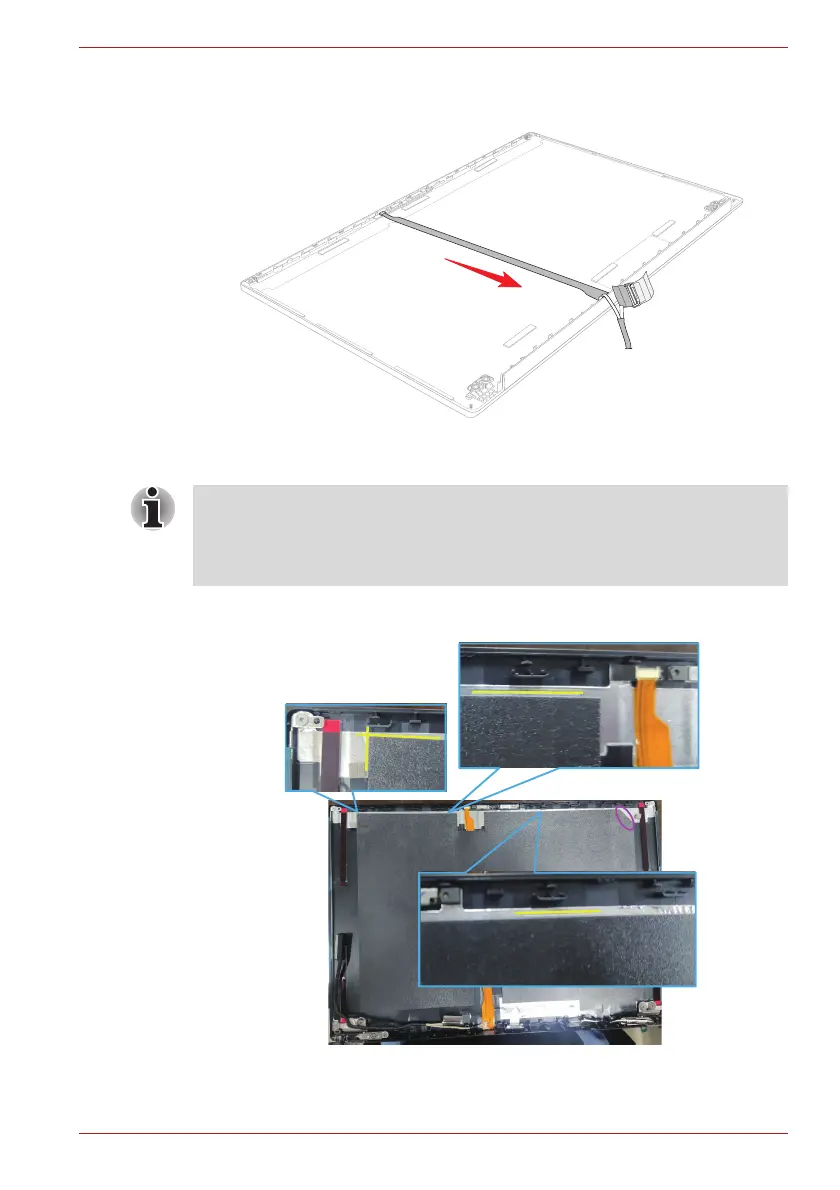
Figure 4-49 Installing the Camera module (1)
5. Arrange the LCD/Webcam harness to the guides on the LCD cover.
6. (For some models) Stick the SQUARE CUSHION to the LCD cover.
Figure 4-50 Installing the Camera module (2)
■ For models with LCD module G33C0009U110 or G33C000AM110,
please use SQUARE CUSHION GM9044309111.
■ For models with LCD module G33C000AE110, please use SQUARE
CUSHION GM9044309211.



 To Next Page
 Loading...