34 of 44
User Manual for the GSC400 Programmer and PC Interface
3.6 Reading Sender Tables from the GSC400
To read settings from the GSC400 do the following steps:
1. Click on the sender type tab for the sender type you want to read the
tables for.
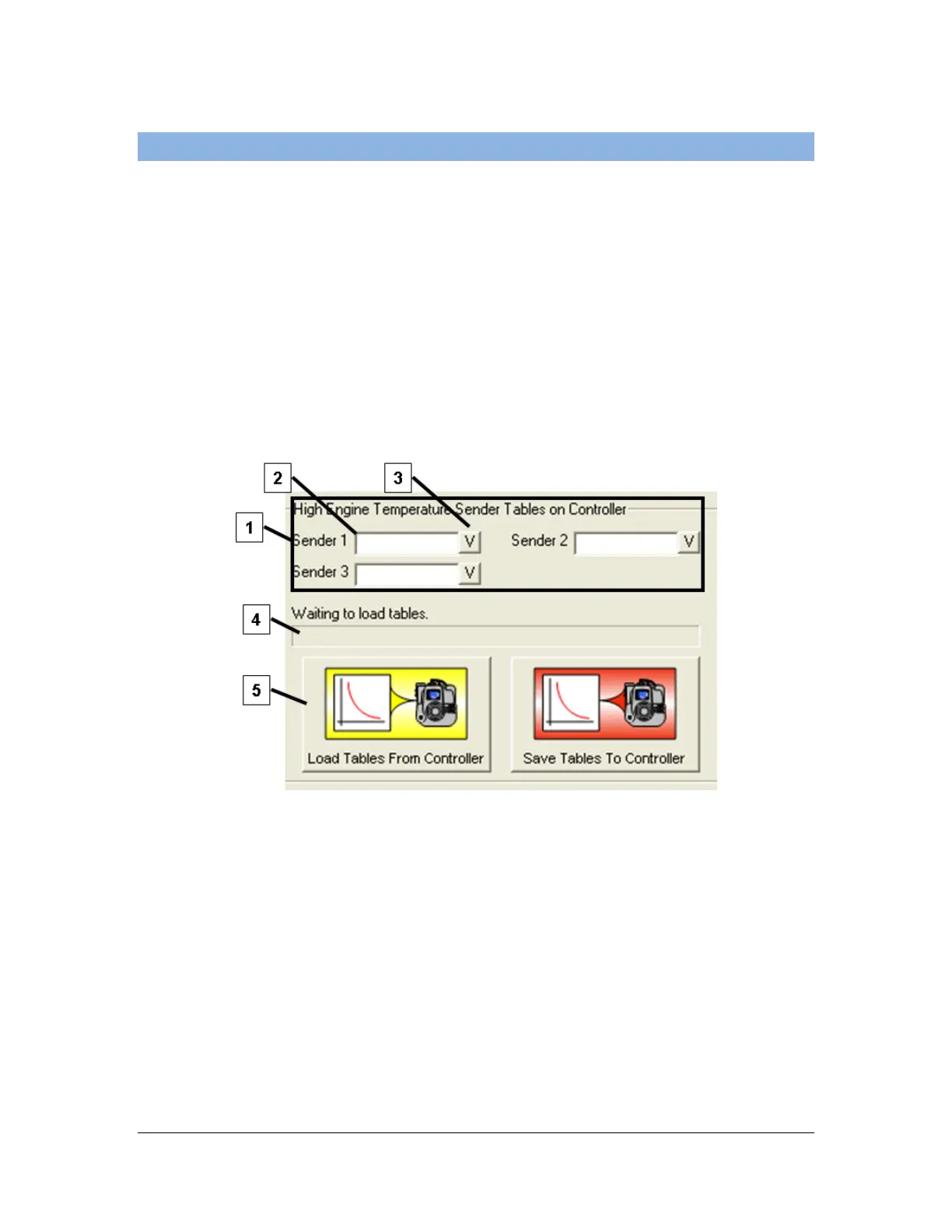
2. Click “Load Tables From Controller” button [5] at the bottom of the
utility. The read will start and the status bar [4] indicates when the read is
finished.
3. The controller sender table names will be displayed in the area [1] above
the status bar. Click on the “V” button beside each name [3] to view data
for each sender.
Figure 43 – Reading sender tables from the controller.

 To Next Page
 Loading...