40 of 44
User Manual for the GSC400 Programmer and PC Interface
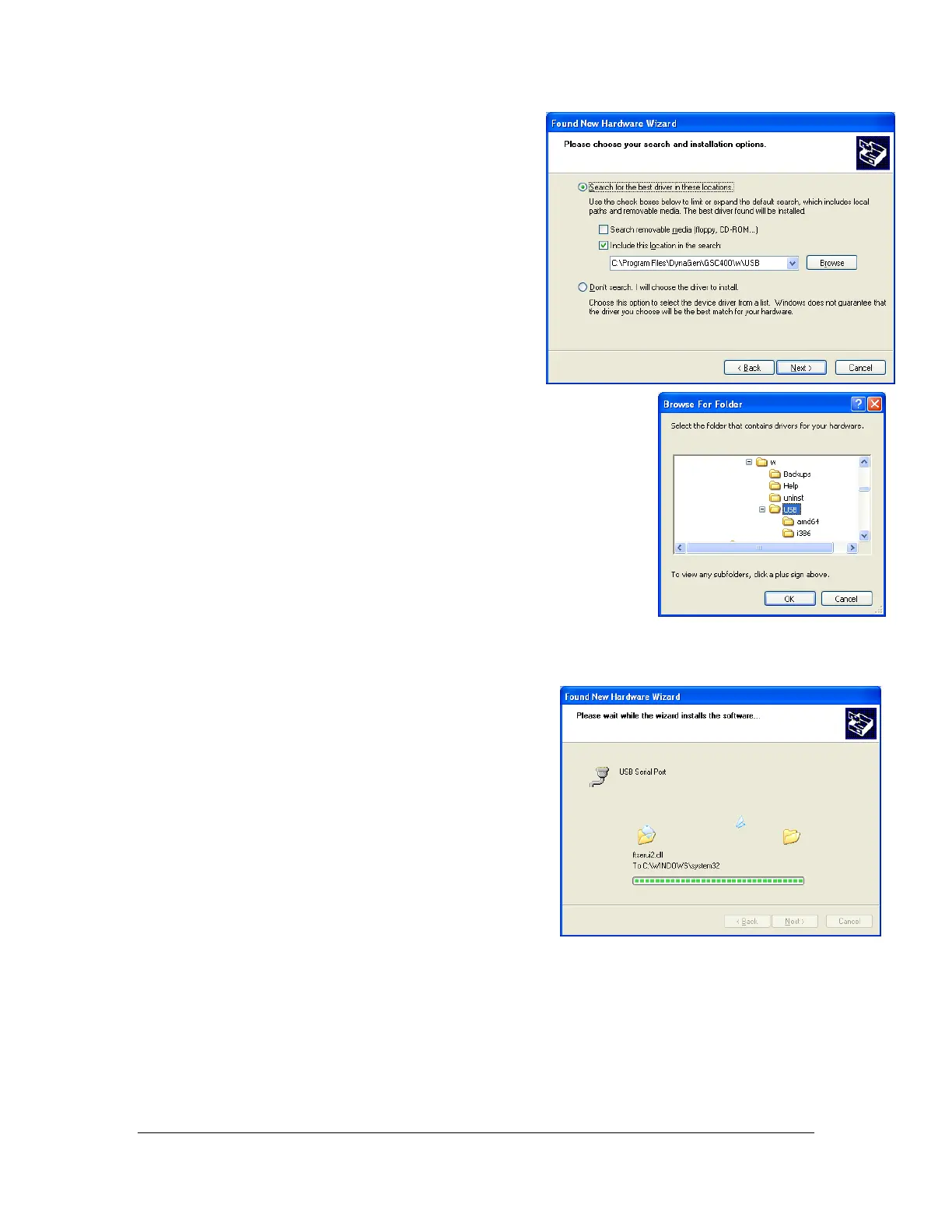
3. The window to the right should appear.
Select the top option, “Search for the
best driver in these locations.”
If you have the CD that came with the
GSC400 programmer insert it now.
Check the box beside the text, “Search
removable media…”
If you do not have the CD, check the
box beside the text, “Include this
location in the search.” Click the browse
button and browse to the USB folder in
the directory you installed the GSC400
PC Interface. By default this location
is: “C:\Program Files\DynaGen\GSC400\USB” (the C:\
portion may be different on your computer).
Click the next button.
4. Windows will now install the USB drivers.

 To Next Page
 Loading...