Structure (ROPS)
Operator life may be endangered if the
following is not complied with. Do not add
attachments to the roller that intrude into
the operator protective area, reduce
visibility, restrict emergency exits, or add
weight exceeding certification weight.
See the operation manual or contact the
dealer for complete inspection
requirements and maintenance
instructions.
Never attempt to repair a damaged ROPS
structure or cab. These must be replaced
with new ROPS structure or cabs.
Battery Handling
When removing batteries, always
disconnect the negative cable first.
When fitting batteries, always connect the
positive cable first.
Dispose of old batteries in an
environmentally friendly way. Batteries
contain toxic lead.
Do not use a quick-charger for charging
the battery. This may shorten battery life.
Do not connect the negative cable to the
negative terminal on the dead battery. A
spark can ignite the oxy-hydrogen gas
formed around the battery.
Check that the battery used for jump
starting has the same voltage as the
dead battery.
Turn the ignition and all power consuming
equipment off. Switch off the engine on the
machine which is providing jump start power.
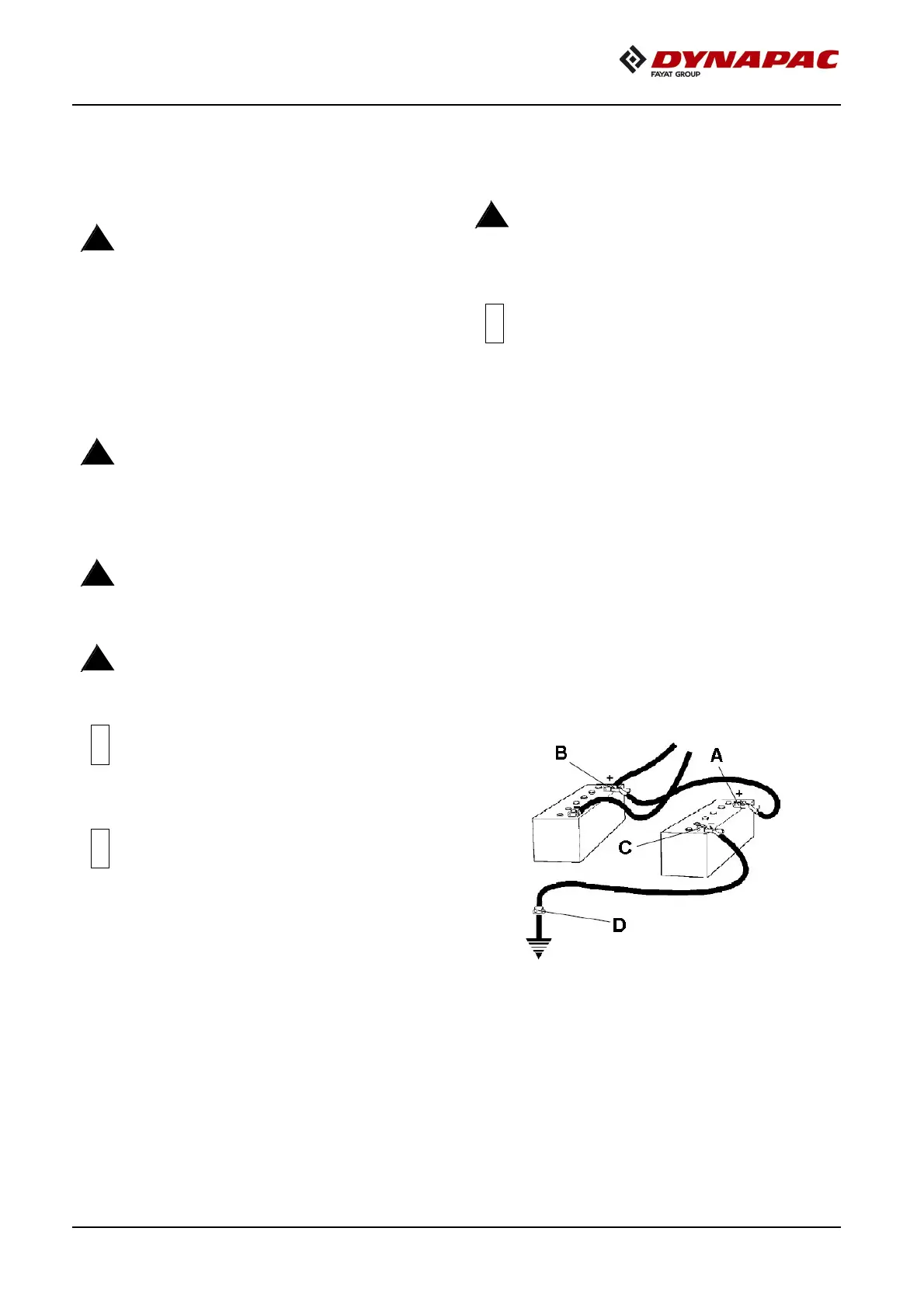
First connect the jump start battery's positive
terminal (1) to the flat battery's positive terminal
(2).Then connect the jump start battery's negative
terminal (3) to, for example, a bolt (4) or the lifting
eye on the machine with the flat battery.
Start the engine on the power providing machine.
Let it run for a while. Now try to start the other
machine. Disconnect the cables in the reverse
order.
Figure
3-1:
s
Jump
Starting
A Battery's positive terminal one
B Battery's positive terminal two
C Battery's negative terminal three
D Battery's negative terminal four
!
!
!



 To Next Page