DH200F User Manual
©Dyness reserves the copyright of this document.
Step 1: Turn on the "GRID" (AC circuit breaker)
Step 2: Turn on the "LOAD" (load side circuit breaker)
Step 3: Turn on “QF1” to “QF5” (each secondary circuit breaker) in sequence
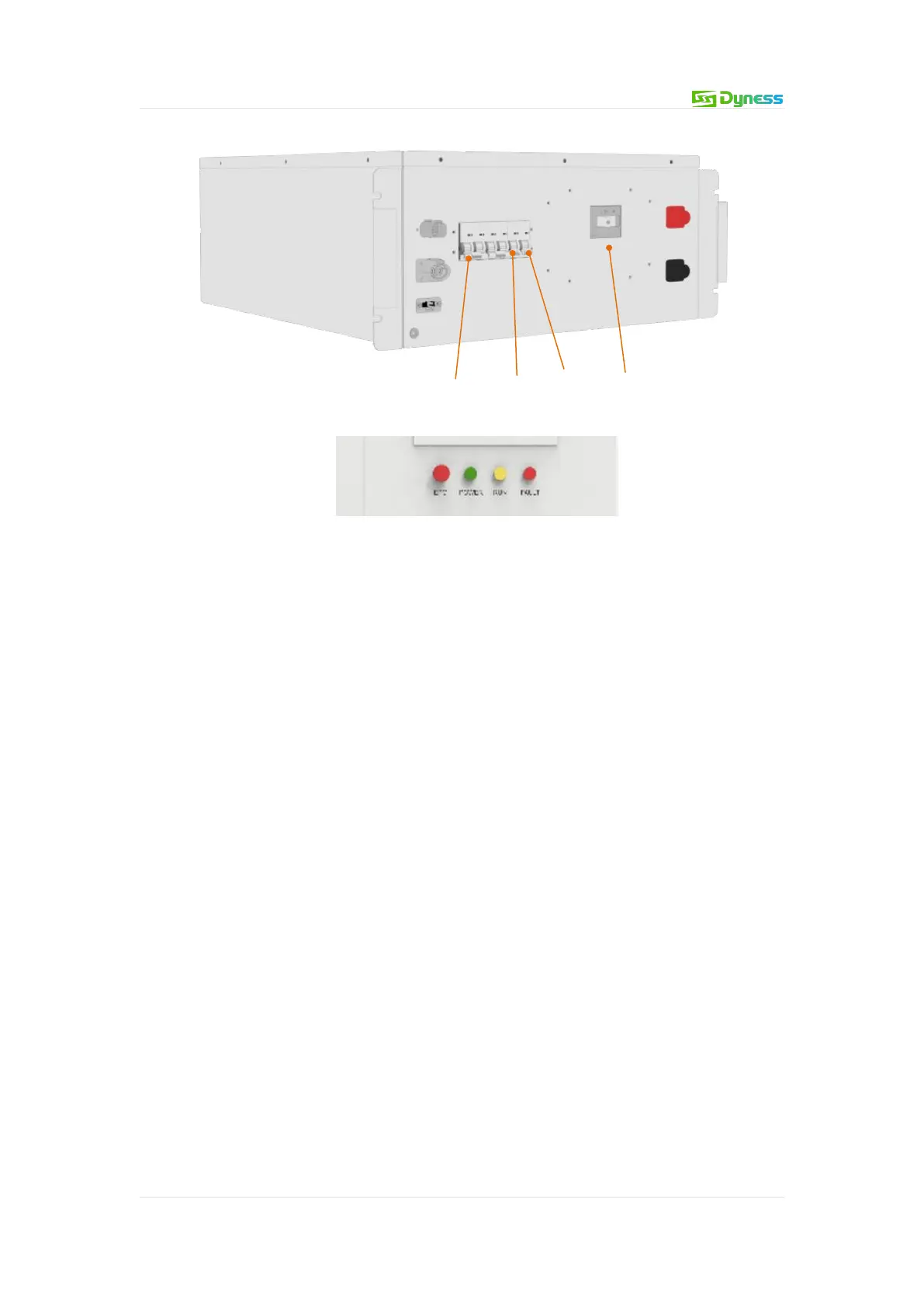
Step 4: Turn on "Q1", "Q2", "Q3", "BAT" (BMS circuit breaker) in sequence
Step 5: Turn on the "PV" (PV side circuit breaker)
Step 6: Set the EMS working mode according to the application, and make the EMS work
in automatic mode after setting.
After operating the steps one by one, check whether the indicator light of the product is
on and whether the screen is displayed. If the product status is normal, the running
indicator light is on, and the fault indicator light and alarm indicator light are off. The
screen starts to display the system running status and parameters.
Product power off process
Operating procedures:
The process of powering off the main circuit is divided into 6 steps:
Step 1: Stop the system through the screen or host computer
Step 2: Disconnect "LOAD" (Load Side Breaker)
Step 3: Disconnect "PV" (PV side breaker)
Step 4: Disconnect "Q1", "Q2", "Q3", "BAT" in turn (BMS circuit breaker)
Step 5: Disconnect "QF1" to "QF5" (each secondary circuit breaker) in sequence
Step 6: Disconnect "GRID" (AC side breaker)
After operating step by step, the system will stop running, and the product indicators and
screen will go out. After the inspection is completed, wait for five minutes to perform
maintenance and inspection operations.


 To Next Page