DH200F User Manual
©Dyness reserves the copyright of this document.
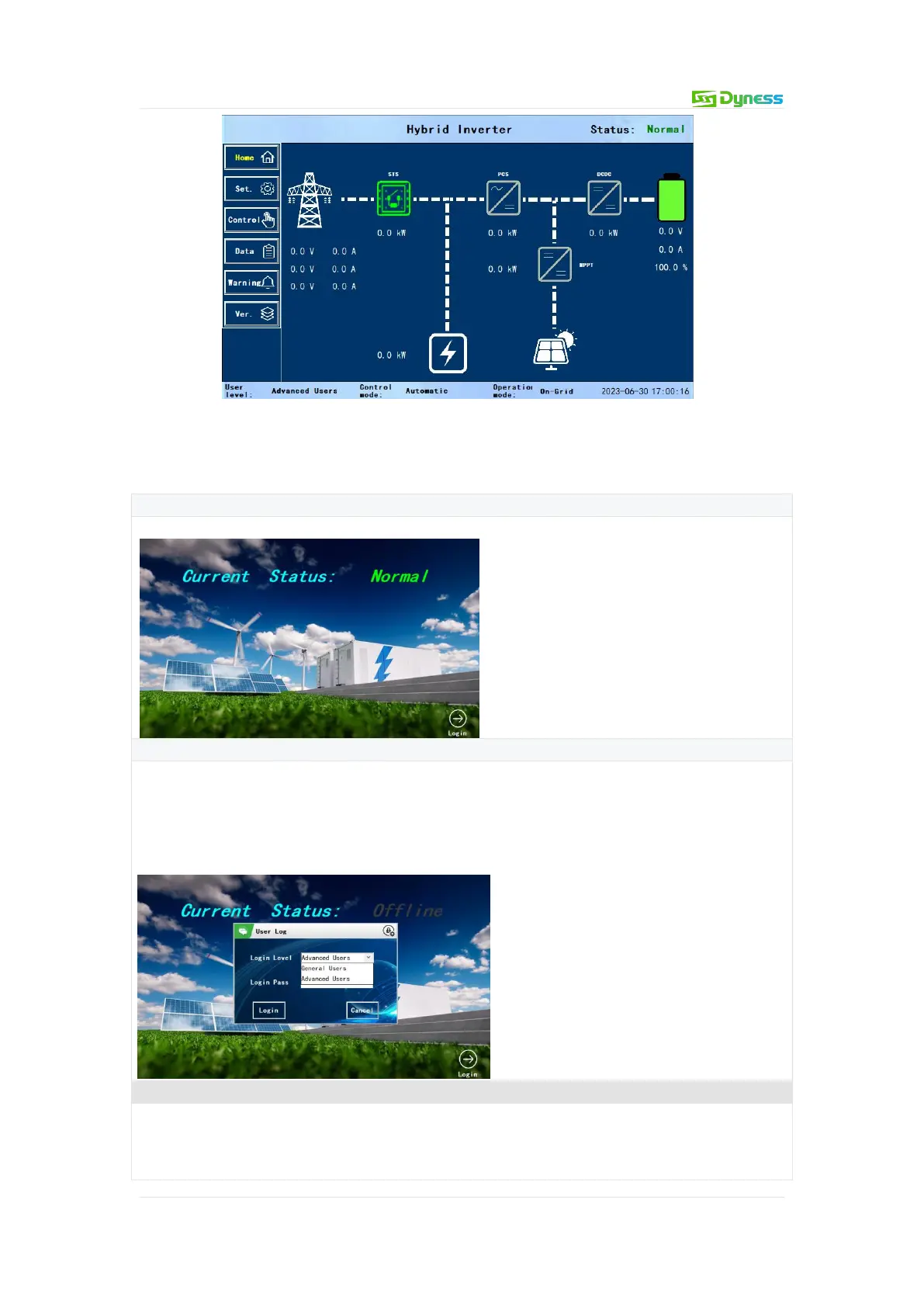
Figure 7-2 HMI screen main interface
Login Operation Guide
Table 7-1 Login operation guide
Step 1: Launch the login screen
After power-on, the touch screen will enter the initialization interface.
Step 2: Enter the initial login password
Click the [Login] button in the lower right corner to enter the login interface. The login
level is divided into two categories: "General Users" and "Advanced Users", the "General
Users" login password is 1234. "General User" can only perform operations on power on
and off and browse parameter events, and "Advanced Users" has permission to modify
parameters.
Step 3: Enter the login main interface
After logging in, the default "Home" is used. Click the [Home] button on the left side of
any other interface to enter this interface.
In this interface, there are mainly grid three-phase status, STS power, load power, PCS


 To Next Page