2388-MANUL-V10.00.00-UTP2 Operating Manual
Page 21 of 74
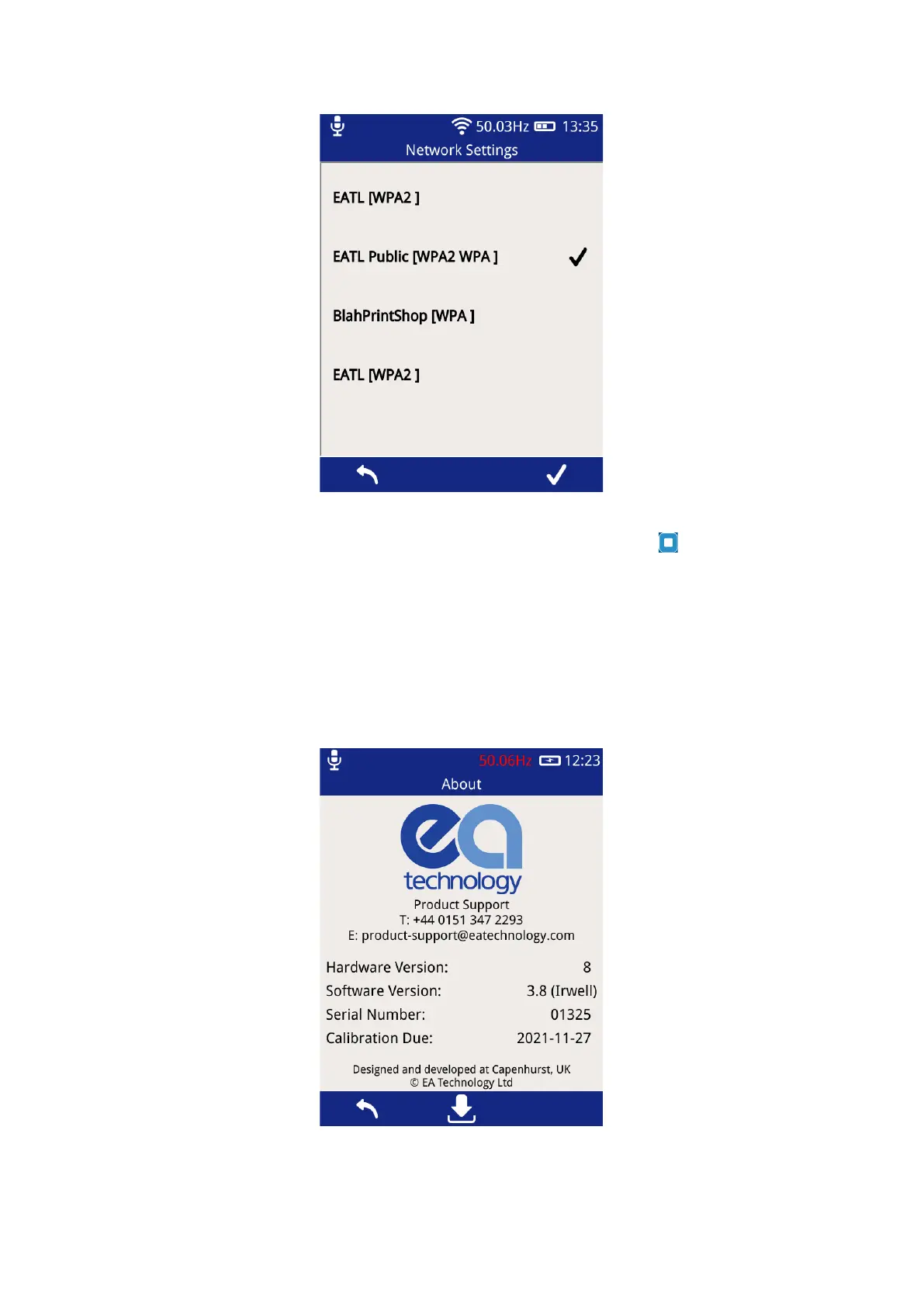
Using the on-screen keyboard, enter the Wi-Fi password and then the Middle Button to save the network.
The connection status of the UTP2 can be viewed by selecting ‘Network Status’.
3.12.4 About
The about screen displays a summary of the UTP2 components including both hardware and software version
numbers. The display also provides details of EA Technology’s dedicated Product Support team should any
further information be required.



 To Next Page